Advanced API Development Best Practices 2026
If you’ve ever pushed a “simple” API change on Friday and spent the weekend fixing broken clients, you’re not alone.
I’ve seen tiny teams with good engineers still ship APIs that constantly break mobile apps, dashboards, and third-party integrations.
Not because they lack skills — but because the way they design and evolve APIs doesn’t match how small teams actually work.
This post is about fixing that without hiring more people or rewriting everything.
Why this problem actually happens

In small teams, APIs rarely start as “products.” They start as:
We just need something for the mobile app”
This usually starts as a quick backend shortcut to unblock the mobile team. We hardcode fields or shape the response only for one screen, without thinking about reuse. Later, when web or partners need the same data, the API feels awkward and fragile.
“Let’s expose this endpoint quickly”
Deadlines push us to ship fast, so we skip naming conventions, validation, and proper contracts. The endpoint works today, but no one documents it or reviews the design. A few months later, small changes start breaking multiple clients.
“We’ll clean it later”
“Later” almost never comes in startups because new features always win over refactoring. Temporary hacks quietly become permanent architecture. Over time, the API gets messy and risky to touch, slowing the whole team down.
Insight: Later never comes.
What really causes instability isn’t bad code — it’s constraints:
1. One API serving many masters
When a single API has to satisfy frontend, mobile, admin, and partner needs, the schema gets messy. Quick fixes to satisfy one client often break another, creating constant friction.
2. No ownership
Without a clear owner, everyone makes changes, and no one ensures consistency or enforces contracts. This leads to unpredictable behavior and hidden bugs across clients.
3. Speed over contracts
Small teams often prioritize shipping features over maintaining backward compatibility. Fast delivery feels good short-term, but it creates fragile APIs that break consumers unexpectedly.
4. Silent coupling
Clients often rely on undocumented or “internal” fields. Removing or changing them seems safe but immediately breaks apps, dashboards, or integrations that were quietly depending on them.
Textbooks talk about “design-first APIs.” Reality: you’re hacking endpoints between releases.
Where most developers or teams get this wrong

I’ve seen the same patterns repeat across startups and agencies.
Mistake 1: “We’ll just change the response, frontend will adjust”
Seems harmless.
Until:
Mobile app is already published
Once the app is live on the App Store or Play Store, you lose control over updates. Users might stay on old versions for weeks or months. If your API changes suddenly, those users hit broken screens and you can’t fix it quickly.
Partner integration can’t update fast
External partners usually don’t deploy daily like your team does. They may have approval cycles, testing windows, or legacy systems that slow changes. Even a small breaking update on your side can block their business for days.
Old version still runs in the wild for months
Not everyone upgrades immediately, especially in regions with slow networks or older devices. Old clients keep calling your API long after you’ve moved on. If you remove or change fields, those users quietly start failing without you noticing at first.
Now you’re stuck supporting multiple shapes accidentally.
Mistake 2: Over-engineering too early
Some teams react by building:
complex API gateways
Teams add gateways thinking it will “future-proof” everything, but it often adds extra configuration, debugging layers, and failure points. For a small team, it becomes one more thing to maintain. Simple routing would’ve solved the same problem with less overhead.
heavy frameworks
Big frameworks promise structure and best practices, but they slow down everyday work with boilerplate and strict patterns. Small changes start feeling expensive and time-consuming. Instead of shipping faster, the team spends time fighting the framework.
microservices for 5 endpoints
Splitting a tiny system into multiple services sounds modern, but it creates unnecessary complexity. Now you’re managing deployments, networking, and inter-service bugs for almost no real gain. For small teams, a simple monolith is usually easier and more reliable.
Now every change takes 3x longer. For a 4-person team, that’s worse than the original problem.
Mistake 3: Treating APIs like internal functions
Changing:
field names
Changing or renaming fields may look harmless during refactoring, but clients often depend on them exactly as they are. A small rename can silently break mobile screens or frontend logic. Once a field is public, it should be treated as permanent.
response structures
Rearranging the response shape or nesting data differently can cause parsing issues on the client side. Even if the data is the same, the structure change forces updates everywhere. Stable structures reduce surprise and make integrations safer.
status codes
Inconsistent or changing status codes confuse error handling and retries. If 200 suddenly becomes 400 or 500, client logic breaks in unexpected ways. Clear and predictable status codes make debugging and integration much easier.
without versioning.Internally it feels safe. Externally it’s chaos.
Mistake 4: Copy-paste endpoints
I’ve literally seen:
/users
/usersV2
/usersNew
/usersFinal
No one remembers which is safe to use.
This is what happens when there’s no evolution strategy.
Practical solutions that work in real projects
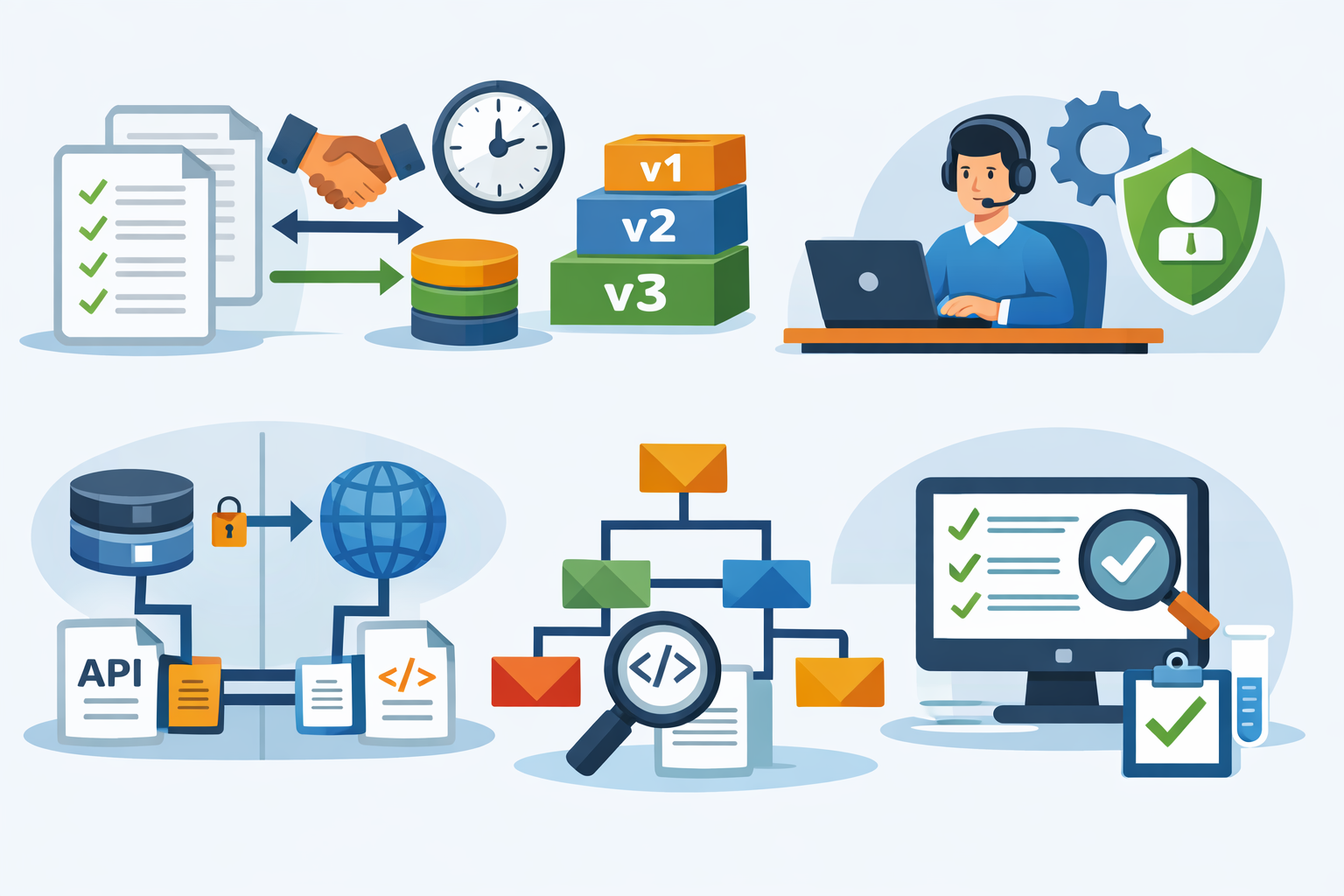
Here’s what has actually worked for me on small teams (3–8 devs), not theoretical “enterprise architecture.”
1. Treat responses like contracts, not code
Once an endpoint is public, assume it’s permanent.
Rules I follow:
Never remove fields
Once a field is public, assume someone is using it — even if you don’t see it internally. Removing it can silently break apps or integrations you didn’t know existed. It’s safer to keep it and mark it as unused than cause production issues.
Only add new optional fields
Adding optional fields is the safest way to evolve an API without breaking clients. Old consumers can ignore them, while new ones can use the extra data. This keeps backward compatibility without forcing updates.
Avoid renaming
Renaming feels clean in the codebase but messy for everyone else. Clients must update their logic, which often gets delayed or missed. If you really need a better name, add a new field and phase out the old one gradually.
Deprecate slowly
Deprecation gives teams time to migrate instead of rushing fixes. Mark fields or endpoints as deprecated, communicate clearly, and monitor usage before removing anything. Slow transitions prevent sudden outages and late-night rollbacks.
It feels slower short-term.But you stop breaking things weekly.
2. Add lightweight versioning (don’t overthink it)
Don’t build a huge system.
Just:
/api/v1/orders
/api/v2/orders
Use v2 only when:
response shape changes
If you change how the data is structured — like nesting fields differently or moving keys around — clients often break even if the data itself is the same. Parsers, mappers, and UI logic depend on that exact shape. These changes usually require a new API version.
logic changes significantly
When the business logic behind an endpoint changes, the same request may return different results than before. That can confuse clients who rely on the old behavior. If outcomes or rules change noticeably, it’s safer to treat it as a new version rather than a silent update.
Keep v1 running for a while.
Trade-off:
Slight duplication
Supporting two API versions often means copying some controllers or logic. It feels a bit messy at first, but the duplication is usually small and easy to manage. For small teams, this trade-off is cheaper than risky refactors that break existing clients.
Much fewer production fires
Stable versions mean fewer surprise breakages after deployments. You stop getting late-night messages about mobile apps or integrations failing. Less firefighting gives the team more time to build features instead of fixing avoidable issues.
Worth it every time.
3. Introduce a simple “API owner”
Not a new hire. Just responsibility.
One dev per sprint:
reviews new endpoints
Before anything goes live, someone quickly checks if the endpoint makes sense and follows existing patterns. This catches rushed designs and accidental complexity early. A 10-minute review often saves hours of cleanup later.
checks naming consistency
Consistent naming keeps the API predictable for everyone using it. When routes and fields follow the same style, developers don’t have to guess or re-read docs. It reduces confusion and speeds up both frontend and backend work.
questions breaking changes
Any change that might affect existing clients should raise a red flag. Asking “Will this break someone?” forces better decisions and safer rollouts. Most production issues come from changes no one stopped to question.
This single step improves quality more than any tool.
I’ve seen chaos disappear just by having one person say:
“Wait, this breaks the contract.”
4. Use explicit schemas
Don’t rely on “whatever JSON we return.”
Use:
OpenAPI/Swagger
OpenAPI or Swagger gives you a clear, shared contract for every endpoint. Frontend and backend teams can see exactly what’s expected without guessing. It also helps generate docs and catch mismatches before they hit production.
Zod/TypeScript types
Using Zod or TypeScript types forces you to define data shapes explicitly instead of passing loose objects around. You catch errors during development instead of after deployment. For small teams, this saves a lot of debugging time.
JSON schema
JSON schema lets you validate requests and responses automatically at runtime. It prevents bad or unexpected data from slipping through your API. This extra guardrail keeps integrations stable and reduces weird edge-case bugs.
Benefits:
frontend knows exactly what to expect
When the API contract is clearly defined, frontend developers don’t have to guess field names or data types. They can build features confidently without constant backend clarification. Fewer assumptions mean fewer integration bugs.
auto docs
With schemas or specs in place, documentation gets generated automatically instead of written manually. It stays up to date as the API evolves. This saves time and avoids outdated docs that confuse the team.
easier refactoring
When types and contracts are explicit, you can change internal code without fear. If something breaks, tools and tests catch it quickly. Refactoring becomes safer and less stressful, especially in growing codebases.
Also forces you to think before shipping random fields.
5. Separate internal and external endpoints
Big lesson.
Not everything needs to be public.
Pattern:
/internal/* → can change freely
/api/* → stable, contract-based
Now you can move fast internally without breaking clients.
This alone removes half the pressure.
6. Add basic contract tests
Nothing fancy.
Just tests that say:
Response contains these fields
Tests should verify that all expected fields are present in every response. This prevents accidental deletions or omissions that could break clients.
Types match
Ensure that field types (string, number, boolean, arrays) remain consistent. Mismatched types can cause runtime errors on the frontend or mobile apps.
Status codes don’t change
Check that endpoints consistently return the same status codes for the same conditions. Unexpected changes can confuse error handling and disrupt integrations.
Catches accidental breaks before deploy.
Takes 1–2 hours to set up. Saves days later.
When this approach does NOT work

Being honest here.
These practices won’t magically fix everything.
Doesn’t help when:
Your API is already deeply inconsistent
If every endpoint follows a different pattern, naming style, or response format, small fixes won’t help much. The inconsistency spreads confusion across the team and clients. At that point, you’re fighting accumulated chaos, not just a few bad decisions.
You have dozens of legacy versions
Supporting too many old versions turns maintenance into a burden. Every change must be tested in multiple places, which slows everything down. Instead of building new features, the team spends time babysitting outdated endpoints.
No one can refactor at all
When deadlines are constant and no time is allocated for cleanup, tech debt just keeps growing. Developers avoid touching risky code, so problems stay forever. Without dedicated refactor time, even good practices won’t stick.
In that case, you may need:
a slow cleanup
Instead of rewriting everything at once, fix the API gradually during regular work. Tidy one endpoint at a time, standardize naming, and remove obvious hacks. It’s slower, but safer and more realistic for small teams with ongoing releases.
or a planned “v2 rewrite”
Sometimes the existing API is too messy to repair piece by piece. In that case, design a clean v2 separately and migrate clients step by step. Keep v1 running while you transition, so you don’t break production during the rewrite.
Also:
If you’re a solo dev building a prototype, strict contracts may slow you down unnecessarily.
Early stage hackathons don’t need this.
Stability matters once other teams or customers depend on you.
Best practices for small development teams

This is what I now follow by default.
Keep it boring
Boring APIs survive longer than clever ones.
Predictable:
beats smart abstractions.
Naming
Consistent naming across endpoints and fields makes the API predictable and easier to use. Developers can guess or remember routes without constantly checking docs, which speeds up development and reduces mistakes.
Structure
A stable and uniform response structure prevents clients from breaking when data is rearranged. Predictable nesting and data types make integration smoother and simplify debugging.
Status codes
Clear and consistent status codes help clients handle success, errors, and retries correctly. Changing them unexpectedly can silently break apps, so keeping them predictable reduces production issues.
Prefer consistency over perfection
Even if something isn’t ideal, keep it consistent.
Consistency reduces cognitive load more than elegance.
Deprecate, don’t delete
Mark endpoints as deprecated.
- Log usage.
- Remove only when usage drops to zero.
- Never “just delete.”
Limit surface area
Fewer endpoints = fewer problems.
Before adding one, ask:
“Can this be solved by extending an existing one?”
Optimize for maintenance, not elegance
Small teams don’t have time for architectural beauty.
Choose:
Simple
Keep the API straightforward without unnecessary layers or clever tricks. Simplicity reduces mistakes and makes it easier for the whole team to understand and maintain.
Readable
Write endpoints, responses, and code that are easy to scan and understand at a glance. Readable APIs save time during debugging and onboarding new team members.
Easy to change
Design your API so that minor updates don’t cascade into major rewrites. Flexibility in structure and logic lets small teams adapt quickly without breaking clients.
Every time
Make simplicity, readability, and maintainability standard practice, not an afterthought. Consistently applying these principles prevents technical debt from piling up.
Conclusion
Most API issues in small teams aren’t technical failures.
They’re process and ownership problems.
Once you treat APIs like contracts, add lightweight versioning, and assign responsibility, things get boring — in a good way.
And boring APIs are the ones that don’t wake you up at 2 a.m.
That’s the goal.
FAQs
Start with /v1 and create /v2 only for breaking changes. Don’t build anything more complex.
It can help flexibility, but it adds complexity. For 2–5 devs, simple REST is usually easier to maintain.
Only when you change the response structure or remove fields. Additive changes don’t need a new version.
Yes, once more than one dev depends on it. It prevents guesswork and silent breaking changes.
Never remove or rename fields. Add new ones and deprecate old behavior gradually.
About the Author
Paras Dabhi
VerifiedFull-Stack Developer (Python/Django, React, Node.js) · Stellar Code System
Hi, I’m Paras Dabhi. I build scalable web applications and SaaS products with Django REST, React/Next.js, and Node.js. I focus on clean architecture, performance, and production-ready delivery with modern UI/UX.

Paras Dabhi
Stellar Code System
Building scalable CRM & SaaS products
Clean architecture · Performance · UI/UX