Business Process Automation Services In Usa
Automation usually starts with a simple goal: eliminate repetitive work so teams can focus on building products instead of managing routine tasks. On paper, that sounds straightforward. In practice, I've seen small engineering teams spend months implementing automation only to discover they've introduced more maintenance work than they removed.
The biggest problem isn't the automation itself. It's automating processes that were never stable to begin with. Many startups invest in automation before they fully understand how their internal workflows actually operate.
I've worked with SaaS companies ranging from five-person startups to engineering organizations with dozens of developers across the United States, Europe, Australia, and Canada. One pattern appears repeatedly: automation succeeds only when the underlying business process is already predictable, documented, and measurable.
When teams rush into automation because competitors are doing it or because a new platform promises instant productivity, they often create additional operational overhead instead of improving efficiency.

Why This Problem Happens in Real Teams
Business process automation is often treated as a software implementation project. In reality, it's a process improvement project that happens to involve software.
That distinction changes everything.
Most early-stage startups are still discovering how they operate. Sales processes evolve every month. Customer onboarding changes after every product release. Support teams constantly refine their workflows based on user feedback.
If these moving parts aren't stable, automating them only accelerates inconsistency.
One startup I worked with automated its customer onboarding after just three months of launching its SaaS platform. The engineering team built integrations between their CRM, email platform, billing system, and internal dashboard. Everything looked impressive during demos.
Three months later, the sales team had changed its qualification process twice, pricing had evolved, and onboarding requirements had expanded. Nearly every automated workflow required modification.
Instead of reducing work, the automation became another product that developers had to maintain.
Automation Doesn't Fix Broken Processes
A common misconception is that automation improves poor operations.
It doesn't.
Automation simply executes existing processes faster.
If approvals already take too long, automation speeds up inefficient approvals.
If inaccurate data enters your system, automation distributes that inaccurate data across every connected application.
I've seen companies automate invoice processing while finance teams still disagreed on approval policies. The result wasn't faster accounting—it was automated confusion.
Before introducing automation, teams need consistent:
- Process documentation
- Approval rules
- Data ownership
- Validation standards
- Reporting expectations
Without these fundamentals, automation becomes difficult to trust.
Small Engineering Teams Face Different Constraints
Enterprise organizations can dedicate entire teams to workflow management, monitoring, governance, and compliance.
Small product teams rarely have that luxury.
A startup with six engineers typically shares responsibilities across backend development, frontend features, infrastructure, deployments, customer support, and production incidents.
Adding automation introduces additional responsibilities:
- API maintenance
- Integration failures
- Notification management
- Scheduling jobs
- Database synchronization
- Security reviews
- Monitoring dashboards
Every automated workflow eventually becomes production software.
That means it requires testing, validation, documentation, auditing, maintenance, and ongoing optimization.
Many founders underestimate this long-term commitment.
Integration Is Usually the Real Challenge
The automation logic itself is rarely complicated.
Connecting multiple systems reliably is.
Modern businesses depend on dozens of platforms:
- CRM software
- ERP systems
- Payment gateways
- Internal applications
- Cloud platforms
- Analytics tools
- Customer support systems
Every integration introduces another dependency.
One API changes.
Authentication expires.
A database schema evolves.
A webhook format updates.
Suddenly, an automated workflow stops executing correctly.
Unless teams invest in proper monitoring and reporting, failures often remain invisible until customers notice missing information or delayed operations.
Visibility matters just as much as automation itself.
Process Maturity Comes Before Automation
One lesson I've learned across multiple client projects is that mature processes produce successful automation—not the other way around.
Before introducing automation, I usually ask teams several questions:
- Can someone explain the entire workflow without opening five different applications?
- Does everyone follow the same approval process?
- Are responsibilities clearly assigned?
- Is there a single source of truth for business data?
- Are failures easy to identify?
If the answer to several of these questions is "no," automation should probably wait.
Improving consistency often delivers greater productivity gains than adding another automation platform.
Growth Changes Everything
Processes that work for a ten-person company often fail once the organization reaches fifty employees.
Communication becomes distributed.
Departments become specialized.
Applications multiply.
Data ownership becomes less obvious.
As businesses scale, workflow orchestration becomes increasingly important.
Instead of relying on manual coordination between departments, organizations begin connecting systems through standardized APIs, centralized reporting, and automated execution pipelines.
But scalability should be intentional.
I've seen startups adopt enterprise-grade infrastructure far too early because they expected rapid growth.
Months later, their engineers spent more time maintaining architecture than delivering customer features.
Automation should support growth—not predict it.
Efficiency Comes From Simplicity
Many automation projects fail because they optimize for sophistication rather than simplicity.
An elegant workflow usually has:
- Clear inputs
- Predictable execution
- Reliable validation
- Accurate reporting
- Easy monitoring
- Straightforward troubleshooting
Complicated automation often hides problems behind multiple integrations and layered business rules.
Simple workflows are easier to understand, easier to maintain, and significantly more reliable.
One of the most valuable engineering habits I've developed is asking whether a workflow actually needs automation—or simply better documentation and clearer ownership.
Sometimes improving collaboration eliminates more friction than writing another automation service.

Where Most Teams Make the Wrong Decision
One mistake shows up in almost every automation project I've reviewed: teams choose an automation platform before they understand the process they're trying to automate.
It usually starts with good intentions. A founder wants to improve productivity, reduce repetitive work, and help the team move faster. The engineering team evaluates automation tools, connects a few systems through an API, and launches the first workflow.
For a few weeks, everything appears to work.
Then the business changes.
A new approval step is introduced. Sales adjusts its qualification process. Finance changes reporting requirements. Customer support begins collecting additional information.
Suddenly, the automation no longer reflects how the business actually operates.
The problem wasn't the platform. It was assuming the process would remain unchanged.
Automating Every Workflow Too Early
I've seen startups attempt to automate nearly every department within their first year.
That usually includes:
- Customer onboarding
- Invoice approvals
- Employee onboarding
- Marketing campaigns
- CRM updates
- Internal notifications
- Reporting dashboards
Each new automation introduces another dependency.
Now the engineering team has to maintain:
- Authentication tokens
- API versions
- Database mappings
- Scheduling services
- Error handling
- Monitoring alerts
- Security permissions
Instead of reducing work, the team creates another layer of software that needs continuous maintenance.
The most successful engineering teams automate gradually.
They begin with repetitive, predictable tasks where the return is obvious.
Copying Enterprise Architecture
Large companies often publish engineering blogs describing sophisticated automation platforms.
It's tempting to copy those designs.
I've watched startups introduce:
- Event-driven architecture
- Multiple message queues
- Distributed workflow engines
- Complex orchestration layers
- Separate automation microservices
All for a product used by fewer than 500 customers.
The architecture looked impressive.
The maintenance burden was enormous.
Every deployment required additional coordination.
Debugging became slower.
Developers spent more time understanding the architecture than solving customer problems.
Enterprise patterns exist because enterprise companies have enterprise-scale challenges.
Small engineering teams usually don't.
Ignoring Process Ownership
Automation doesn't remove ownership.
It makes ownership even more important.
Consider an automated approval workflow.
Who updates approval rules?
Who validates new business requirements?
Who monitors failures?
Who investigates incorrect data?
Without clear ownership, automated workflows quietly drift away from reality.
Eventually people stop trusting them.
Manual work returns.
Now the organization has both manual processes and automation running side by side.
That combination usually creates confusion instead of efficiency.
Assuming Integrations Never Break
Every integration eventually changes.
A cloud provider updates an endpoint.
A third-party vendor changes authentication.
An API introduces rate limits.
A webhook format evolves.
A database schema changes after a product update.
None of these are unusual.
The mistake is building automation that assumes external systems never change.
Reliable automation always plans for failure.
That means including:
- Retry mechanisms
- Validation checks
- Detailed logging
- Performance monitoring
- Alerting
- Manual recovery procedures
Automation should fail safely rather than silently.
Measuring Activity Instead of Results
Another common mistake is tracking how much automation exists rather than what it improves.
I once worked with a company that proudly reported over 120 automated workflows.
Yet customer onboarding still took five days.
Support response times hadn't improved.
Finance still corrected invoices manually.
The automation platform was busy.
The business wasn't becoming more efficient.
Meaningful automation should improve measurable outcomes such as:
- Shorter processing time
- Higher accuracy
- Better consistency
- Reduced operational costs
- Fewer manual errors
- Improved visibility
- Faster execution
If none of these improve, more automation isn't the answer.
Practical Fixes That Actually Work
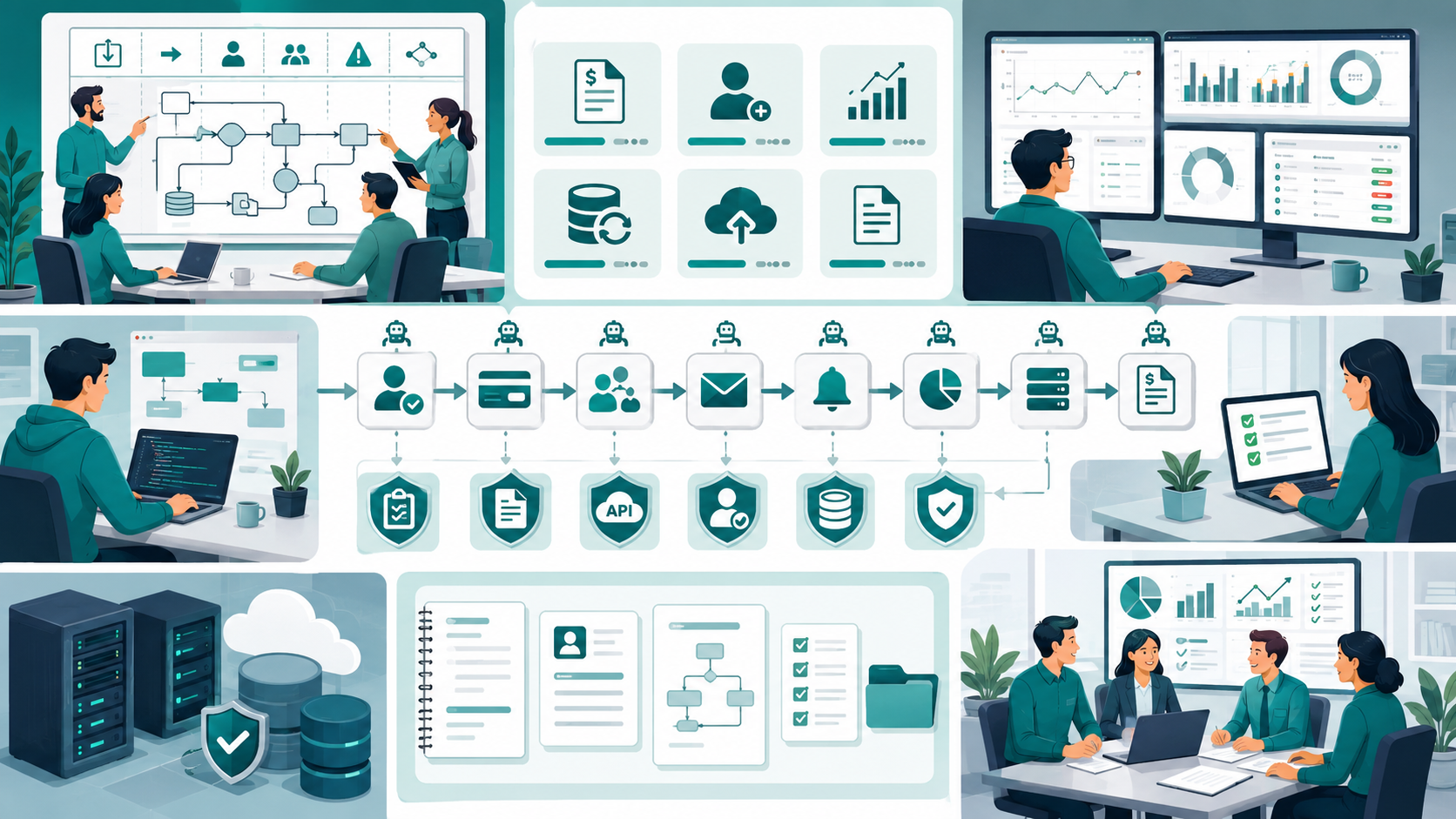
After working on automation projects across SaaS products and internal business platforms, I've found that successful implementations share a few consistent practices. Working with a US software team for business workflow automation helps companies document processes, automate stable workflows, validate data, connect systems through APIs, monitor execution, and reduce long-term operational complexity.
None of them are particularly complicated.
They're simply disciplined.
1. Document the Process Before Writing Code
Before creating the first automated workflow, map every step.
Document:
- Inputs
- Outputs
- Approval stages
- Exceptions
- Responsible teams
- Failure scenarios
If multiple employees perform the same task differently, automation should wait.
Consistency comes before automation.
2. Automate Stable Processes First
Not every workflow deserves automation.
Start with processes that rarely change.
Examples include:
- Invoice generation
- Employee account creation
- Scheduled reporting
- Data synchronization
- Backup execution
- File processing
These activities typically have predictable rules, making them ideal automation candidates.
3. Keep Workflows Small
One mistake I frequently encounter is combining several business processes into one massive workflow.
For example:
Customer signup → Payment confirmation → CRM update → Email sequence → Slack notification → Analytics update → ERP synchronization → Finance reporting
When one step fails, the entire chain becomes difficult to troubleshoot.
Instead, build smaller independent workflows with clear responsibilities.
Smaller automation services are easier to monitor, maintain, and optimize.
4. Build Validation Into Every Workflow
Automation should never assume incoming data is correct.
Always validate:
- Required fields
- File formats
- API responses
- User permissions
- Duplicate records
- Business rules
Validation improves accuracy, protects consistency, and prevents incorrect information from spreading across connected systems.
5. Invest in Monitoring Early
If automation runs without monitoring, failures remain invisible.
Every workflow should expose useful metrics, including:
- Successful executions
- Failed executions
- Average processing time
- Queue length
- Retry attempts
- System availability
- Performance trends
Good monitoring provides operational visibility and makes troubleshooting significantly faster.
6. Standardize Naming and Documentation
As automation grows, documentation becomes just as important as code.
Every workflow should clearly explain:
- Purpose
- Trigger
- Expected inputs
- Expected outputs
- Dependencies
- Owner
- Recovery steps
This simple habit improves collaboration, reduces onboarding time, and prevents knowledge from becoming locked inside one engineer's head.
7. Review Automation Regularly
Business requirements evolve.
Automation should evolve too.
Every quarter, review existing workflows.
Ask questions like:
- Is this workflow still necessary?
- Has the process changed?
- Are people bypassing automation?
- Are failures increasing?
- Can steps be simplified?
- Are reports still useful?
Regular reviews prevent automation from becoming outdated infrastructure.

When This Approach Fails
No automation strategy works in every situation. Over the years, I've also seen cases where keeping certain tasks manual was the better engineering decision.
Recognizing these limits early prevents teams from investing months in workflows that deliver little value.
Rapidly Changing Business Processes
Early-stage startups often change direction every few weeks.
Product requirements evolve.
Pricing changes.
Approval chains are rewritten.
Customer onboarding expands as new features are released.
Automating these unstable processes usually creates unnecessary rework because developers spend more time updating workflows than building product features.
In these situations, documenting the process and improving communication delivers better results than automation.
Highly Specialized Decision-Making
Some business operations depend heavily on human judgment.
Examples include:
- Enterprise contract negotiations
- Fraud investigations
- Customer escalation handling
- Product roadmap prioritization
- Legal approvals
These activities rarely follow predictable rules.
Trying to automate complex decision-making often produces inconsistent outcomes and increases manual corrections.
Automation works best when rules are objective rather than subjective.
Small Teams With Limited Engineering Capacity
A team of three or four engineers has limited bandwidth.
If those developers spend weeks maintaining internal automation instead of improving customer-facing features, the business may lose momentum.
I've advised founders to postpone automation simply because every engineering hour was more valuable on product development.
Sometimes a spreadsheet and a documented checklist outperform an expensive automation platform during a startup's first year.
Poor Data Quality
Automation depends on trustworthy data.
If different departments record customer information differently, automated workflows simply spread inconsistent information across connected systems.
Typical symptoms include:
- Duplicate customer records
- Missing contact information
- Incorrect reports
- Failed integrations
- Invalid notifications
Before expanding automation, invest time in improving data validation and ownership.
Clean data creates reliable automation.
Budget and Maintenance Constraints
Automation is not a one-time investment.
Every workflow requires ongoing attention.
Expect regular work involving:
- API updates
- Security reviews
- Database changes
- Performance tuning
- Infrastructure maintenance
- Compliance reviews
- Documentation updates
If the organization cannot support that long-term commitment, automation gradually becomes technical debt instead of operational improvement.

Sustainable Practices for Small Engineering Teams
The most successful automation projects I've participated in shared one characteristic.
They focused on sustainability instead of complexity.
Rather than chasing the newest technology, the teams invested in habits that made systems easier to understand six months later.
Keep Architecture Simple
Simple architecture scales surprisingly well.
Instead of introducing multiple workflow engines or unnecessary orchestration layers, begin with straightforward services that have clear responsibilities.
Ask one question before adding another component:
Does this reduce complexity or simply move it somewhere else?
If the answer isn't obvious, the new component probably isn't necessary.
Reduce Technical Debt Continuously
Technical debt grows quietly.
Every temporary workaround eventually becomes permanent unless someone intentionally removes it.
Schedule regular engineering reviews to identify:
- Unused workflows
- Duplicate integrations
- Legacy APIs
- Outdated documentation
- Inefficient execution paths
Small improvements every sprint prevent major rewrites later.
Prioritize Documentation
Documentation often receives attention only after problems appear.
That approach rarely works.
Every automated workflow should clearly explain:
- Business purpose
- Trigger conditions
- Expected behavior
- Error scenarios
- Recovery process
- Responsible owner
Good documentation improves collaboration across engineering, product, operations, and support teams.
It also reduces onboarding time for new developers joining remote teams.
Build Reliable Monitoring
Monitoring isn't just about system uptime.
It should answer practical questions quickly.
For example:
- Did the workflow complete successfully?
- Which step failed?
- How long did execution take?
- Has performance changed recently?
- Are failures increasing?
- Which integration caused the issue?
Fast answers reduce downtime and help engineering teams maintain confidence in automated systems.
Review Workflows Regularly
Automation should never become "set it and forget it."
Business requirements evolve.
Products mature.
Customer expectations change.
Review every workflow periodically and ask:
- Is this still solving a real problem?
- Can the process be simplified?
- Is another integration still necessary?
- Are people bypassing the workflow?
- Does the business still measure its success?
Removing outdated automation is often just as valuable as creating new automation.
Focus on Sustainable Velocity
Healthy engineering teams optimize for long-term delivery rather than short-term output.
That means balancing:
- Innovation with stability
- Productivity with maintainability
- Performance with simplicity
- Scalability with operational cost
- Automation with human oversight
The goal isn't building the most advanced system.
It's building one the team can confidently maintain as the business grows.
Conclusion
Business process automation succeeds when it supports mature operations rather than trying to fix immature ones.
The biggest mistake I see isn't choosing the wrong automation platform—it's assuming technology can compensate for inconsistent workflows, unclear ownership, or poor documentation.
Teams that achieve lasting results usually start small. They standardize processes, improve data quality, validate every integration, and introduce automation only where it provides measurable value.
As the business grows, those disciplined decisions create systems that are easier to scale, easier to maintain, and far more reliable than large automation initiatives built too early.
Automation should remove repetitive work, not introduce new operational complexity. When engineering teams prioritize simplicity, visibility, and continuous improvement, automation becomes a long-term advantage instead of another system that requires constant attention.
Business Process Automation Services In Usa: FAQs
Yes, but only after core workflows become stable. Automating frequently changing processes usually creates additional maintenance and slows engineering teams instead of improving productivity.
Start with repetitive, rule-based tasks such as invoice generation, scheduled reporting, user provisioning, data synchronization, and routine notifications. These processes typically provide the fastest return with the lowest operational risk.
Implement strong validation, continuous monitoring, centralized reporting, detailed logging, and clear ownership for every workflow. Regular reviews also help identify outdated processes before they become larger operational issues.
No. Many activities involving customer relationships, legal reviews, strategic planning, and complex decision-making still require human judgment. Automation works best alongside experienced teams rather than replacing them.
Maintain comprehensive documentation, define ownership for every workflow, standardize integration practices, monitor execution continuously, and schedule regular architecture reviews. These practices improve collaboration while reducing technical debt across distributed teams.
Reference
Written by

Paras Dabhi
VerifiedFull-Stack Developer (Python/Django, React, Node.js)
I build scalable web apps and SaaS products with Django REST, React/Next.js, and Node.js — clean architecture, performance, and production-ready delivery.
LinkedIn