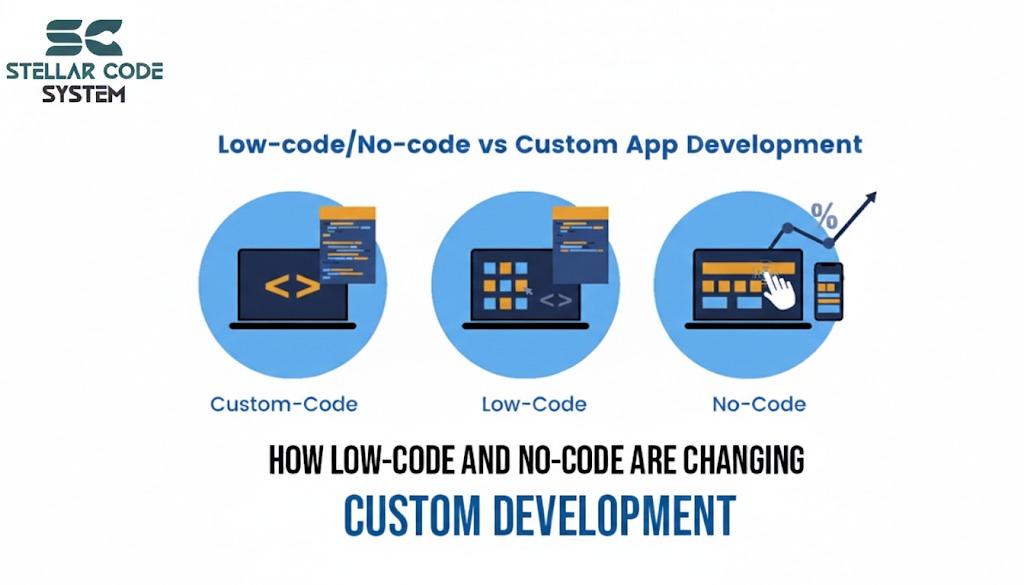
How Low-Code and No-Code Are Changing Custom Development
A few years ago, every second startup I worked with said the same thing:
“We’ll ship faster if we just use low-code.”
Three months later, we were stuck rewriting half the system.
Not because the tools were bad — but because we used them for the wrong problems.
If you’re in a small team and wondering “is low-code/no-code worth it or will it create a mess later?”, this is what I’ve learned the hard way.

Why this problem actually happens
Low-code sounds perfect on paper.
- Fewer developers.
- Faster delivery.
- Less code to maintain.
But small teams don’t struggle with typing code.
They struggle with changing requirements.
In startups and client projects:
Features change weekly
In early-stage products, priorities rarely stay stable for long. What you build this week often gets modified or replaced the next.
This constant change makes rigid systems painful and favors setups that are easy to refactor.
Clients want “just one more tweak”
There’s always that small “quick change” request that sounds harmless but touches three different parts of the system.
Individually they’re tiny, but over time they add complexity and break assumptions you designed around.
Integrations pile up
At first it’s just one payment gateway or CRM. Then it becomes analytics, emails, webhooks, exports, and third-party APIs.
Each integration adds dependencies and failure points that make the system harder to manage.
Edge cases appear late
Real users behave differently than test cases. Weird inputs, unexpected flows, and special scenarios show up only after launch.
These edge cases usually force custom logic, which exposes the limits of “simple” or prebuilt solutions.
Low-code platforms are great at the happy path.
They get painful the moment you step outside it.
I’ve seen this pattern repeatedly:
1. Build fast with drag-and-drop
At the start, everything feels smooth. You can ship screens, forms, and workflows in hours instead of days, which is great for demos and early validation.
It gives the illusion that development problems are “solved.”
2. Hit a limitation
Soon you need something slightly custom — a special rule, integration, or edge case — and the platform just can’t do it cleanly.
What looked flexible suddenly becomes restrictive.
3. Add hacks or scripts
To bypass limits, you start adding small scripts, workarounds, or messy logic inside the tool.
These quick fixes stack up fast and turn the system into something no one fully understands.
4. Debug becomes impossible
When things break, tracing the issue is painful because logic is scattered across hidden workflows and UI settings.
Unlike real code, you can’t search, test, or version-control it properly.
5. Eventually rebuild in code
At some point, maintaining the hacks takes longer than rewriting from scratch.
So the team ends up rebuilding everything in proper code — losing both time and the “speed” you initially gained.
So the problem isn’t speed.
It's a loss of control.

Where most developers or teams get this wrong
Mistake 1 — Treating low-code like a full backend
Low-code tools are fine for simple workflows, but they’re not designed to handle complex business logic, permissions, or heavy data processing, which is why Custom Software Development becomes a better fit when the product needs flexibility, deeper control, and long-term stability.
When teams try to run the entire backend inside visual builders, things quickly become fragile, hard to debug, and painful to scale or modify later.
I’ve seen teams build:
- complex pricing logic
- permission systems
- custom workflows
- multi-tenant apps
…all inside a visual builder.
It works until version two.
Then every small change breaks something unrelated.
Because everything is tightly coupled inside one UI.
Mistake 2 — Assuming “no maintenance”
Many teams think low-code means less responsibility after launch, but maintenance never disappears — it just becomes less visible.
You still deal with bugs, messy workflows, and updates, except now the logic is hidden inside the platform, making fixes slower and more frustrating than regular code.
Founders often think:
“No code means no tech debt.”
Reality is the opposite.
You still get:
- hidden logic
- undocumented flows
- vendor lock-in
- mystery bugs
Except now you can’t grep the codebase to debug.
I once spent two days tracing a bug that was literally a hidden checkbox inside a workflow step.
In code, that’s a 5-minute fix.
Mistake 3 — Building the core product on it
Using low-code for the actual core product seems fast at first, but it limits how much you can customize when the product grows, which is why stronger product foundations are usually needed when the system is expected to evolve continuously over time.
As soon as requirements get complex, you’re fighting the platform instead of building features, and eventually you’re forced into a costly rewrite.
This is the big one.
Low-code is often used for the core product instead of the edges.
That’s backwards.
Your core needs flexibility.
Low-code trades flexibility for speed.
Bad trade.

Practical solutions that work in real projects
After a few painful rebuilds, I changed how we use low-code completely.
Instead of “replace development,” we use it as support tooling.
Here’s what has worked consistently.
Step 1 — Only use it for non-core features
Low-code works best for support tasks like admin panels, internal tools, or simple dashboards where flexibility isn’t critical, while custom product development is usually the better path for features that need stronger customization and long-term control.
Keeping it away from core business logic protects your product from future rewrites and gives you full control where it actually matters.
Rule I follow:
If it affects revenue or core logic, write real code.
Good candidates:
- admin dashboards
- internal tools
- simple forms
- marketing pages
- reporting
- prototypes
Bad candidates:
- business logic
- pricing engines
- auth systems
- integrations
- anything you’ll customize heavily
Step 2 — Keep custom logic outside
Avoid putting business rules, calculations, or complex workflows inside the low-code platform itself.
Keep that logic in your own backend or APIs, so it stays testable, reusable, and easier to change without fighting platform limitations. That is where custom development beyond low-code tools becomes more practical, especially when your product needs flexibility, deeper logic, and room to evolve without platform restrictions.
Even if the platform allows scripts, resist stuffing logic inside.
Now logic is testable and portable.
Better approach:
- platform handles UI
- backend API handles logic
Example:
Instead of:
- pricing calculated inside low-code workflows
Do:
- API /calculate-price
- low-code just calls the API
Step 3 — Treat it like a disposable layer
Always assume that low-code components might need to be replaced later.
Design them so they can be swapped out without breaking your core system, keeping your product flexible and reducing long-term technical debt.
I always assume:
“We might replace this in 12 months.”
So:
- don’t over-engineer
- don’t deeply integrate
- keep exports/backups
- avoid proprietary features when possible
If replacing it sounds scary, you’re already too dependent.
Step 4 — Timebox it
Use low-code for short, fixed periods like 4–6 weeks to validate ideas or prototypes, while product feedback helps you decide what should later be rebuilt properly for long-term growth.
This prevents over-reliance, ensures you learn quickly, and avoids building permanent systems that are hard to maintain or replace later.
For early startups:
- prototype in low-code for 4–6 weeks
- validate idea
- then rebuild cleanly
It’s a learning tool, not a permanent foundation.

When this approach does NOT work
Low-code isn’t always the right answer either.
There are cases where I avoid it completely.
Not good for:
- complex B2B SaaS
- heavy integrations
- custom workflows
- long-term products (3–5+ years)
- teams with strict performance/security needs
Also, if you already have 2–3 decent developers, coding is usually faster long term.
Dragging components around isn’t automatically cheaper.
Sometimes it’s just slower coding with extra steps.
And debugging visual logic at scale is exhausting.

Best practices for small development teams
These habits saved us from future rebuilds.
1. Decide ownership early
Assign a single person or small group to manage the low-code layer from the start.
Without clear ownership, multiple people making changes can quickly create conflicts, hidden bugs, and an unmanageable system.
Someone must “own” the low-code layer.
If everyone edits it, it turns into chaos fast.
2. Document flows like real code
Even simple low-code workflows need proper documentation—diagrams, notes, and assumptions.
This makes it easier for anyone on the team to understand, debug, or update the system without relying on tribal knowledge.
Even simple tools need:
- diagrams
- logic notes
- assumptions
Otherwise knowledge lives only in someone’s head.
3. Keep exits open
Always plan for the possibility of moving away from the low-code platform.
Ensure you can export data, replace components, or rebuild workflows without losing critical business logic or causing major disruptions.
Before choosing any platform, ask:
- “Can we export data easily?”
- “Can we rebuild without rewriting everything?”
If the answer is no, rethink.
4. Build APIs first
Design your backend APIs before layering low-code on top, because delivery becomes much easier to manage when business logic stays centralized instead of being scattered inside platform-specific workflows.
This keeps core logic centralized, makes integrations easier, and allows you to swap or scale frontends without rewriting business rules
Even for small products.
APIs give you freedom to:
- swap frontends
- replace tools
- scale later
Low-code on top of APIs is fine.
Low-code as your system is risky.
5. Optimize for change, not speed
In small teams, the ability to adapt beats rapid initial delivery.
Focus on building systems that are flexible and easy to modify, rather than just shipping features quickly, to avoid costly rewrites later.
Most startups don’t die because they shipped slowly.
They die because they can’t adapt.
Flexibility beats quick hacks every time.
Conclusion:
Low-code and no-code aren’t magic or scams.
They’re just tools.
Used for internal tools or prototypes, they save weeks.
Used as your product’s foundation, they usually create a quiet mess you’ll rewrite later.
What finally worked for me was simple:
- core logic → code
- edges and admin → low-code
- always keep an exit plan
That balance keeps speed without losing control.
FAQs
Yes for prototypes and internal tools. Risky for core product logic.
Not really. You still need developers for integrations, logic, and debugging.
Logic gets hidden in visual workflows, making changes and debugging slow.
Fine for validation. Expect to rebuild if the product grows.
Keep business logic in APIs and ensure you can export your data anytime.
References
Written by

Paras Dabhi
VerifiedFull-Stack Developer (Python/Django, React, Node.js)
I build scalable web apps and SaaS products with Django REST, React/Next.js, and Node.js — clean architecture, performance, and production-ready delivery.
LinkedIn