
What a Software Project Handover Should Include
A software project handover often looks simple from the outside. The current team shares the source code, sends a few documents, explains how deployment works, and moves on.
That is usually where problems start.
I have seen handovers where the new developers received a repository but had no idea which configuration values were required. In other projects, the documentation existed, but it did not explain why important architecture decisions had been made. Some teams could deploy the application but could not confidently recover the database after a failure.
A successful handover is not about transferring files. It is about transferring enough knowledge, ownership, access, context, and operational responsibility for another team to continue development without repeatedly depending on the previous team.
This becomes especially important with SaaS products and remote engineering teams. When developers work across different time zones, a missing detail can turn into a full day of delay. A good handover removes that dependency.
Why Software Project Handovers Go Wrong in Real Teams
Most handover problems are not caused by developers intentionally withholding information. They usually happen because the project team is under pressure.
A startup may be preparing for a product launch. A client may be changing development vendors. A developer may be leaving the team. An internal engineering team may be taking over a system that was previously maintained by contractors.
In each situation, the priority is often:
Just get everything transferred before the deadline.
The problem is that software contains far more context than its source code.
A repository can tell you what the application does, but it does not always tell you:
- Why a particular architecture was selected
- Which dependencies are critical
- Which integrations are fragile
- Which database tables should not be modified casually
- Which environment variables are required
- How production deployment actually works
- Which bugs are known but intentionally deferred
- Who has access to infrastructure
- What happens when an external API fails
- Which parts of the system need monitoring
- What work should happen next
This is why documentation alone does not constitute knowledge transfer.
A useful handover transfers the working context behind the project.
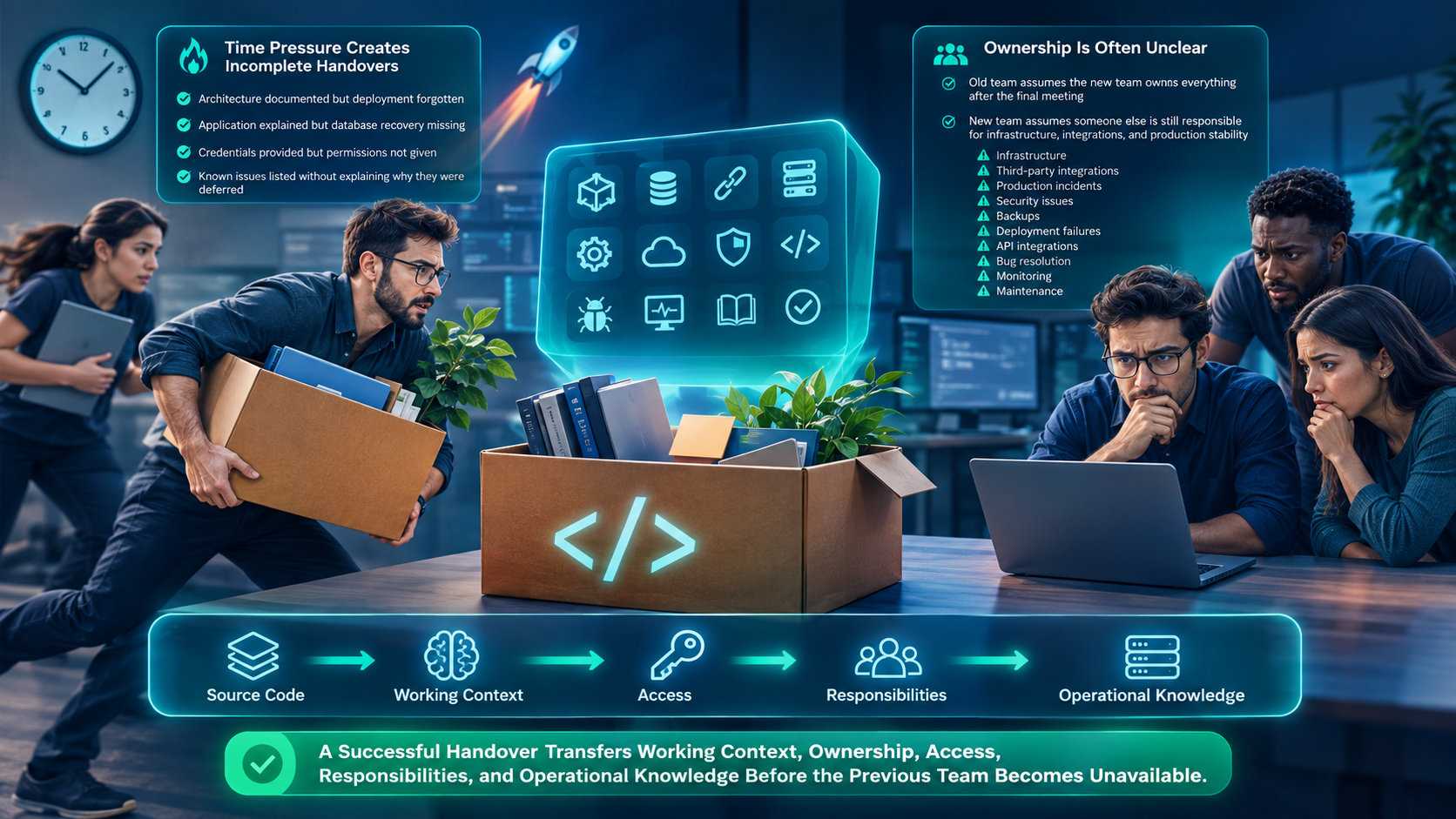
Time pressure creates incomplete handovers
When a team has only a few days to complete a transition, documentation is often written from memory.
That creates obvious gaps.
Developers document the architecture but forget deployment. They explain the application but forget database recovery. They provide credentials but forget to explain permissions. They list known issues but leave out the reason those issues were not fixed.
The receiving team then discovers the missing information while working in production.
That is the worst possible time to learn it.
Ownership is often unclear
Another common problem is responsibility.
The previous team assumes the new team owns the system after the final meeting. The new team assumes someone else is still responsible for infrastructure or third-party integrations.
That ambiguity can affect:
- Production incidents
- Security issues
- Database backups
- Deployment failures
- API integrations
- Bug resolution
- Monitoring
- Infrastructure maintenance
A handover should explicitly establish ownership and responsibilities, rather than leaving them implied.
What Most Teams Get Wrong During a Software Handover
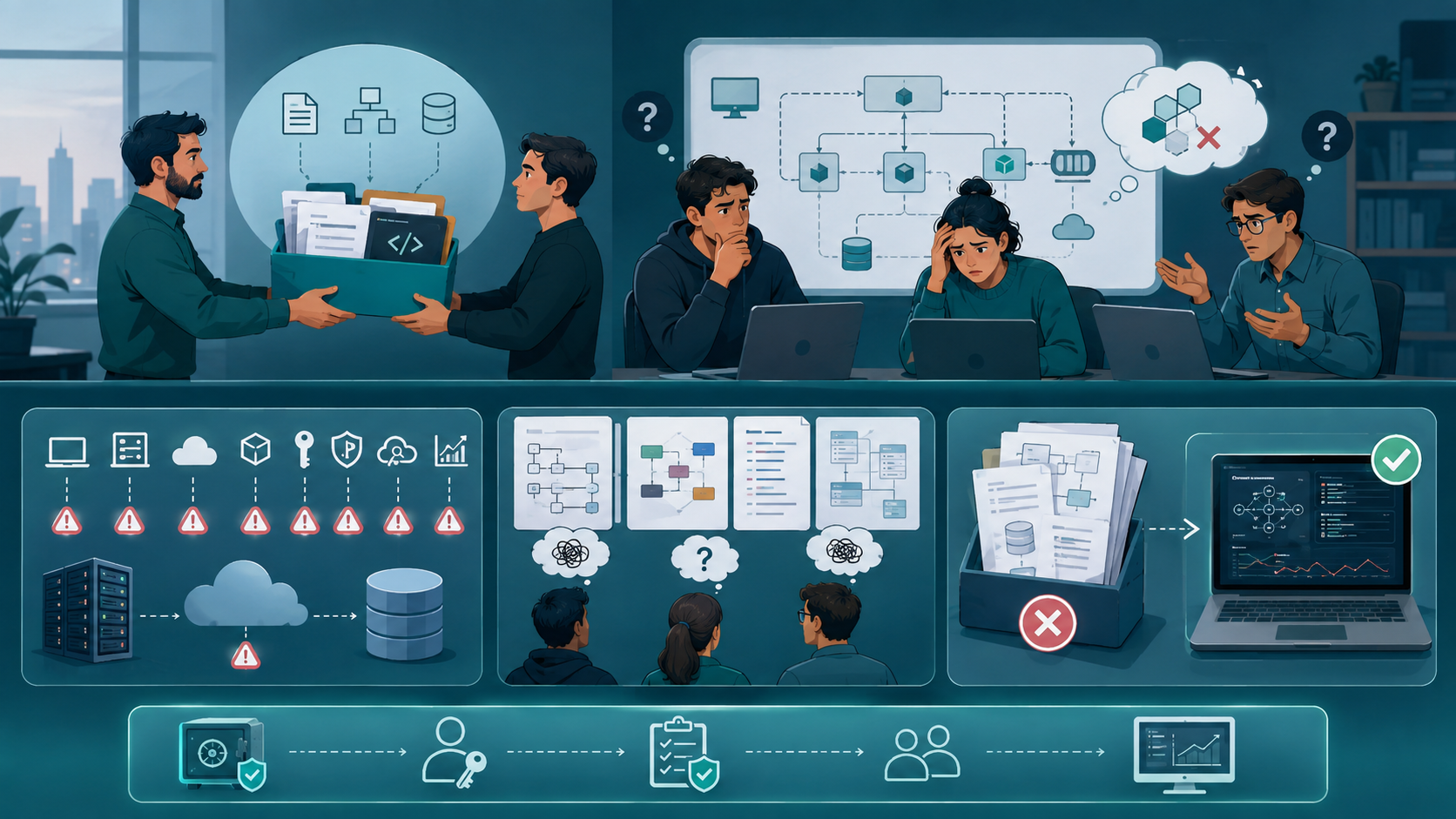
The most common mistake is treating the handover as a document-sharing exercise.
A folder containing PDFs, architecture diagrams, and a Git repository may look complete. But completeness is not measured by the number of files.
It is measured by whether the receiving team can operate the system independently.
Giving the repository without the environment
A source code repository is only one part of the application.
The new team may still need:
- Development environment configuration
- Staging configuration
- Production configuration
- Database access
- Cloud infrastructure access
- Deployment permissions
- Third-party service access
- API credentials
- Monitoring access
- Logging access
Configuration should be documented without exposing sensitive secrets unnecessarily.
Credentials should be transferred through an appropriate secure process, and access should be reviewed rather than blindly copied.
Explaining architecture without explaining decisions
An architecture diagram can show services, databases, APIs, queues, and frontend components.
It does not explain why the system was built that way.
For example, a team might see a modular monolith and decide to split it into microservices immediately because the product is growing.
That could be a mistake.
The original team may have intentionally chosen the architecture because the engineering team was small and operational simplicity mattered more than independent service scaling.
Good handover documentation captures these decisions and their constraints.
Assuming documentation is automatically useful
Documentation can become outdated very quickly.
A deployment process may have changed six months ago. A database schema may have evolved. An API integration may have been replaced. An old dependency may no longer be required.
The receiving team should therefore validate documentation against the actual system.
If the documentation says deployment requires five steps but the current CI/CD workflow performs eight, the documentation is already creating risk.
Read More:
How To Plan Custom Software Requirements
What a Complete Software Project Handover Should Include
A practical handover should cover the system from development through production operations. Working with a US software team for project handover planning helps businesses transfer source code, documentation, architecture context, repository access, environment configuration, deployment workflows, infrastructure details, databases, APIs, testing, monitoring, security, maintenance responsibilities, and ownership clearly.
1. Project Documentation and Requirements
Start with the basic project context.
The documentation should explain:
- Product purpose
- Business requirements
- Technical requirements
- Functional specifications
- Major features
- Important constraints
- Current project status
- Outstanding deliverables
The receiving team should understand what the software is supposed to accomplish before changing how it works.
Requirements are particularly important when developers are inheriting an existing product. Without them, engineers can easily “fix” behavior that was actually intentional.
2. Source Code and Repository Structure
Provide access to every relevant repository.
Do not simply send a Git URL.
Explain:
- Repository structure
- Main branches
- Release branches
- Coding conventions
- Important modules
- Build commands
- Local development steps
- Dependency management
- Versioning approach
- Pull request workflow
The team should be able to clone the repository and understand where the important parts of the application live.
If multiple repositories exist for frontend, backend, infrastructure, mobile applications, or internal tools, document how they relate to one another.
3. Architecture and Technical Decisions
The architecture section should describe the current system, not an idealized future version.
Include:
We kept billing logic inside the backend rather than creating a separate service because the team was small and transaction consistency was more important than independent deployment.
can save the next team from making the same design discussion again.
- Application architecture
- Frontend architecture
- Backend components
- Database architecture
- External services
- APIs
- Authentication
- Authorization
- Background jobs
- Queues
- Storage
- Infrastructure dependencies
More importantly, document significant architectural decisions.
A short explanation such as:
4. Environment and Configuration
Document every environment the team needs to operate.
Typically this includes:
- Local development
- Testing
- Staging
- Production
Explain environment-specific configuration and dependencies.
Do not put production secrets directly into public documentation.
Instead, explain:
- Which variables are required
- Where secrets are stored
- Who has access
- How credentials are rotated
- Which configuration differs between environments
A developer should know what configuration is necessary without receiving uncontrolled access to everything.
5. Deployment and Infrastructure
Deployment should be one of the most detailed parts of the handover.
Explain:
- Deployment workflow
- CI/CD process
- Build process
- Infrastructure
- Hosting environment
- Domain configuration
- SSL/TLS
- Environment variables
- Database migrations
- Rollback procedure
- Release process
The team should be able to answer a basic operational question:
If the production deployment fails tonight, what do we do?
If nobody can answer that from the handover material, the handover is incomplete.
6. Database, Schema, and Backup Strategy
The database deserves separate documentation.
Include:
- Database technology
- Schema overview
- Important tables
- Relationships
- Migration process
- Data retention rules
- Backup schedule
- Backup location
- Restore procedure
- Recovery expectations
A backup is not enough.
The receiving team should understand how recovery actually works.
I have seen systems where backups were running correctly but nobody had tested whether those backups could be restored. That creates false confidence.
7. APIs and Integrations
Document internal and external integrations.
For each important integration, explain:
- Purpose
- API endpoints
- Authentication method
- Request and response expectations
- Error handling
- Rate limits
- Retry behavior
- Webhooks
- Failure scenarios
- Dependency ownership
This is particularly important for payment systems, email providers, analytics platforms, CRMs, ERP systems, authentication providers, and other external services.
An API may work perfectly under normal conditions but fail when a token expires, a webhook is delayed, or an external service becomes unavailable.
Those scenarios belong in the handover.
8. Testing and Quality Assurance
The new team needs to know how the system is validated before releases.
Document:
- Testing strategy
- Automated tests
- Manual test cases
- Regression testing
- Quality assurance process
- Test environments
- Known testing limitations
Also provide the current bug reports and issues.
Separate critical defects from known low-priority problems.
A list of open issues is much more useful when it explains:
- Severity
- Business impact
- Reproduction steps
- Current workaround
- Known cause
- Expected next action
9. Monitoring, Logging, and Security
Production operations should not depend on tribal knowledge.
Document:
- Monitoring systems
- Application metrics
- Infrastructure monitoring
- Logging
- Alerting
- Error tracking
- Security controls
- Access permissions
- Incident procedures
Explain what the important alerts mean.
For example, “CPU above 80%” is less useful than explaining which symptoms indicate an actual application problem and what the team normally checks first.
Security should also cover access reviews, authentication, authorization, credential rotation, dependency risks, and compliance requirements where applicable.
10. Maintenance, Support, and Roadmap
A handover should explain what happens after development ends.
Include:
- Regular maintenance tasks
- Dependency updates
- Infrastructure maintenance
- Support responsibilities
- Monitoring responsibilities
- Backup checks
- Planned releases
- Known technical debt
- Product roadmap
This prevents the new team from inheriting a system without knowing what needs attention next.
A Better Handover Process for Small Engineering Teams
For a team of two to fifteen developers, the process does not need to become bureaucratic.
A simple approach works well.
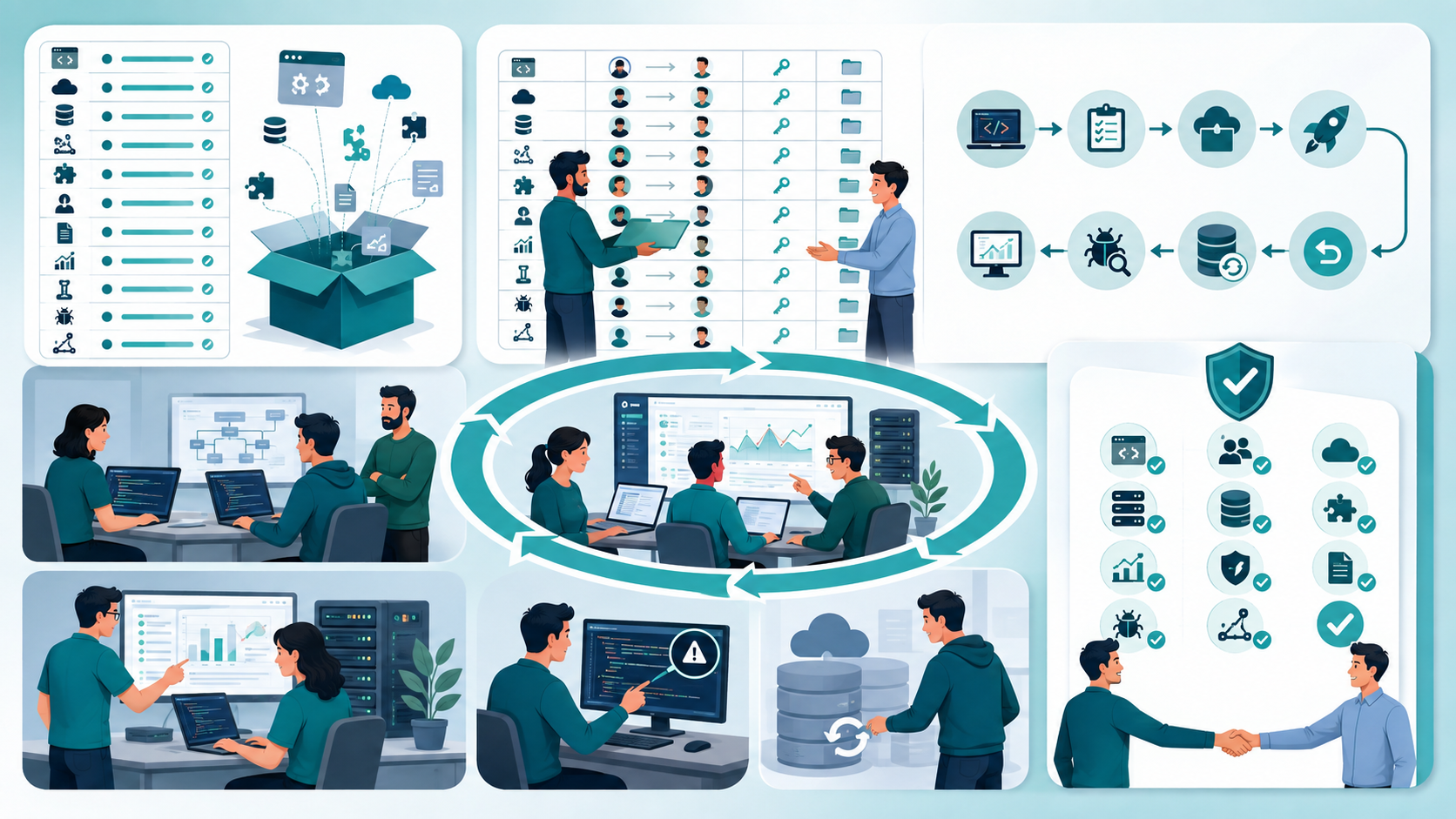
Step 1: Create a handover inventory
List every major project component:
- Repositories
- Environments
- Infrastructure
- Databases
- APIs
- Integrations
- Third-party accounts
- Documentation
- Monitoring
- Testing
- Known issues
- Roadmap
This creates a starting point for the transition.
Step 2: Assign ownership
For every important component, identify:
Current owner → New owner → Access required → Documentation location
This removes ambiguity.
Step 3: Demonstrate critical workflows
Do not explain everything through meetings.
Demonstrate the workflows that matter most:
- Run the application locally.
- Execute the test suite.
- Deploy to staging.
- Perform a production release.
- Review application logs.
- Investigate an error.
- Restore a database backup.
- Roll back a release.
These exercises expose missing knowledge much faster than reading documentation.
Step 4: Let the receiving team perform the work
This is one of the most important handover techniques.
The outgoing developer should stop driving the process.
Let the new developer perform the deployment, troubleshoot an issue, inspect the database, and explain the architecture.
The outgoing team should observe and correct misunderstandings.
That is actual knowledge transfer.
Step 5: Complete a formal sign-off
The final sign-off should confirm that the receiving team has:
- Repository access
- Required permissions
- Environment access
- Infrastructure access
- Documentation
- Deployment knowledge
- Database knowledge
- Integration knowledge
- Monitoring access
- Security information
- Open issue visibility
- Ownership confirmation
The sign-off should mean “we can operate this system”, not merely “we received the files.”

When a Detailed Handover Approach Can Fail
More documentation is not always better.
A 200-page handover document that nobody updates is worse than a focused runbook containing the information engineers actually need.
There are also situations where the process needs to change.
Very small projects
For a simple internal application with one repository and minimal infrastructure, a large formal handover may create unnecessary overhead.
A concise README, deployment guide, architecture note, and access list may be enough.
Highly regulated systems
Healthcare, financial, government, and other regulated environments may require much more formal documentation, access control, audit records, and compliance evidence.
In these cases, informal knowledge transfer is not sufficient.
Complex distributed systems
Large systems with many services, teams, environments, and dependencies require deeper operational documentation.
A lightweight startup-style handover can break down because too many components have independent ownership and failure modes.
The goal is therefore not to maximize documentation.
The goal is to document the information required to safely maintain the system.
Sustainable Handover Practices for Small Engineering Teams
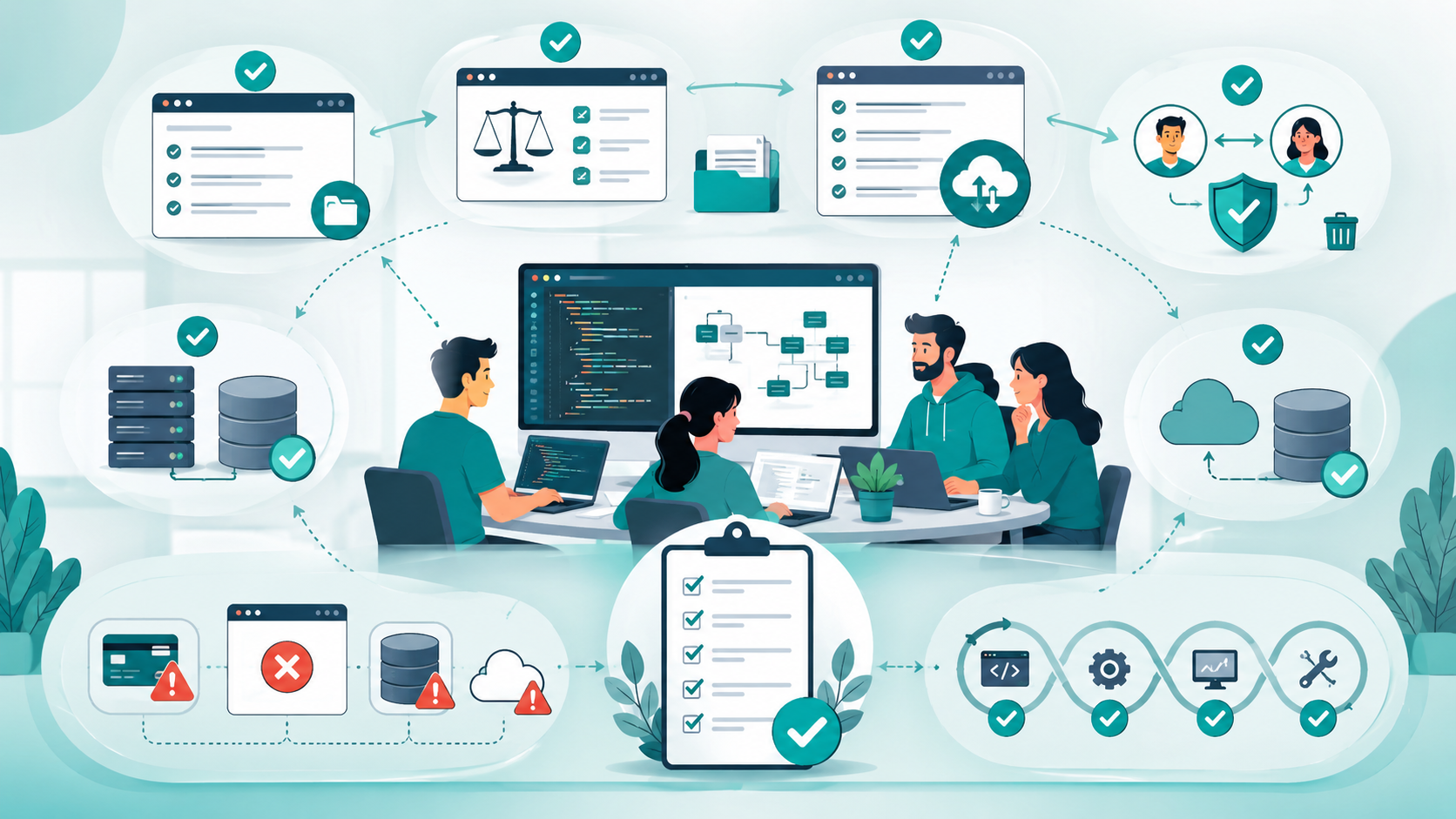
The easiest way to improve project handovers is to stop treating them as a final-stage activity.
Documentation should be created during development.
A few practical habits help:
Keep the README useful
Update it whenever setup, dependencies, or development workflows change.
Record important decisions
A short architecture decision record is often enough. Explain the decision, alternatives considered, and why the team selected the current approach.
Keep runbooks close to the code
Deployment, recovery, and troubleshooting instructions should be easy for engineers to find.
Review access regularly
Remove unnecessary permissions when team members leave or responsibilities change.
Test recovery procedures
A backup that has never been restored is an assumption, not a proven recovery mechanism.
Document failures, not just success paths
Tell the next developer what happens when a payment API fails, a deployment breaks, a database migration goes wrong, or a service becomes unavailable.
Make handover part of the definition of done
If a feature is complete but nobody knows how to operate it, the engineering work is not truly finished.
This approach also reduces burnout. Developers should not have to remain permanently available because nobody documented how the system works.

The Real Purpose of a Software Project Handover
A software handover is successful when the new team can work independently without repeatedly asking the previous team basic operational questions.
The biggest mistake is thinking that transferring source code equals transferring ownership.
It does not.
Ownership requires access, context, documentation, architecture knowledge, operational procedures, security awareness, and clear responsibilities.
For small engineering teams, the best handover is rarely the biggest one. It is the one that gives another developer enough practical knowledge to build, deploy, monitor, maintain, and recover the system confidently.
If the new team can take an unfamiliar repository, understand the requirements, trace the architecture, run the application, deploy a release, investigate an issue, recover from a failure, and continue the roadmap without the previous team on standby, the handover has done its job.
Conclusion
A software project handover is not simply about transferring source code, documents, and credentials to another team. A successful handover transfers the knowledge and responsibility required to operate and maintain the software independently.
The most important areas are clear documentation, architecture decisions, repository access, configuration, deployment, infrastructure, database recovery, APIs, testing, security, monitoring, known issues, maintenance responsibilities, and ownership. These details prevent the new team from spending weeks rediscovering information that the previous team already knew.
The biggest mistake is waiting until the end of a project to document everything. For small engineering teams, handover should be part of the development process. Keep documentation current, record important technical decisions, maintain practical runbooks, and test critical workflows before ownership changes.
Ultimately, a handover is complete when the new team can understand, deploy, troubleshoot, maintain, and improve the software without depending on the previous team. That is the real measure of a successful software project transition.
What a Software Project Handover Should Include: FAQs
A software project handover should include documentation, source code, repository details, architecture, requirements, configuration, environments, deployment procedures, infrastructure, database schema, APIs, integrations, testing information, known issues, security details, monitoring, maintenance responsibilities, roadmap, and ownership.
Ownership should be explicitly assigned before the handover is completed. The receiving team should know who is responsible for source code, infrastructure, deployment, security, database maintenance, support, and future development.
Credentials should not normally be copied directly into general documentation. Instead, document which access is required, where credentials are securely managed, who has permissions, and how credentials should be rotated.
The strongest test is practical independence. The receiving team should be able to run the application, understand its architecture, deploy it, investigate common failures, access required infrastructure, handle database operations, and continue development without constant assistance from the previous team.
Operational knowledge is often missed. Teams tend to transfer source code and documentation but forget deployment details, monitoring, logging, recovery procedures, known issues, third-party integrations, and the reasoning behind important technical decisions.
Reference
Written by

Paras Dabhi
VerifiedFull-Stack Developer (Python/Django, React, Node.js)
I build scalable web apps and SaaS products with Django REST, React/Next.js, and Node.js — clean architecture, performance, and production-ready delivery.
LinkedIn