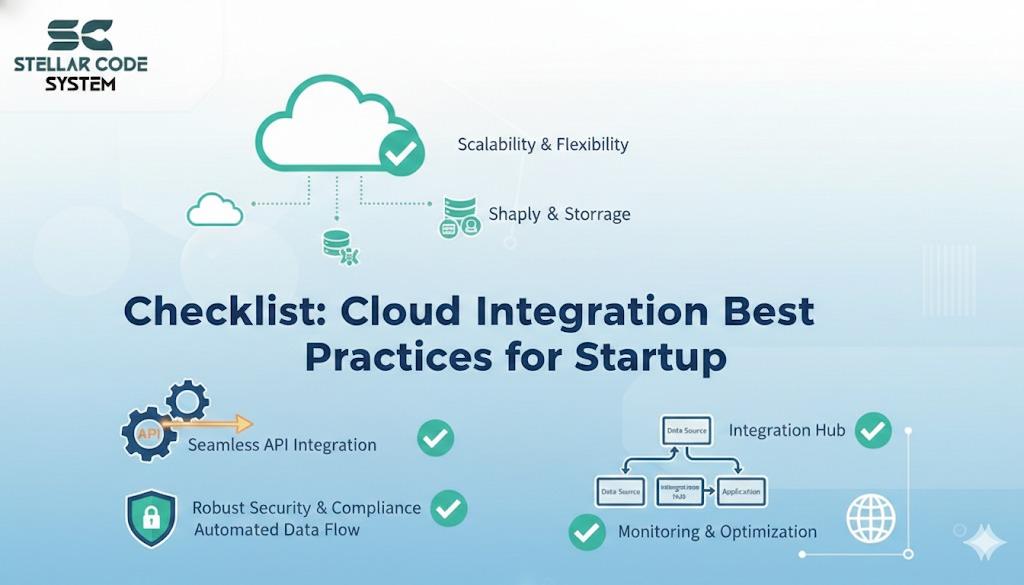
Checklist Cloud Integration Best Practices For Startup
I’ve seen small startup teams spend weeks integrating multiple cloud services only to have things break in unpredictable ways. It’s frustrating when deployments fail, APIs stop talking to each other, or costs suddenly spike. The problem usually isn’t the cloud itself—it’s how teams approach integration without a clear checklist.

Why This Problem Actually Happens
Most small teams jump into cloud integration with too much optimism and too little planning. Common reasons:
Time pressure:
Founders often push for features to go live immediately, forcing teams to cut corners. This rush increases the chance of errors and fragile integrations.
Fragmented responsibilities:
When one developer manages multiple cloud services without documenting decisions, knowledge gaps form. This makes troubleshooting and handoffs difficult.
Tool overload:
Teams sometimes adopt cloud tools on the fly, assuming they’ll “just work.” This leads to complexity and misaligned integrations.
Hidden dependencies:
Services often rely on each other in unexpected ways. These hidden links usually surface only in production, causing outages or failures.
The result: brittle systems, expensive surprises, and a lot of late-night debugging.

Where Most Developers or Teams Get This Wrong
I’ve seen this scenario more times than I can count:
Assuming defaults are safe:
Many teams rely on cloud defaults for quotas, permissions, and retries, which can cause unexpected failures when limits are reached or configurations don’t match real usage.
Skipping monitoring and alerting:
Ignoring monitoring means failures often go unnoticed. Silent or intermittent errors can pile up and create bigger issues before anyone realizes.
Ignoring cost implications:
Using multiple APIs, storage, and compute services without tracking usage can silently inflate bills, which is why Cloud Services planning should include early cost visibility instead of waiting for surprise invoices after launch.
This creates surprises for small teams with tight budgets.
Over-engineering early:
Building complex architectures too soon adds unnecessary complexity, and simple, maintainable setups usually work better for startups when the system stays easy to troubleshoot. Early over-engineering often makes integrations brittle and harder to maintain.
Early over-engineering often makes integrations brittle and harder to maintain.
In most startups, these mistakes happen because speed is valued over sustainability. Short-term wins often create long-term pain.

Practical Solutions That Work in Real Projects
Here’s a step-by-step approach that small teams can realistically adopt:
1. Start with a lightweight inventory
Begin by listing every cloud service in use, including its purpose, endpoints, and dependencies. Also note credentials, permissions, and rate limits. Spending 1–2 hours upfront can save significant troubleshooting time later.
- Document each service, its purpose, endpoints, and dependencies.
- Note credentials, permissions, and any rate limits.
Trade-off: Takes 1–2 hours upfront but prevents hours of troubleshooting later.
2. Use environment-specific configurations
Keep development, staging, and production settings separate to prevent accidental misconfigurations, because systems become more reliable when they are structured to handle real environments safely instead of treating every setup the same way.
This ensures that changes in one environment don’t break others and protects sensitive credentials.
Example: We once deployed a dev API key to production—users saw partial outages for hours.
- Keep dev, staging, and production credentials separate.
- Avoid hardcoding secrets into your code or committing them to Git.
3. Centralize logging and monitoring
Collect logs and metrics from all services in one place to quickly spot errors or performance issues. This makes debugging faster and supports cloud-ready integration workflows by making it easier to trace failures early and prevent small problems from escalating unnoticed.
- Even a simple cloud-native logging service can save you debugging time.
- Track API errors, latency, and failed jobs in one place.
Trade-off: Slight upfront complexity but huge reduction in firefighting later.
4. Define minimal permissions
Grant each service or user only the access they absolutely need. This reduces security risks and limits the impact of misconfigurations or accidental changes.
- Apply the principle of least privilege for every service.
- Reduces blast radius if something is misconfigured or compromised.
5. Automate deployment steps
Use scripts or CI/CD pipelines to handle deployments consistently, because delivery becomes much safer when configuration and integration steps are automated instead of being handled manually each time.
Automation reduces human errors, ensures repeatable setups, and speeds up integration across environments.
- Scripts or CI/CD pipelines prevent human error when connecting services.
- Even basic automation for configuration and secret deployment can prevent outages.
6. Test integrations end-to-end
Verify that all connected services work together as expected, not just individually. End-to-end testing catches hidden issues before they reach production.
- Don’t just test individual services; test the full flow users will hit.
- Use staging environments that mimic production.
Example
A payment processing API looked fine in dev but failed in production due to region-specific restrictions.
7. Keep a lightweight rollback plan
Have a simple way to revert changes if an integration breaks, such as versioned deployments or feature flags. This minimizes downtime and limits the impact of mistakes.
- Know how to revert changes if a new service or integration breaks.
- Can be as simple as feature flags or versioned deployment artifacts.

When This Approach Does NOT Work
There are limits:
Highly regulated industries
Startups in healthcare or finance must follow strict compliance rules, so standard cloud integration practices may not be enough to meet legal requirements.
Massive scale or latency-sensitive apps
Simple monitoring and staging setups can miss performance bottlenecks when traffic spikes, requiring more robust testing and infrastructure planning.
Constantly shifting tools
Frequent changes to your tech stack make it hard to keep documentation and automation up to date, increasing the risk of integration errors.
Being honest about these limits prevents wasted effort and unrealistic expectations.

Best Practices for Small Development Teams
Prioritize clarity over features
Focus on understanding how services connect and why, rather than adding unnecessary functionality. Clear connections prevent confusion and errors.
Keep integrations minimal
Only integrate services that are truly needed, because projects stay easier to maintain when teams avoid adding extra service dependencies without a strong business reason.
Fewer connections mean less complexity and lower maintenance overhead.
Document decisions and configs
Spend a few minutes noting changes or configurations. This small effort saves hours of troubleshooting and knowledge gaps later.
Review costs periodically
Track cloud usage and set alerts to avoid unexpected bills. Regular reviews keep expenses predictable and manageable.
Iterate, don’t overbuild
Start with a simple setup and expand only when necessary. Avoid over-engineering early, which can create fragile integrations.
These practices reduce long-term technical debt without requiring more developers or complex architecture.
Conclusion
Cloud integration isn’t inherently difficult—it becomes painful when small teams rush, assume defaults, and ignore documentation. Following a clear checklist, centralizing monitoring, and testing end-to-end prevents most of the headaches I’ve seen. Focus on clarity, minimal integrations, and sustainable practices, and you’ll save both time and sanity.
FAQs
Only if they solve a real problem. Too many integrations too early create complexity and cost.
Test end-to-end in a staging environment and automate deployment to reduce human error.
Yes, but only if integrations are documented, monitored, and minimal. Over-engineering is the main pitfall.
No. Defaults are convenient but often unsafe or limiting at scale. Review permissions, quotas, and retry policies.
At least once a month for active projects, or whenever adding a new service or feature.
References
Written by

Paras Dabhi
VerifiedFull-Stack Developer (Python/Django, React, Node.js)
I build scalable web apps and SaaS products with Django REST, React/Next.js, and Node.js — clean architecture, performance, and production-ready delivery.
LinkedIn