Cost to Build a CRM in the USA: Complete Pricing Guide
If you're planning to build a CRM in the USA, the first number you usually want is the cost.
The problem is that there isn't one reliable price for a CRM application. A simple internal contact-management system and a fully customized enterprise platform can have completely different budgets, even though both are called CRM software.
I've worked on software projects where the initial estimate looked reasonable until integrations, reporting, automation, security, and migration requirements were added. In several cases, the core CRM wasn't the expensive part. The complexity around the CRM was.
That is why estimating the cost to build a CRM in the USA should start with requirements and functionality rather than an arbitrary development price.
The real question is:
What CRM are you actually trying to build, who will use it, and how much complexity does the business need?
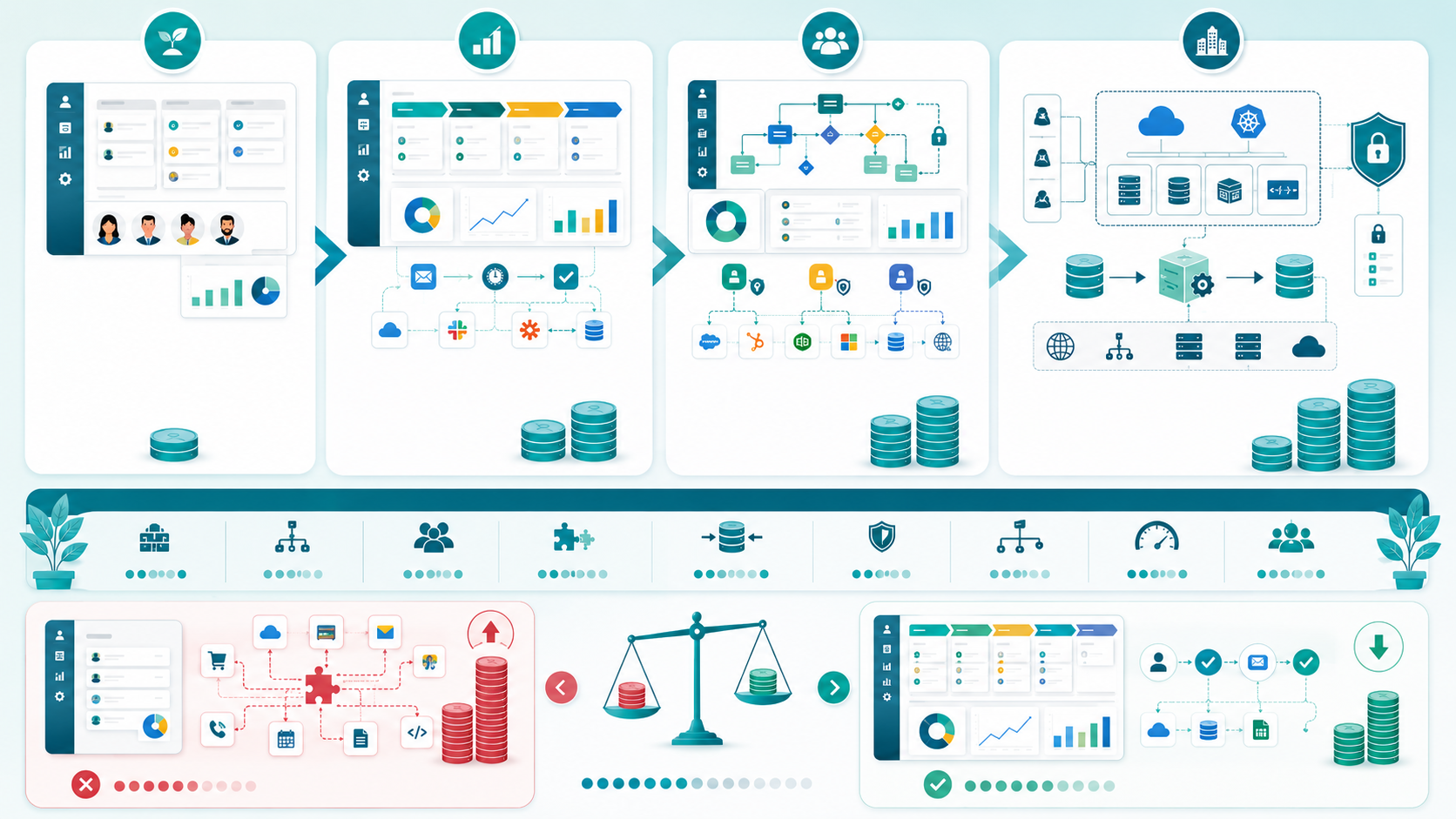
What Is the Typical Cost to Build a CRM in the USA?
A custom CRM can range from a relatively small internal business application to a large, highly integrated enterprise system.
As a rough planning model, a project might fall into these broad ranges:
| CRM Type | Approximate Development Scope | Rough Budget Range |
|---|---|---|
| Basic CRM | Contacts, leads, dashboard, basic reporting | $30,000–$70,000 |
| Mid-level CRM | Sales pipeline, automation, integrations, analytics | $70,000–$150,000 |
| Advanced CRM | Complex workflows, multiple roles, integrations | $150,000–$300,000+ |
| Enterprise CRM | Large-scale architecture, migration, advanced security | $300,000+ |
These are planning ranges, not fixed market prices.
A CRM with ten screens can cost more than a CRM with thirty screens if the first one requires complicated integration, data migration, workflow automation, security rules, or custom business logic.
The final budget depends heavily on project requirements, technical architecture, team composition, integrations, and complexity.
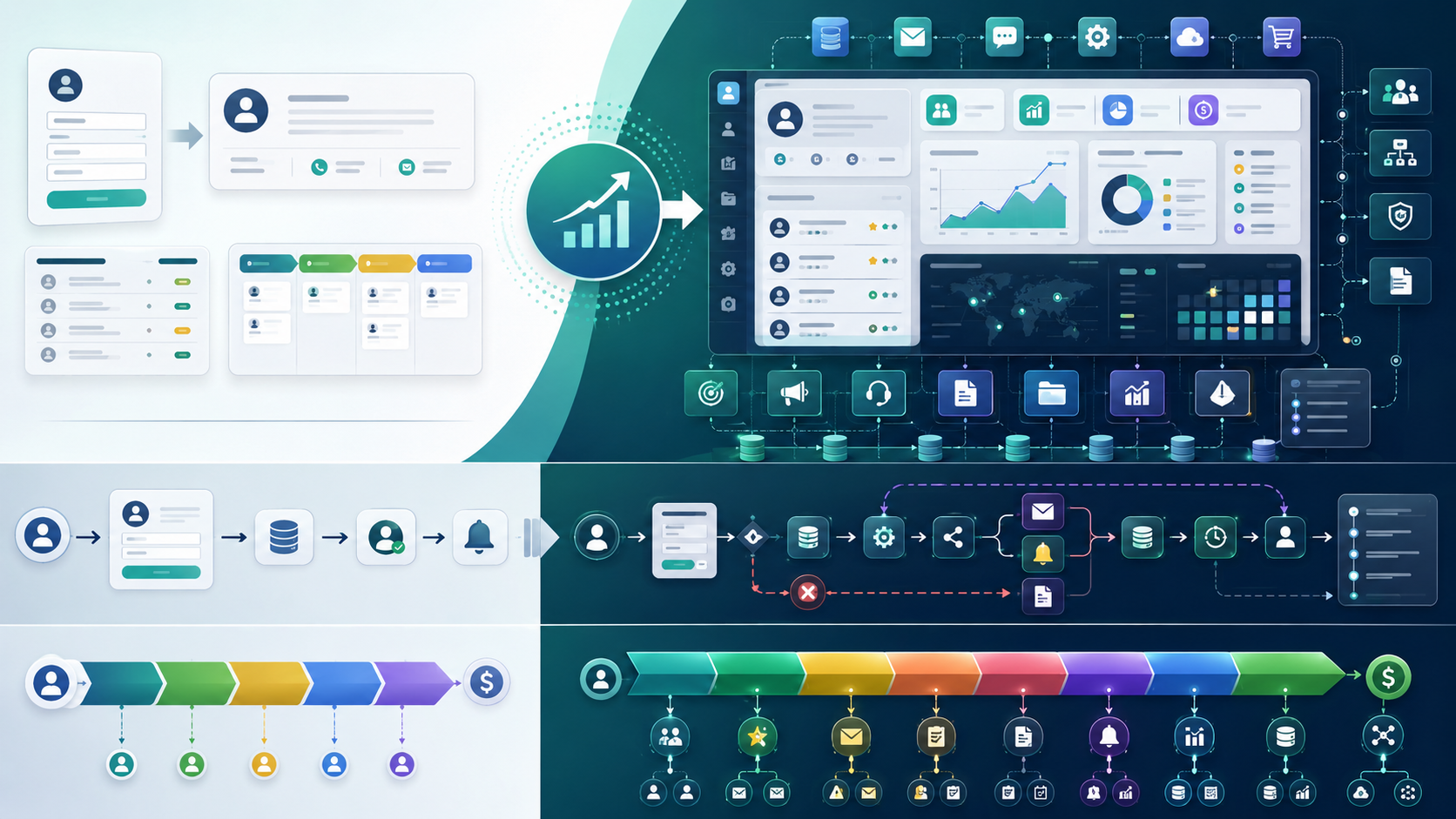
Why CRM Development Cost Varies So Much
A CRM is rarely just a database with a nice dashboard.
Once a business starts using it, the system usually needs to manage:
- Customers
- Relationships
- Contacts
- Leads
- Sales
- Marketing
- Support
- Reporting
- Analytics
- Automation
- User permissions
- Business workflows
- External systems
- Historical data
Each additional requirement introduces engineering work.
For example, adding a contact form is relatively straightforward.
Adding a contact form that:
- validates customer data,
- checks for duplicate records,
- triggers an automated workflow,
- synchronizes with another application,
- records an audit trail,
- sends notifications,
- handles failures,
- and maintains historical changes
is a very different engineering problem.
This is where a CRM development estimate can change quickly.
The Biggest CRM Features That Affect Cost
The features you choose have a direct effect on development effort.
A basic CRM may start with:
- Contact management
- Lead management
- Customer profiles
- Sales pipeline
- User accounts
- Dashboard
- Basic reporting
A more advanced CRM may include:
- Marketing automation
- Sales automation
- Customer support workflows
- Advanced analytics
- Custom reporting
- Role-based permissions
- Document management
- Communication history
- Notification systems
- Workflow engines
- API integration
- Third-party services
- assign sales representatives,
- calculate lead scores,
- send emails,
- create tasks,
- update customer records,
- trigger notifications,
- generate reports,
- and synchronize data with external systems.
The difference isn't just the number of screens.
The functionality behind each feature matters more.
For example, a simple sales pipeline might allow users to move a lead from one stage to another.
A sophisticated pipeline might automatically:
That second implementation requires significantly more development effort.
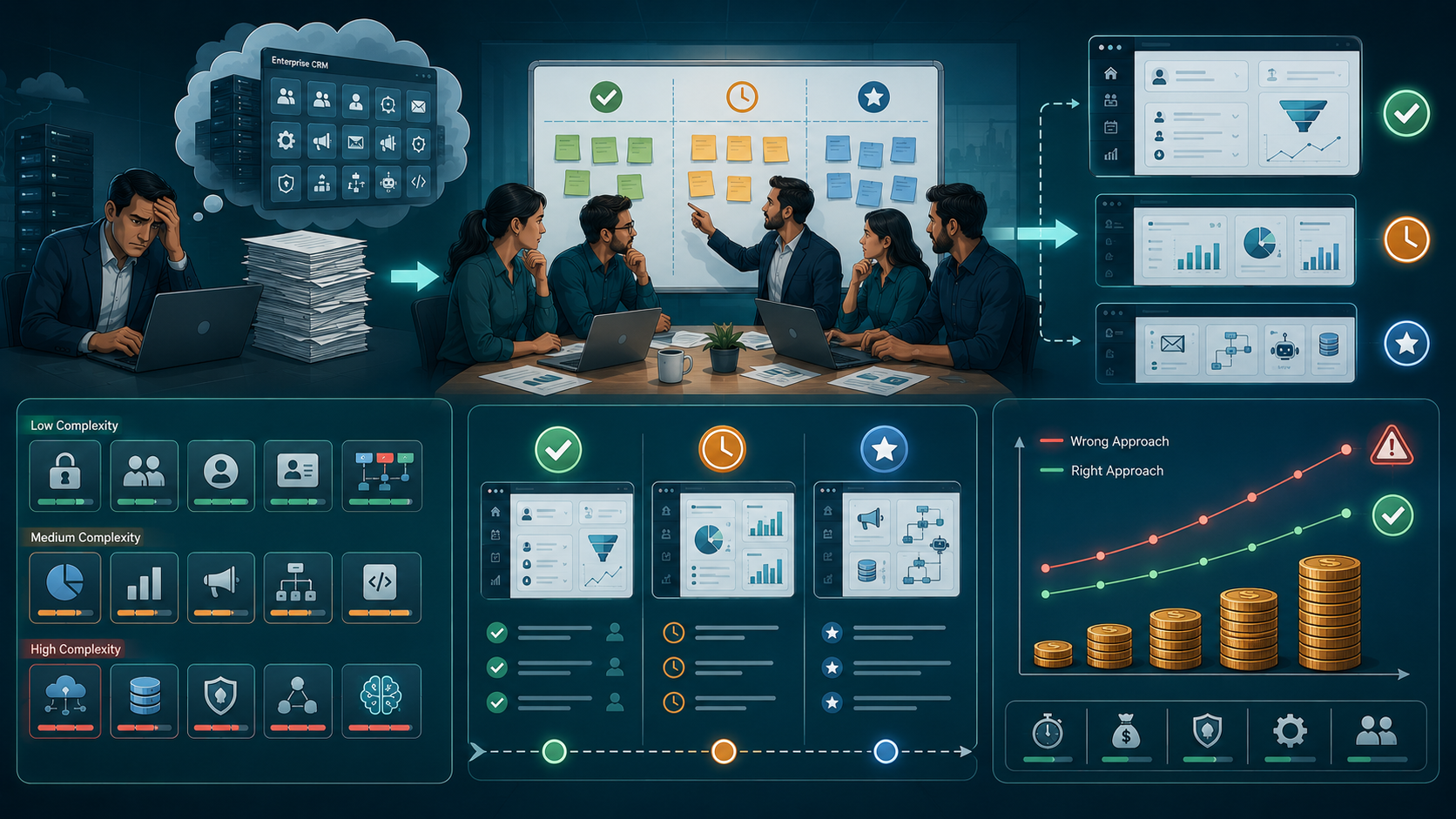
Where Most Teams Make the Wrong Decision
One mistake I see frequently is trying to define the CRM by copying an existing product. Working with a US software development company for CRM projects helps businesses define CRM scope, prioritize core workflows, estimate integrations, plan data migration, review security needs, and avoid building features that are not required for the first release.
A company looks at Salesforce, HubSpot, or another CRM and says:
We need all of these features.
That sounds reasonable until the engineering team starts breaking the requirements down.
Large CRM platforms have years of accumulated software, infrastructure, integrations, security controls, analytics, and workflow functionality behind them.
A small company usually doesn't need all of that on day one.
I've seen teams spend too much investment on features that weren't actually important to their sales or customer workflow.
A better approach is to separate requirements into three groups:
1. Required now
These are features the business cannot operate without.
2. Useful later
These improve productivity but aren't necessary for the first release.
3. Nice to have
These can wait until actual users demonstrate a need.
This simple prioritization can significantly reduce the initial expense.
CRM Development Cost by Feature
Different CRM components require different levels of engineering effort.
| CRM Component | Complexity |
|---|---|
| User authentication | Low–Medium |
| Contact management | Low |
| Lead management | Medium |
| Customer profiles | Medium |
| Sales pipeline | Medium |
| Dashboard | Medium |
| Reporting | Medium–High |
| Analytics | Medium–High |
| Marketing automation | High |
| Workflow automation | High |
| API integration | Medium–High |
| Data migration | Medium–High |
| Advanced security | High |
| Multi-tenant CRM | High |
| AI-powered functionality | High |
The table is useful during the initial estimate, but the actual price still depends on implementation details.
For example, reporting becomes significantly more complicated when users need real-time analytics across millions of records.

How Integrations Increase the CRM Budget
Integration is one of the most underestimated parts of CRM development.
A business might want its CRM connected with:
- Email platforms
- Payment systems
- Accounting software
- ERP systems
- Marketing platforms
- Customer support tools
- Calendar systems
- Communication platforms
- Internal applications
A CRM platform may look simple from the frontend while handling a large amount of backend synchronization.
Consider a CRM connected to an accounting system.
A customer updates their billing information in one application.
The CRM needs to receive the change.
Then it needs to determine whether the customer already exists, update the correct record, handle duplicate data, and recover properly if the external API is unavailable.
That's not just an API call.
It's an integration workflow with error handling, retries, logging, security, and data consistency requirements.
This is why API integration can have a major effect on CRM pricing.
Data Migration Can Become a Major Cost
If you're replacing an existing CRM, the project isn't finished when the new system is deployed.
You may need to move:
- Customers
- Contacts
- Leads
- Sales records
- Notes
- Documents
- Historical activity
- Communication records
That process is called migration.
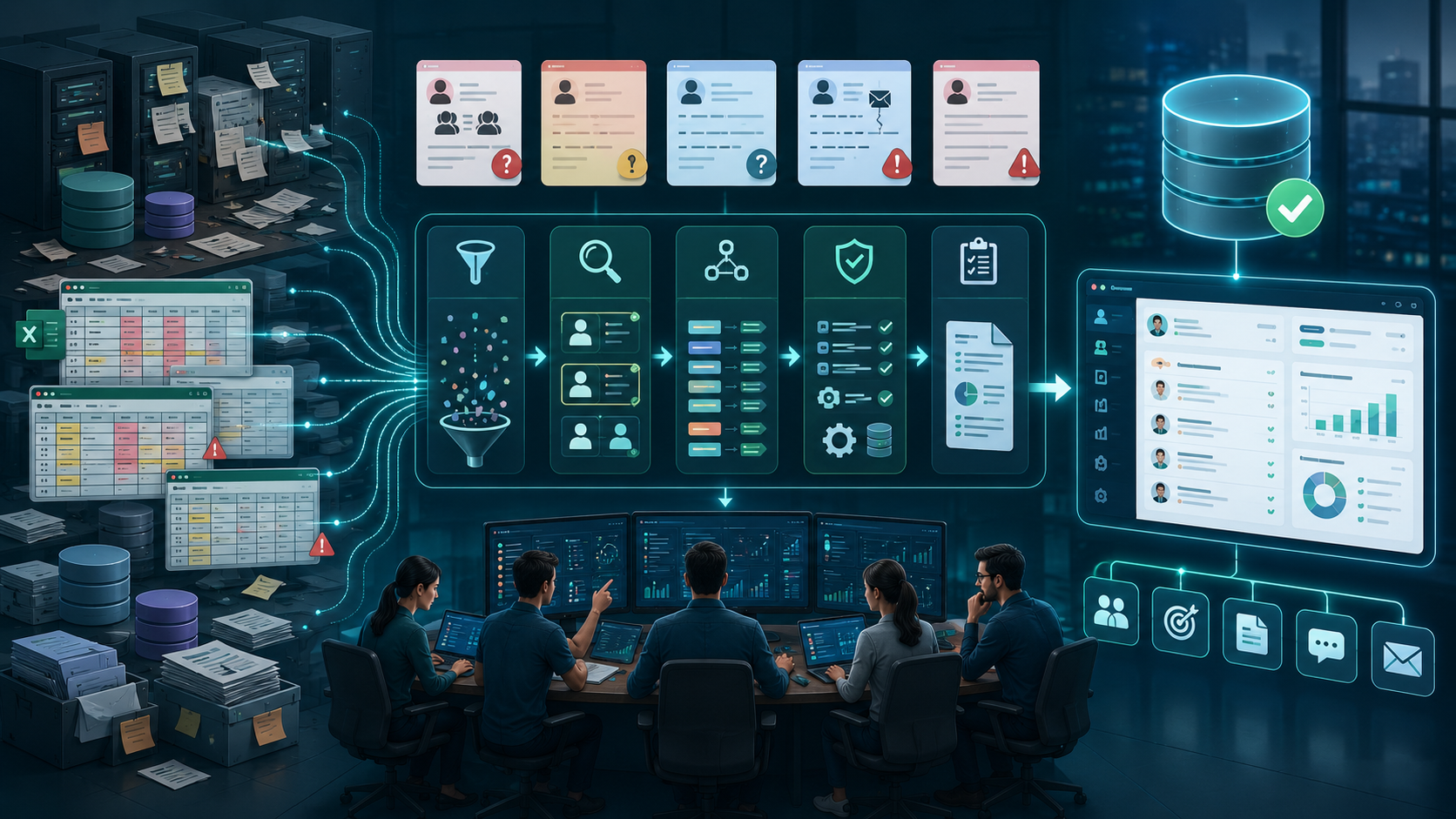
Data migration can become complicated when the old data contains duplicate contacts, missing fields, inconsistent formats, or outdated records.
For example:
Old CRM:
John Smith
john@example.com

Spreadsheet:
John S.
john@example.com

Sales database:
J. Smith
john.smith@example.com
Before the new CRM can use this information correctly, the development team may need to clean, match, transform, and validate the records.
The larger the dataset and the worse its quality, the greater the migration effort.
Technology and Architecture Also Affect Cost
The technology stack itself isn't necessarily the biggest cost driver.
The bigger question is how the CRM needs to behave.
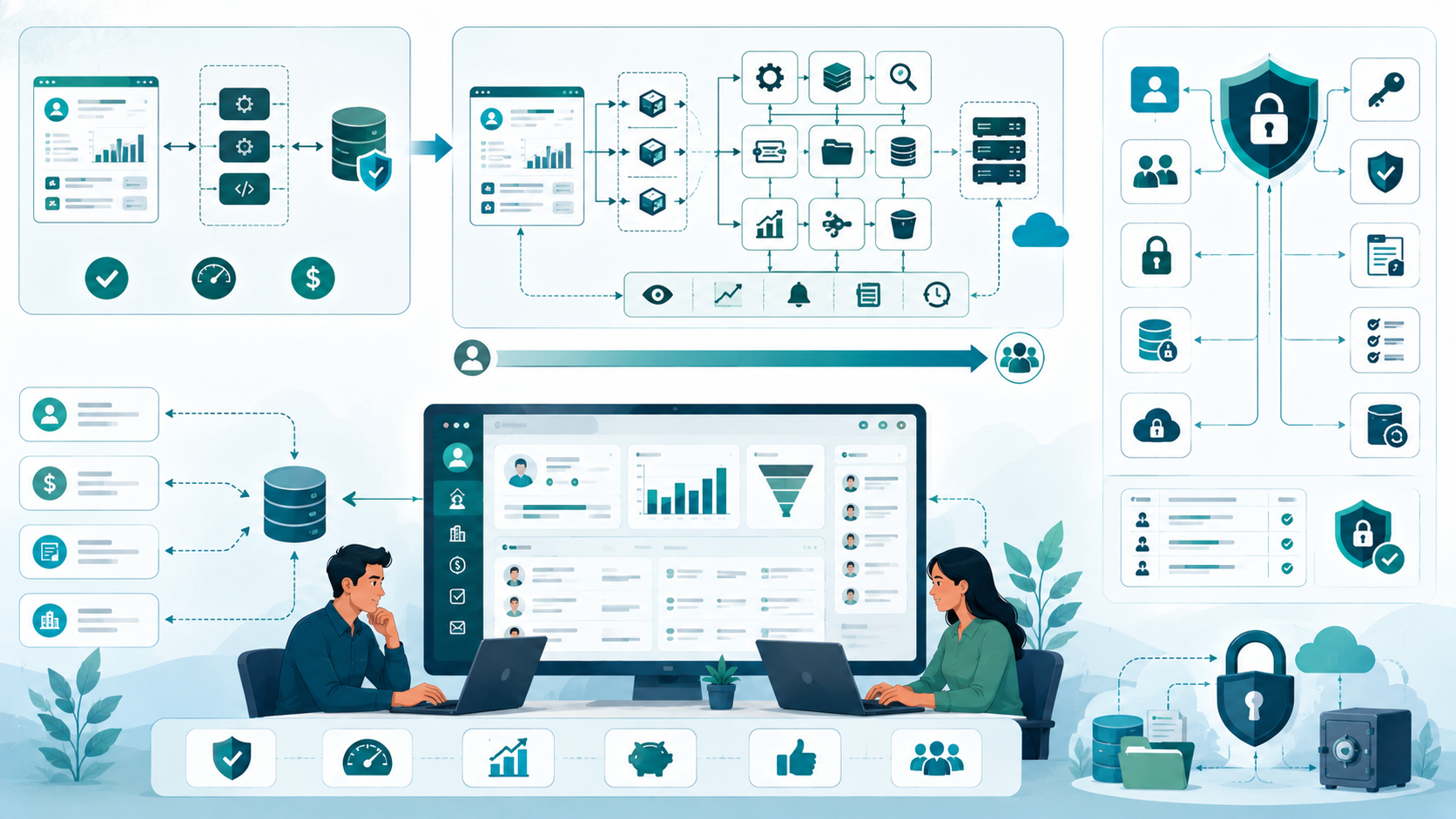
A small CRM might work well with a modular backend and relational database.
As requirements grow, the team may need:
- Background processing
- Caching
- Search infrastructure
- Queue systems
- File storage
- Monitoring
- Event processing
- Separate services
- Horizontal scaling
This is where architecture decisions matter.
I've seen small teams introduce complicated architectures too early because they assumed a future scaling problem would immediately appear.
Usually, it doesn't.
For an early-stage CRM, a well-designed modular application can often be easier to develop and maintain than a distributed architecture with multiple services.
The goal isn't to build the most sophisticated architecture.
The goal is to build an architecture that fits the current resources, requirements, and expected growth.
Security Should Be Part of the Initial Budget
CRM systems contain valuable customer and business information.
Depending on the product, the database may contain:
- Personal information
- Customer communications
- Sales information
- Internal notes
- Account information
- Business records
So security shouldn't be treated as a final-stage feature.
The development plan may need to account for:
- Authentication
- Authorization
- Role-based access
- Encryption
- Secure API access
- Audit logs
- Session management
- Data protection
- Backup strategies
Security requirements can increase the initial development cost, but ignoring them can create much larger problems later.
How Team Composition Affects CRM Development Cost
The developers, designers, and engineers working on the project also affect the overall budget.
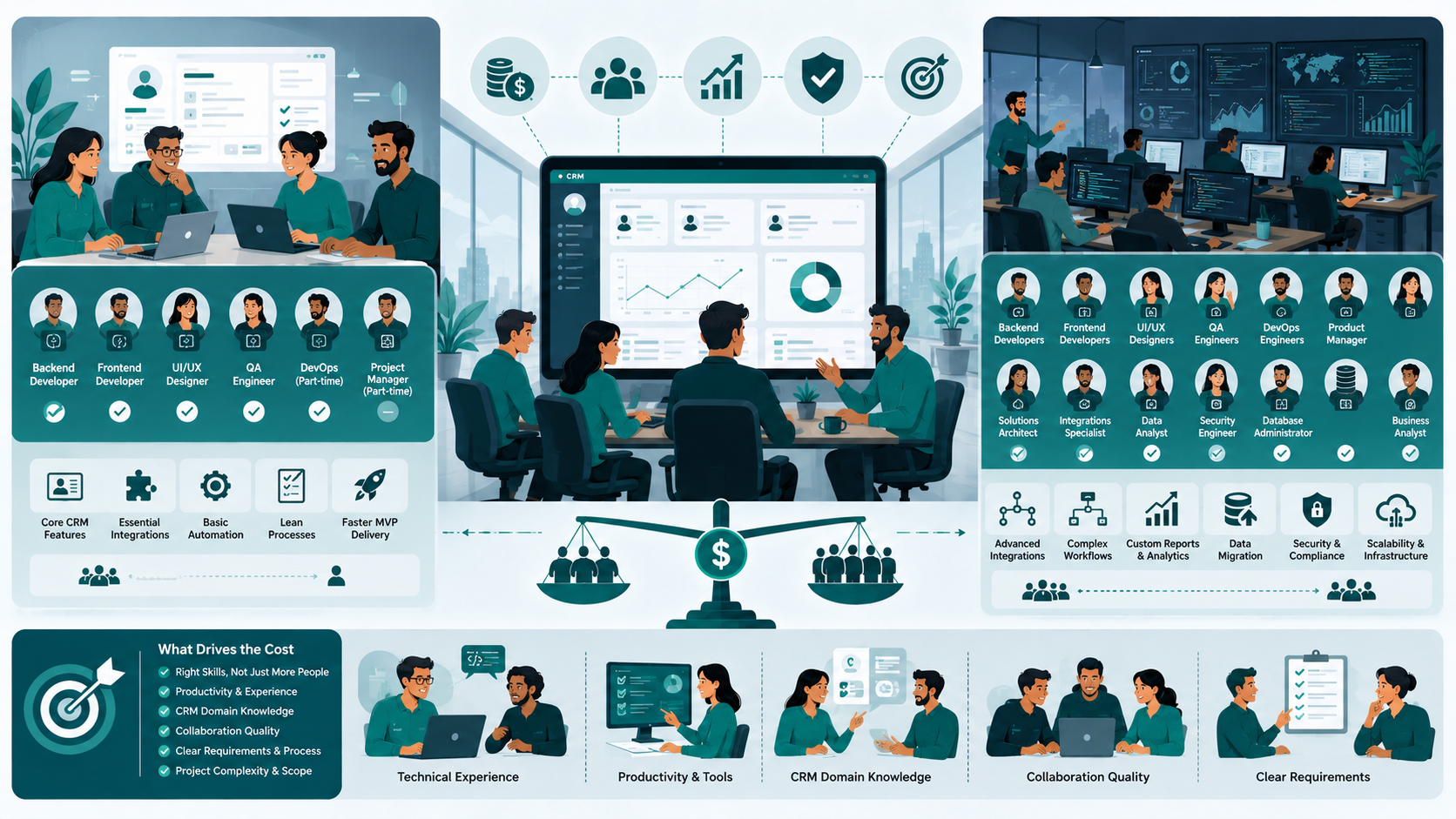
A typical CRM project may involve:
- Backend developers
- Frontend developers
- UI/UX designers
- QA engineers
- DevOps engineers
- Project or product management
You don't necessarily need a large team.
For a focused CRM MVP, a small team might be more efficient.
A lean team could include:
- 1–2 developers
- 1 designer
- 1 QA resource
- Part-time DevOps support
As the product becomes more complex, additional specialists may become necessary.
The important factor is not simply the number of people.
It's whether the team has the right productivity, technical experience, and understanding of the requirements.
Development Timeline and Cost Are Connected
A CRM that takes three months to build won't necessarily cost half as much as one that takes six months.
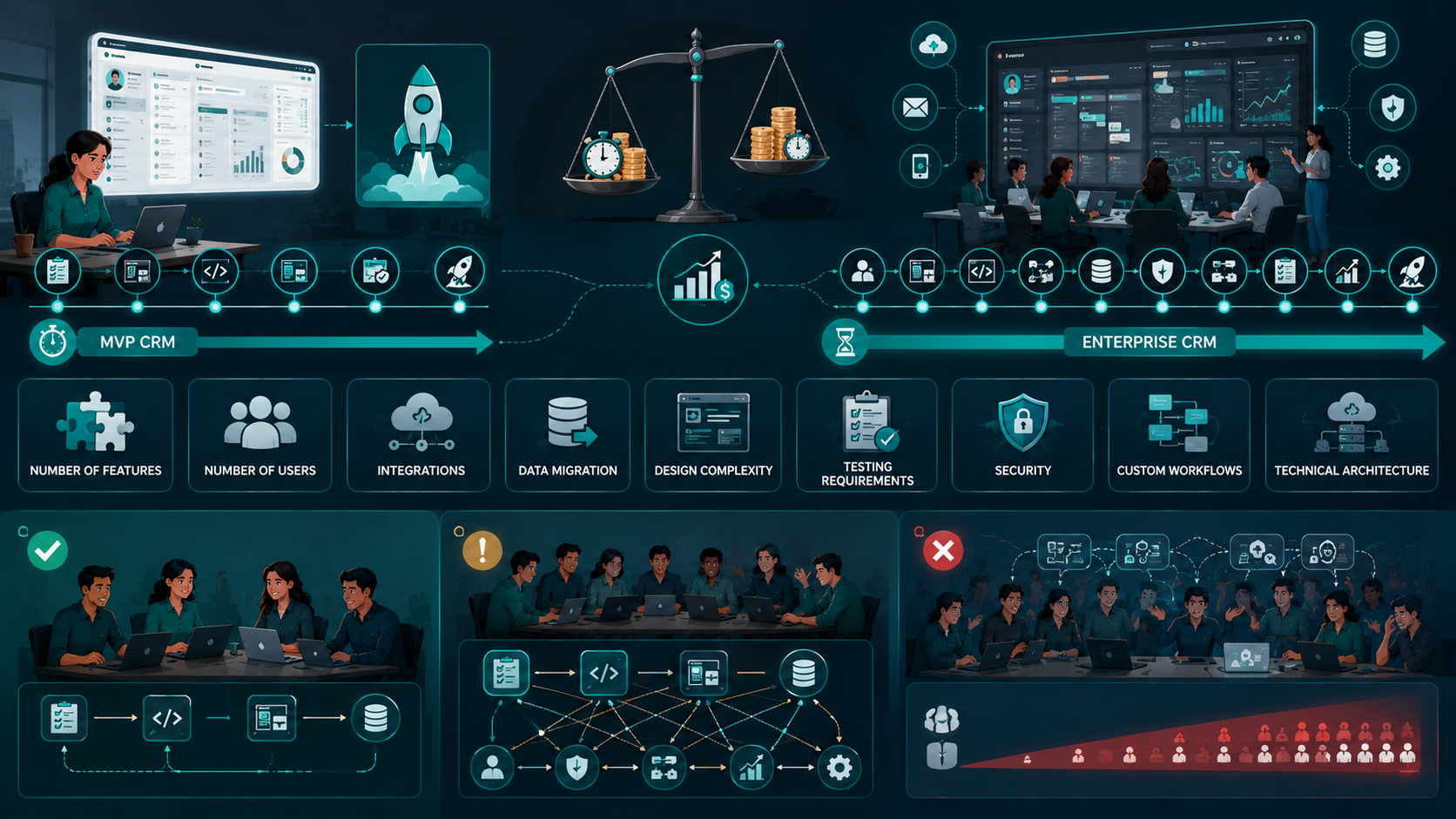
The timeline depends on:
- Number of features
- Number of users
- Integrations
- Data migration
- Design complexity
- Testing requirements
- Security
- Custom workflows
- Technical architecture
A small CRM MVP might take several months, while a complex enterprise CRM can require substantially more time.
Trying to compress the timeline by adding more developers doesn't always work either.
Some tasks can be parallelized.
Others cannot.
Adding five developers to a small project can actually increase communication overhead and reduce productivity.

Custom CRM vs Off-the-Shelf CRM
Before spending money on custom development, ask whether you actually need a custom CRM.
An existing CRM may be the better choice if:
- Your workflow is relatively standard.
- You don't need unusual integrations.
- Your business can adapt to existing processes.
- Your customization requirements are limited.
Custom CRM development makes more sense when:
- Your sales workflow is unique.
- You need deep integration with internal systems.
- Existing CRM products force expensive workarounds.
- You need complete control over the application.
- Your business processes are a competitive advantage.
The cheapest CRM to build is often the one you don't have to build.
But if the existing tools force your team to change the way the business operates, customization may produce better long-term value.
When a CRM Development Approach Fails
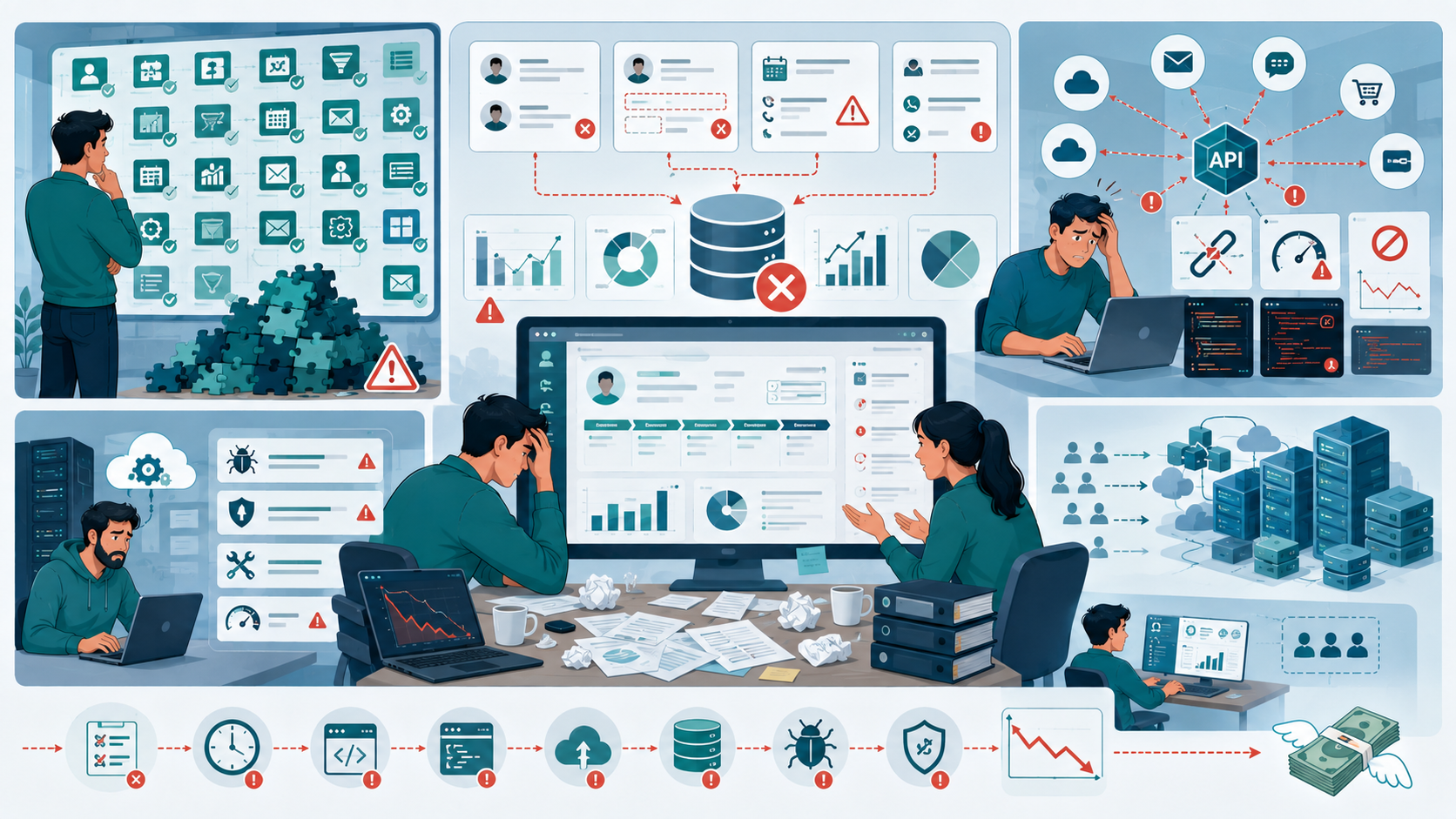
Custom CRM development can fail when teams underestimate complexity.
Common examples include:
Building too many features
A team tries to recreate every feature of a major CRM before validating the core workflow.
Ignoring data quality
The new CRM is technically excellent but filled with inaccurate or duplicated customer data.
Treating integrations as simple
External APIs change, fail, rate-limit requests, or return unexpected data.
Underestimating maintenance
The application requires ongoing updates, security patches, monitoring, and infrastructure management.
Designing for hypothetical scale
The team spends months building infrastructure for millions of users when the product currently has a few hundred.
These decisions increase both the initial budget and long-term maintenance requirements.
Sustainable Practices for Building a CRM
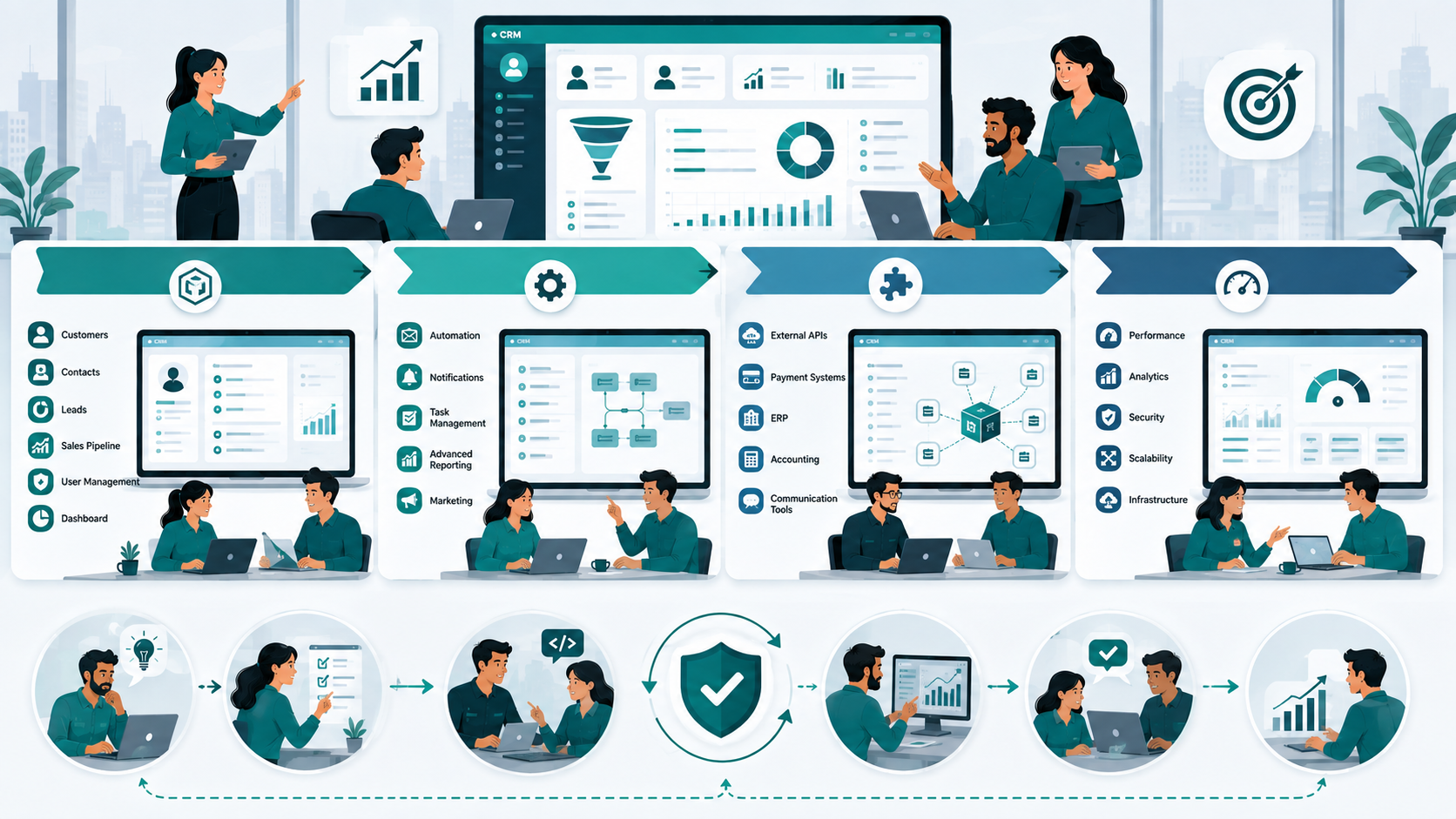
For small and mid-sized teams, I prefer a phased approach.
Phase 1: Core CRM
Start with:
- Customers
- Contacts
- Leads
- Sales pipeline
- User management
- Basic dashboard
Phase 2: Workflow
Add:
- Automation
- Notifications
- Task management
- Advanced reporting
- Marketing functionality
Phase 3: Integration
Add:
- External APIs
- Payment systems
- ERP
- Accounting
- Communication tools
Phase 4: Optimization
Improve:
- Performance
- Analytics
- Security
- Scalability
- Infrastructure
This approach lets the team validate the product before committing the entire investment.
It also makes it easier to control development cost.
How to Estimate Your CRM Development Budget
Instead of asking:
How much does a CRM cost?
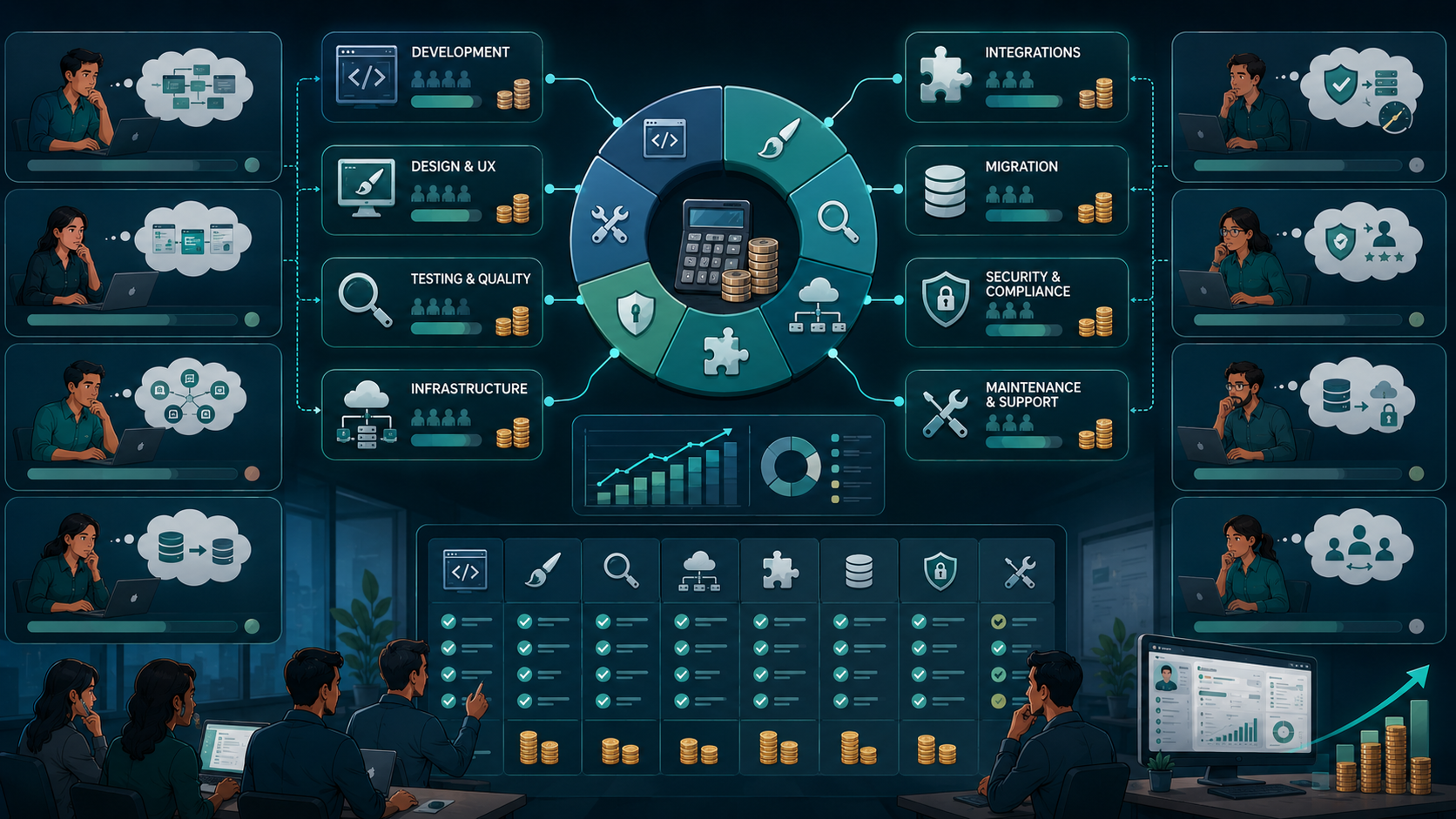
I recommend breaking the project into these components:
Total CRM Budget = Development + Design + Testing + Infrastructure + Integration + Migration + Maintenance
Then estimate each component separately.
For example:
| Cost Area | Questions to Ask |
|---|---|
| Development | How much custom functionality is required? |
| Design | How many workflows and user interfaces are needed? |
| Integration | How many external systems must connect? |
| Migration | How much existing data must be transferred? |
| Testing | How critical is reliability? |
| Infrastructure | What scale and availability are required? |
| Security | What data protection requirements exist? |
| Maintenance | Who will maintain the CRM after launch? |
This gives you a much more realistic estimate than simply multiplying an hourly rate by an assumed number of hours.
The Real Cost Isn't the First Release
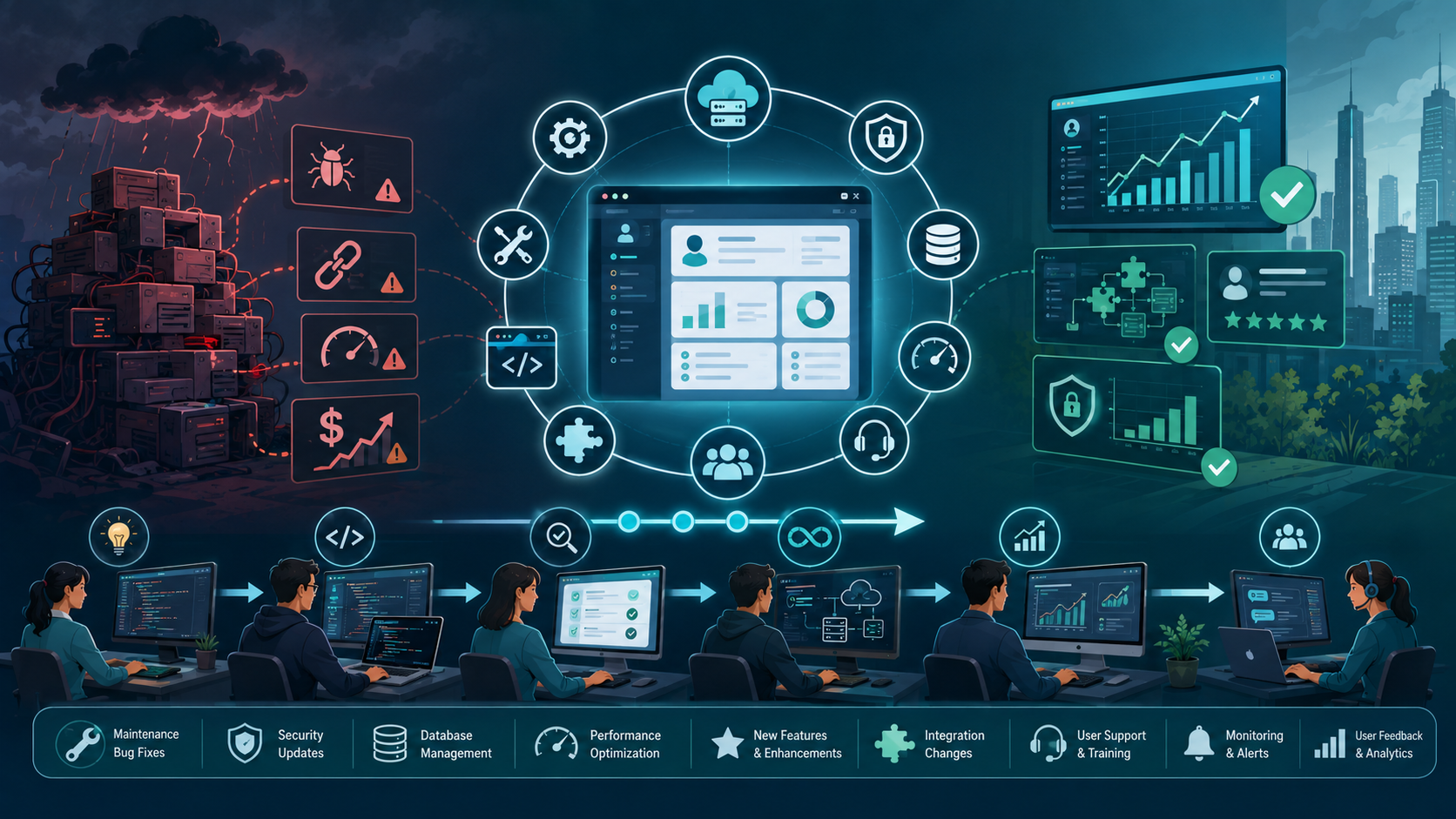
One of the biggest lessons from CRM projects is that the initial development cost is only part of the investment.
After launch, you'll still have:
- Maintenance
- Infrastructure
- Security updates
- Database management
- Bug fixes
- Performance optimization
- New features
- Integration changes
- User support
A CRM is a living business application, not a one-time project.
A lower initial price can become expensive if the resulting architecture is difficult to maintain.
Likewise, spending more upfront doesn't automatically produce a better system.
The best outcome usually comes from matching the technical solution to the actual business requirements.
Conclusion
The cost to build a CRM in the USA depends far more on scope and complexity than on the word "CRM" itself.
A focused CRM with customer, contact, lead, sales, and reporting functionality can be relatively straightforward.
A CRM with complex automation, multiple integrations, data migration, advanced analytics, strict security requirements, and enterprise scalability is a completely different engineering project.
The biggest mistake is choosing a budget before defining the problem.
Start with the workflows.
Identify the users.
Define the required features.
Separate essential functionality from future requirements.
Then evaluate the architecture, development resources, integrations, security, testing, infrastructure, and maintenance.
That's how you get an estimate that reflects the real project instead of an attractive number that changes halfway through development.
Cost to Build a CRM in the USA: FAQs
A basic custom CRM may start around tens of thousands of dollars, while advanced and enterprise CRM systems can reach several hundred thousand dollars or more. The final cost depends on functionality, integrations, data migration, security, team size, and complexity.
There isn't one universal answer. Complex integrations, custom automation, data migration, security requirements, and advanced reporting can become significant cost drivers depending on the project.
A focused CRM MVP can take several months, while a complex enterprise platform can require considerably longer. The timeline depends on scope, team size, integrations, testing, and architecture.
Not necessarily. Off-the-shelf CRM software can be more economical when your business processes are standard. Custom development becomes more attractive when you require unique workflows, deep integrations, or functionality that existing products cannot provide efficiently.
Yes. A phased approach is often practical. Teams can begin with core customer and sales functionality, validate the workflow, and then add automation, integrations, analytics, and advanced functionality as requirements become clearer.
Reference
Written by

Paras Dabhi
VerifiedFull-Stack Developer (Python/Django, React, Node.js)
I build scalable web apps and SaaS products with Django REST, React/Next.js, and Node.js — clean architecture, performance, and production-ready delivery.
LinkedIn