How To Add AI Agents To Existing Business Software
Businesses do not always need to replace their existing software to take advantage of artificial intelligence.
A company may already have a CRM that manages thousands of customer records, an ERP handling orders and inventory, a SaaS platform supporting customers, or an internal application built several years ago. Replacing that software simply because AI has become important can be expensive, disruptive, and unnecessary.
A more practical approach is to add AI agents to the software the business already uses.
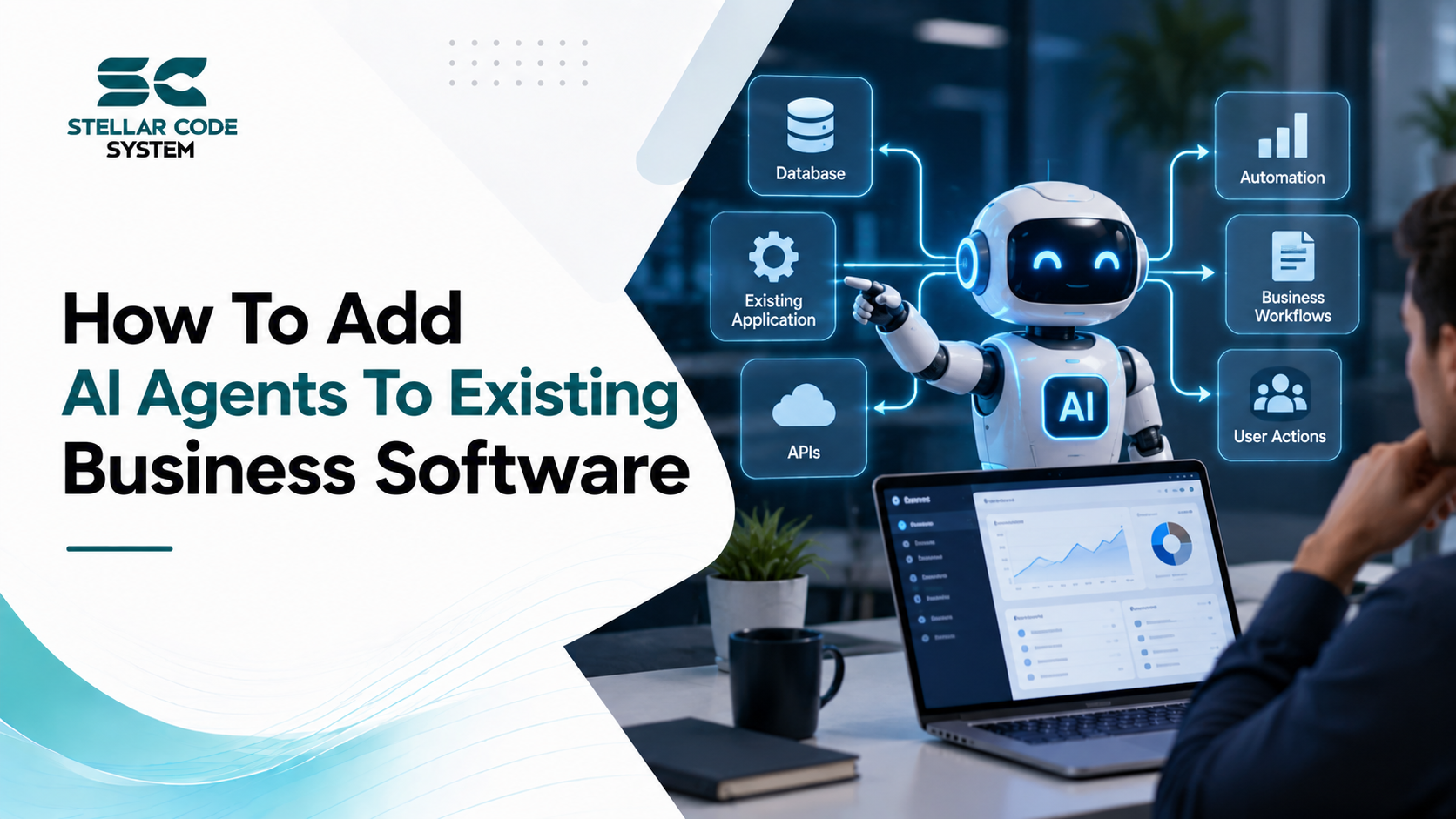
AI agents can connect with existing APIs, databases, workflows, knowledge bases, and business applications. Depending on how they are designed, they can retrieve information, summarize records, classify requests, recommend actions, create drafts, and perform approved business tasks.
The difficult part is not simply connecting an AI model to an application.
The real engineering challenge is deciding what the agent should be allowed to do, how it should access business data, which actions require human approval, how existing business rules should be preserved, and how the entire system should be monitored in production.
For US businesses investing in AI modernization, this approach can provide a practical way to introduce AI capabilities without rebuilding an entire software platform.
This guide explains how to add AI agents to existing business software, what architecture to use, how to integrate APIs, how to handle security, what mistakes to avoid, and how to approach an AI agent implementation from an engineering perspective.
What Is an AI Agent?
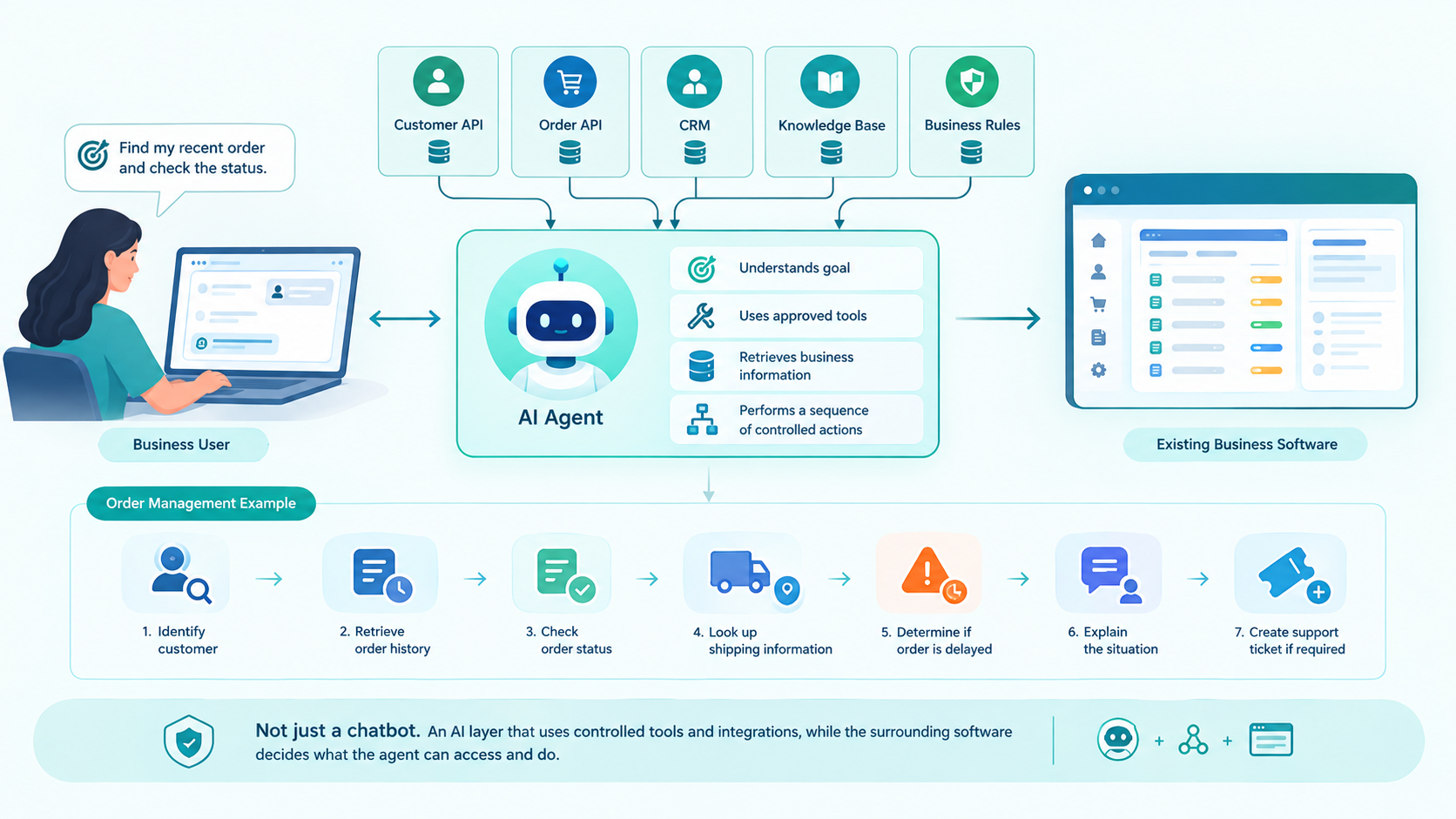
An AI agent is a software system that can use an AI model to understand a goal, access approved tools or information, and perform a sequence of actions to accomplish that goal.
A traditional chatbot might answer:
Your order was shipped yesterday.
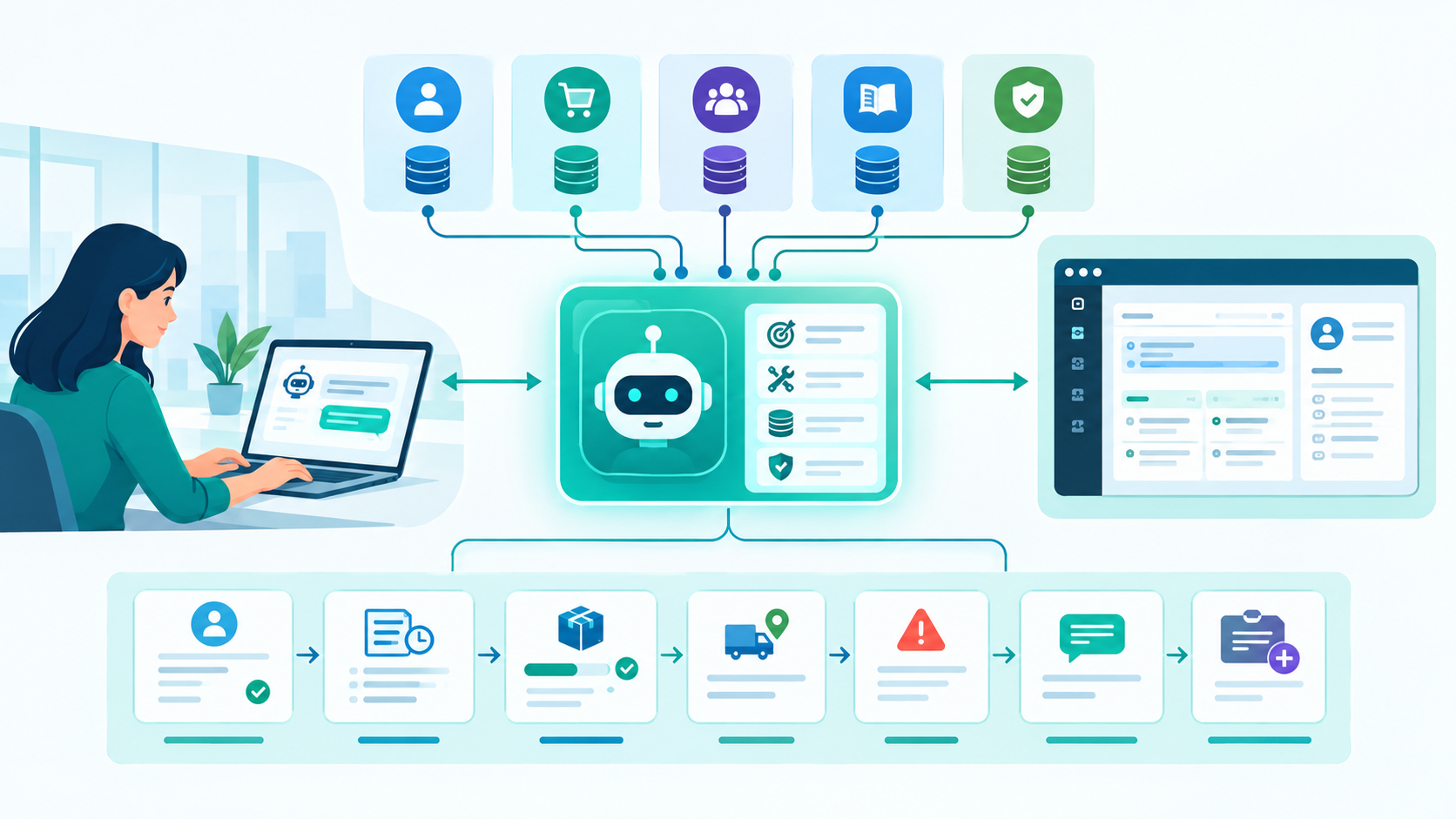
An AI agent connected to an order-management system could potentially:
- Identify the customer.
- Retrieve the customer's order history.
- Check the current order status.
- Look up shipping information.
- Determine whether the order is delayed.
- Explain the situation.
- Create a support ticket if required.
The difference is that the agent is not limited to generating text. It can interact with other software through controlled tools and integrations.
A simplified architecture looks like this:
Business User
     |
     v
AI Agent
     |
     +---- Customer API
     |
     +---- Order API
     |
     +---- CRM
     |
     +---- Knowledge Base
     |
     +---- Business Rules
     |
     v
Existing Business Software
The AI model provides reasoning and language capabilities, while the surrounding software controls what the agent can actually access and do.
Why Add AI Agents Instead of Replacing Existing Software?
One of the biggest mistakes companies make during AI adoption is assuming they need to rebuild their entire software platform.
In many cases, they don't.
An existing business application may already contain years of valuable functionality:
- Customer records
- Business rules
- Authentication
- Billing
- Inventory management
- Reporting
- User permissions
- Integrations
- Workflows
- Historical data
- Internal processes
Replacing all of this just to introduce AI creates unnecessary risk.
AI agent integration can instead work as an additional intelligence layer around the existing application.
For example:
Existing CRM
      |
      v
Integration Layer
      |
      v
AI Agent
      |
      +---- Search customers
      +---- Summarize accounts
      +---- Draft follow-ups
      +---- Create approved tasks
The CRM remains the system of record.
The AI agent becomes a controlled interface for interacting with it.
This approach is particularly useful for businesses that have mature software but want to modernize specific workflows.
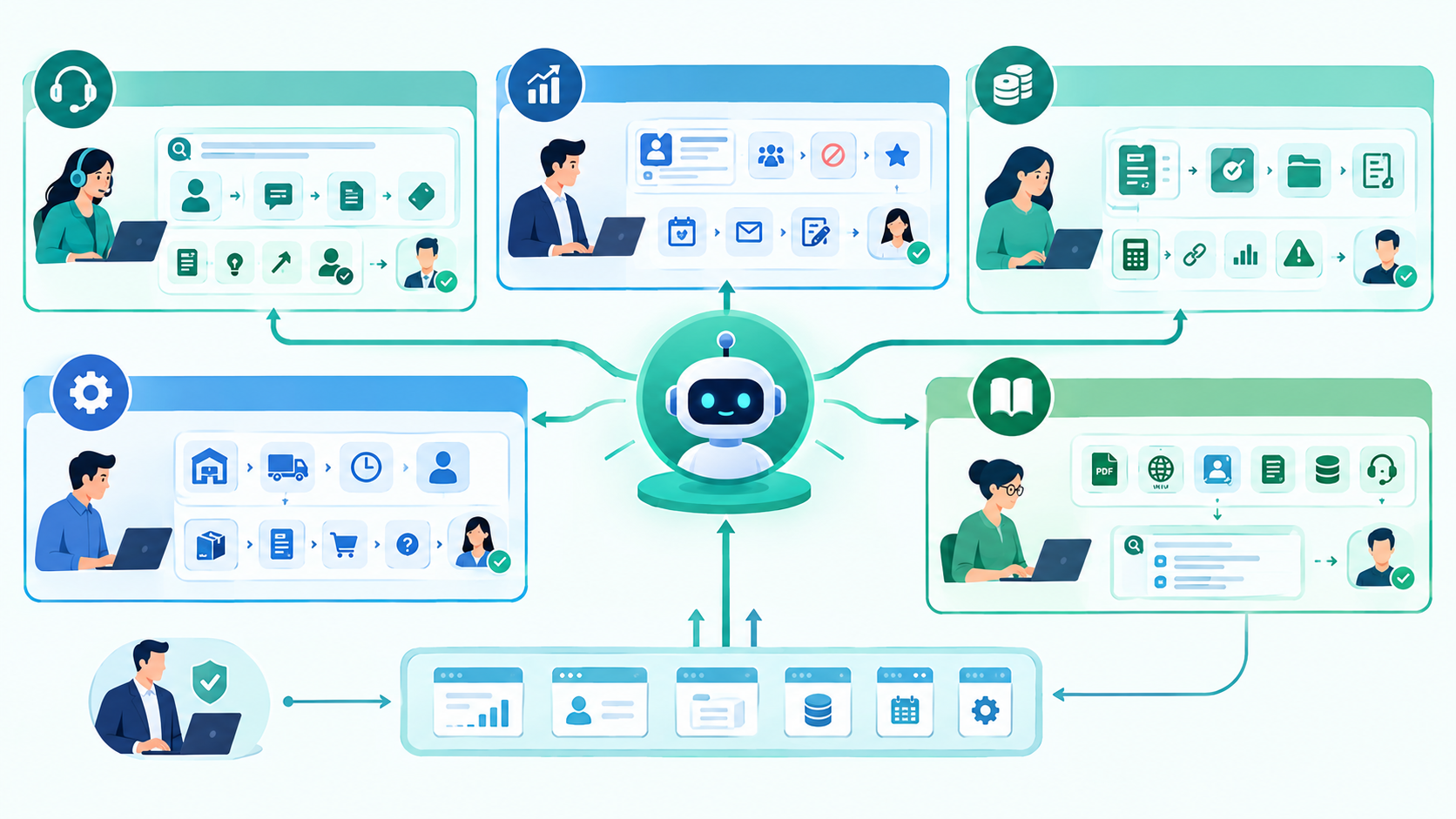
What Business Problems Can AI Agents Solve?
Before integrating an AI agent, identify the business problem rather than starting with the AI technology.
Some common use cases include:
Customer Support Automation
An agent can:
- Search customer records
- Review previous support conversations
- Find relevant documentation
- Classify tickets
- Draft responses
- Recommend solutions
- Escalate complex issues
- Create support tickets
The agent does not necessarily need permission to close or modify tickets automatically.
A safer starting point is often:
Read → Analyze → Recommend → Human Approval → Execute
Sales Automation
An AI agent connected to a CRM could help sales teams:
- Summarize customer accounts
- Identify inactive leads
- Research opportunities
- Prioritize prospects
- Prepare meeting summaries
- Draft follow-up emails
- Update approved CRM fields
Instead of forcing sales employees to search multiple screens, the agent can provide a conversational interface over existing CRM information.
Finance and Invoice Processing
AI agents can assist with:
- Invoice classification
- Payment-status queries
- Expense categorization
- Document extraction
- Purchase-order matching
- Financial reporting
- Exception identification
However, financial actions should normally have stronger approval controls.
An agent might prepare a payment recommendation, while a human approves the actual transaction.
ERP Automation
ERP systems contain large amounts of structured business information.
An AI agent could help employees answer questions such as:
- Which products are low in inventory?
- Which orders are delayed?
- Which suppliers have outstanding invoices?
- What were last month's sales?
- Which purchase orders need attention?
The agent can retrieve information from existing ERP APIs instead of requiring employees to navigate multiple screens.
Internal Knowledge Management
Businesses often have information distributed across:
- PDFs
- Internal documentation
- Wikis
- CRM records
- Product documentation
- SOPs
- Databases
- Support tickets
An AI agent can provide a controlled interface for searching and interpreting that information.
This is especially useful when employees know that information exists but don't know where to find it.
How to Add AI Agents to Existing Business Software
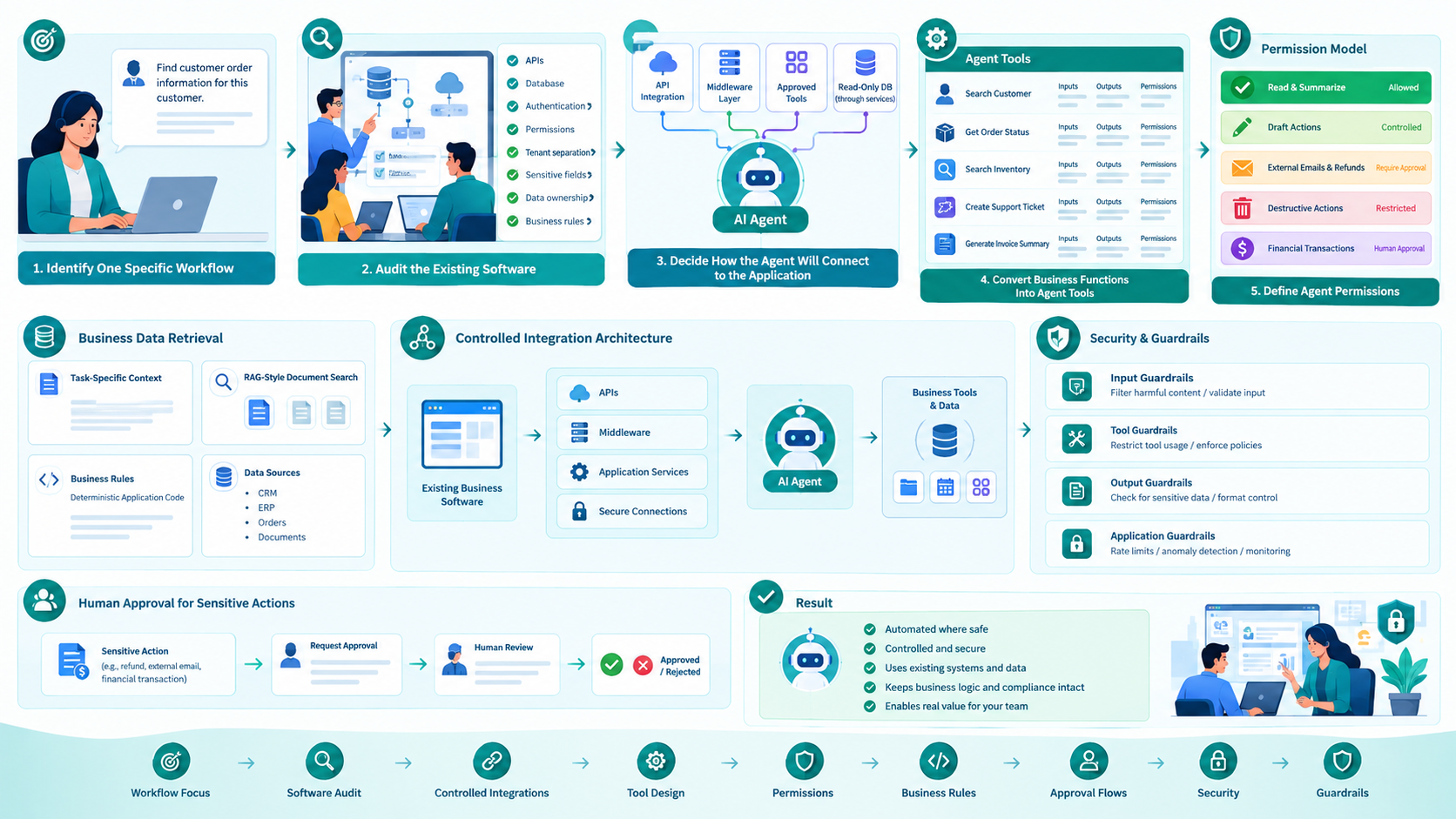
The implementation should be approached as a software integration project, not simply an AI experiment. Working with a US AI integration team for existing business software helps businesses connect AI agents with existing CRM, ERP, SaaS, legacy, and internal applications through controlled APIs, middleware, permissions, guardrails, human approval, security, monitoring, and workflow automation.
Step 1: Identify One Specific Workflow
Start with one workflow.
Do not begin with:
We want an AI agent that can manage our entire business.
That creates an unnecessarily large project.
Instead, choose a specific problem:
We want an agent that can help support employees find customer order information.
Or:
We want an agent that summarizes CRM accounts before sales calls.
A good first workflow should have:
- A clear input
- A measurable outcome
- Defined data sources
- Limited actions
- Known business rules
- Manageable security requirements
Once the workflow works reliably, additional capabilities can be introduced.
Step 2: Audit the Existing Software
Before building the agent, understand the system it will connect to.
An engineering team should review:
Application architecture
Determine whether the application uses:
- Monolith architecture
- Modular monolith
- Microservices
- Serverless architecture
- Legacy architecture
APIs
Check whether the system already provides:
- REST APIs
- GraphQL
- Webhooks
- Internal services
- SDKs
Database
Understand:
- Database technology
- Data relationships
- Sensitive fields
- Data ownership
- Read/write patterns
- Tenant separation
Authentication
Review:
- OAuth
- JWT
- API keys
- Service accounts
- SSO
- Role-based permissions
Existing business rules
This is particularly important.
If the existing application has a rule that prevents an employee from issuing a refund above a certain amount, the AI agent should not bypass that rule.
The agent should operate through the same controlled business logic wherever possible.
Step 3: Decide How the Agent Will Connect to the Application
There are several integration patterns.
API-Based Integration
This is usually the preferred approach.
For example:
AI Agent
   |
   v
Tool Layer
   |
   v
Existing API
   |
   v
Business Logic
   |
   v
Database
Suppose an application already has:
GET /customers/{id}
GET /orders/{id}
GET /orders
POST /support-tickets
The AI agent can be given controlled tools that call these endpoints.
The agent does not need direct database access.
Integration Through a Middleware Layer
Sometimes the existing APIs are not designed for AI workflows.
In that situation, an integration layer can sit between the agent and the application.
AI Agent
   |
   v
AI Integration Service
   |
   +---- Authentication
   +---- Validation
   +---- Rate Limiting
   +---- Business Rules
   +---- Logging
   |
   v
Existing Application
This layer can normalize APIs and prevent the AI agent from directly interacting with sensitive systems.
Database Integration
Direct database access should be approached carefully.
It can be useful for controlled read-only analytical workloads, but allowing an AI agent to freely execute database operations against production data creates unnecessary risk.
A safer pattern is to expose predefined queries or application-level tools.
Instead of allowing:
AI → Production Database
prefer:
AI → Approved Tool → Application Service → Database
This preserves application-level permissions and validation.
Step 4: Convert Business Functions Into Agent Tools
One of the most important parts of AI agent architecture is the tool layer.
A tool represents an action the agent is allowed to perform.
For example:
- A clear purpose
- Defined inputs
- Defined outputs
- Permission requirements
- Validation rules
- Error handling
- Logging
The AI should not receive unrestricted access to the entire application.
Instead, expose only the capabilities required for the workflow.
search_customer()
get_order_status()
search_inventory()
create_support_ticket()
generate_invoice_summary()
Each tool should have:
Step 5: Define Agent Permissions
This is where many AI implementations become risky.
Imagine an agent connected to an ERP system.
Should it be able to:
- Read inventory? Yes.
- Search orders? Yes.
- Create a purchase request? Maybe.
- Approve a purchase? Probably not automatically.
- Delete an order? Usually no.
- Transfer money? Require strict human approval.
Create an explicit permission model.
| Action | Permission |
|---|---|
| Search customers | Allowed |
| View orders | Allowed |
| Summarize invoices | Allowed |
| Create draft ticket | Allowed |
| Send external email | Approval |
| Issue refund | Approval |
| Delete records | Restricted |
| Financial transaction | Human approval |
The agent's permissions should be narrower than the permissions of a general administrator.
Step 6: Connect Business Data to the Agent
An AI agent needs context.
But that does not mean sending your entire database to an AI model.
Instead, provide the information required for each task.
For example, if the user asks:
Why is customer ABC's order delayed?
the system might retrieve:
Customer profile
       +
Order record
       +
Shipping status
       +
Support history
       +
Delivery policy
The agent can then reason over that context.
For unstructured information, a retrieval system can be used to find relevant documents before generating an answer.
This architecture is often described as retrieval-augmented generation, or RAG.
Step 7: Preserve Existing Business Logic
This is one of the most important engineering principles when adding AI to an existing application.
Suppose the application contains:
Refund amount < $500 → automatic
Refund amount ≥ $500 → manager approval
Do not recreate that rule only inside an AI prompt.
The business rule should remain inside deterministic application code.
For example:
AI Agent
   |
   v
Refund Tool
   |
   v
Business Rule
   |
   +---- Under $500 → Continue
   |
   +---- Over $500 → Request Approval
AI should determine intent and assist with decisions.
Critical business rules should remain enforceable by software.
Step 8: Add Authentication and Authorization
An AI agent should never be treated as a trusted administrator by default.
The integration should consider:
- OAuth
- Service accounts
- Role-based access control
- Token expiration
- API scopes
- Tenant isolation
- Permission checks
- Audit logging
For multi-tenant SaaS applications, tenant isolation becomes especially important.
A customer from Company A should never be able to use an agent to retrieve Company B's data.
The application must enforce tenant boundaries independently of the AI model.
Step 9: Add Human Approval for Sensitive Actions
Not every task should be fully autonomous.
Consider a customer-support agent.
It might safely:
- Search orders
- Read customer history
- Summarize conversations
- Draft responses
But sending a legally sensitive message or issuing a large refund may require human approval.
A useful architecture is:
User Request
     |
     v
AI Agent
     |
     v
Determine Action
     |
     +---- Low Risk → Execute
     |
     +---- High Risk → Human Approval
                         |
                         v
                      Execute
This allows businesses to benefit from automation without giving an agent unrestricted authority.
Step 10: Add Guardrails
Guardrails should exist at multiple layers.
Input Guardrails
Check:
- User permissions
- Request validity
- Malicious instructions
- Sensitive requests
- Scope of operation
Tool Guardrails
Check:
- Allowed actions
- Parameters
- Resource ownership
- Rate limits
- Transaction limits
Output Guardrails
Check:
- Sensitive information
- Incorrect formats
- Unsupported claims
- Policy violations
Application Guardrails
The underlying application should continue enforcing:
- Authentication
- Authorization
- Validation
- Business rules
- Transaction controls
The AI layer should never be the only security boundary.
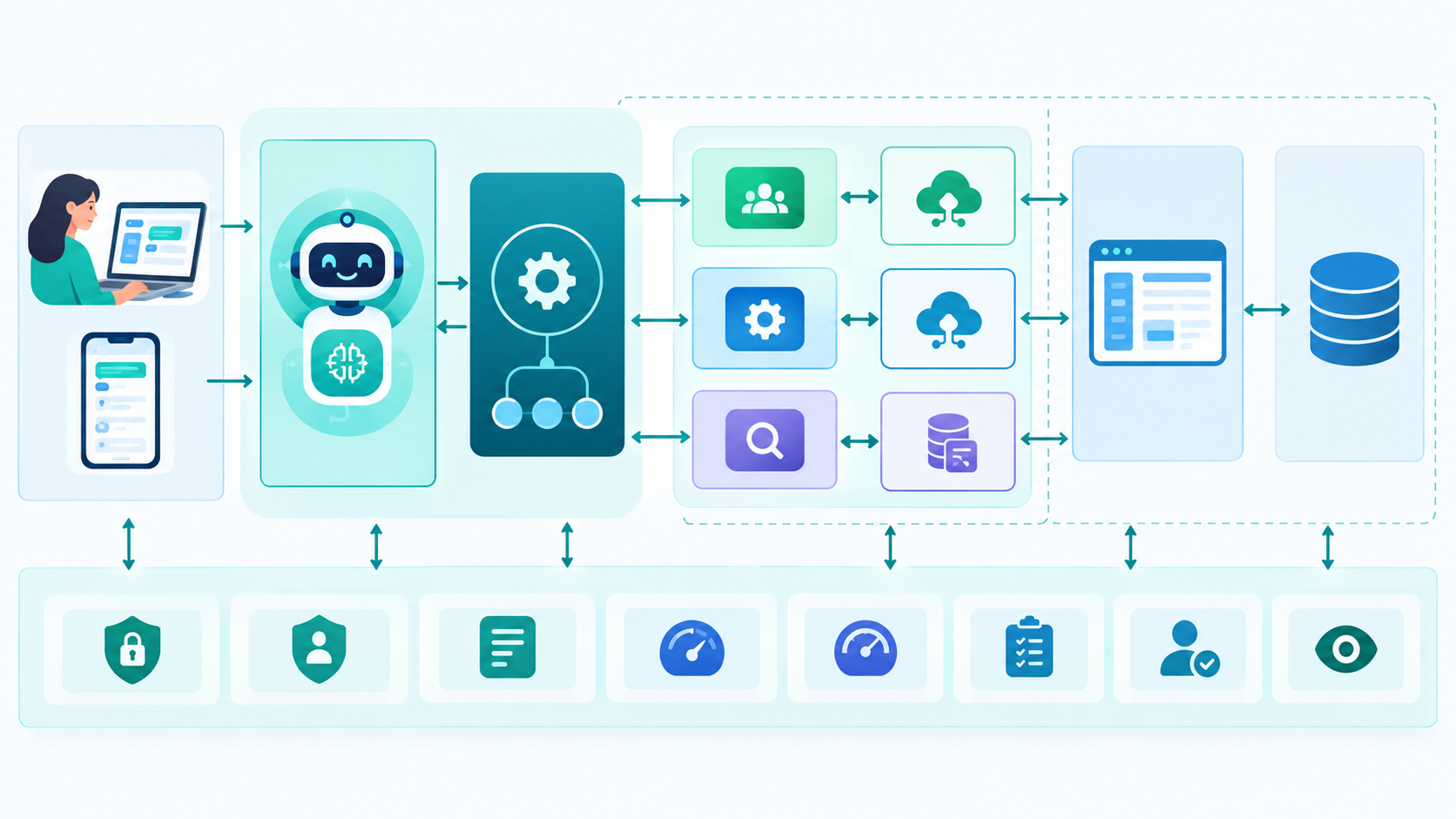
AI Agent Architecture for Existing Business Software
A production architecture may look like this:
- Authentication
- Authorization
- Logging
- Monitoring
- Rate Limiting
- Audit Trail
- Human Approval
- Observability
This approach allows the AI component to evolve without requiring a complete rewrite of the existing application.
                        User
                          |
                          v
                 Web / Mobile Interface
                          |
                          v
                    AI Agent Layer
                          |
                  Agent Orchestrator
                          |
             +------------+-------------+
             |            |             |
             v            v             v
          CRM Tool     ERP Tool     Search Tool
             |            |             |
             v            v             v
          CRM API      ERP API    Knowledge Base
             |            |             |
             +------------+-------------+
                          |
                          v
                Existing Application
                          |
                          v
                       Database
Additional services can be added around the architecture:
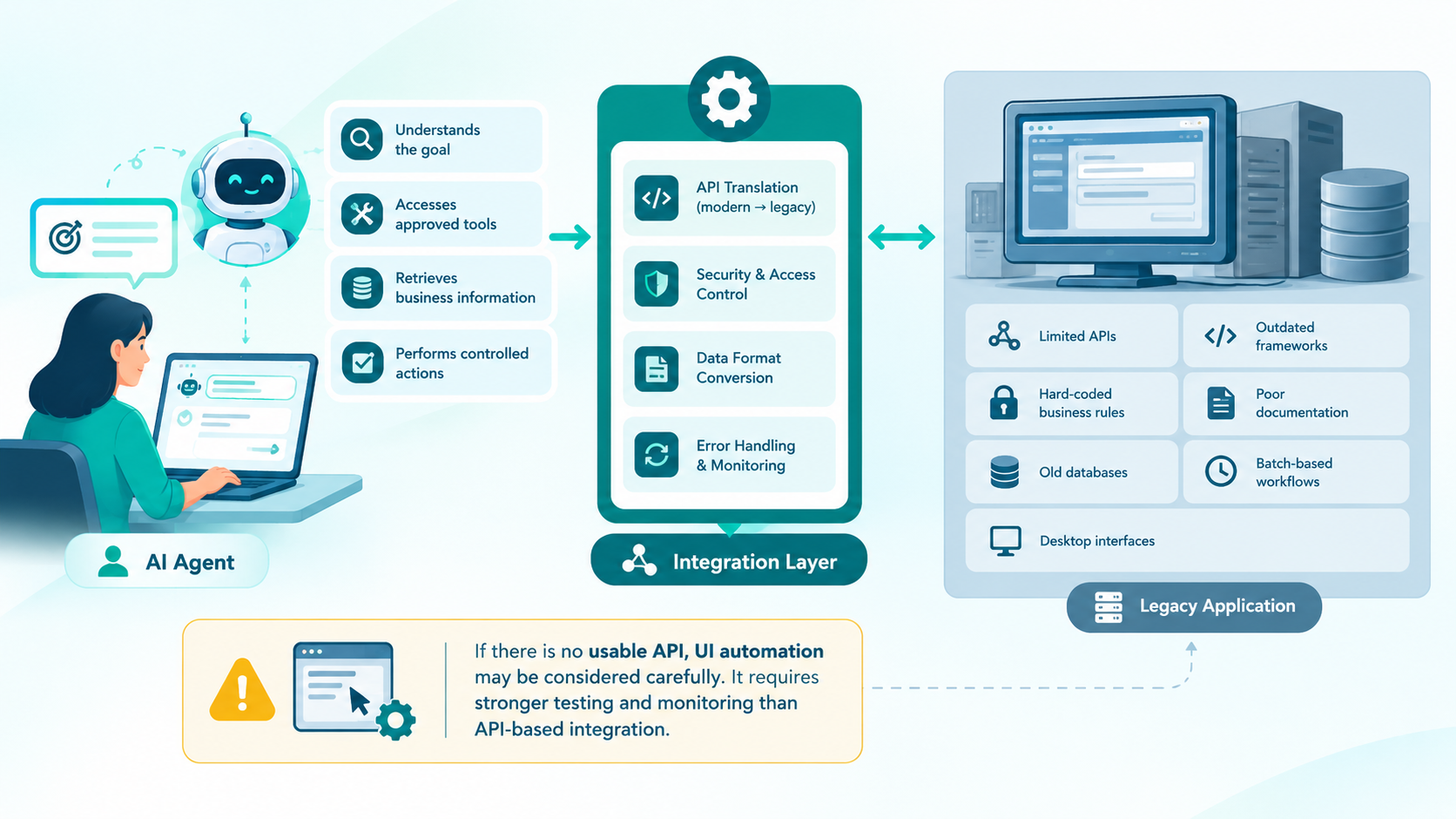
AI Agents and Legacy Software
Legacy software presents a different challenge.
Some older applications may have:
- Limited APIs
- Outdated frameworks
- Hard-coded business rules
- Poor documentation
- Old databases
- Batch-based workflows
- Desktop interfaces
That doesn't automatically mean AI integration is impossible.
A modernization strategy can introduce an integration layer.
AI Agent
    |
    v
Modern Integration Layer
    |
    v
Legacy Application
The integration layer can translate modern API requests into the format required by the older system.
If an application has no usable API, UI automation may sometimes be considered, but it generally requires more careful testing and monitoring than an API-based integration.
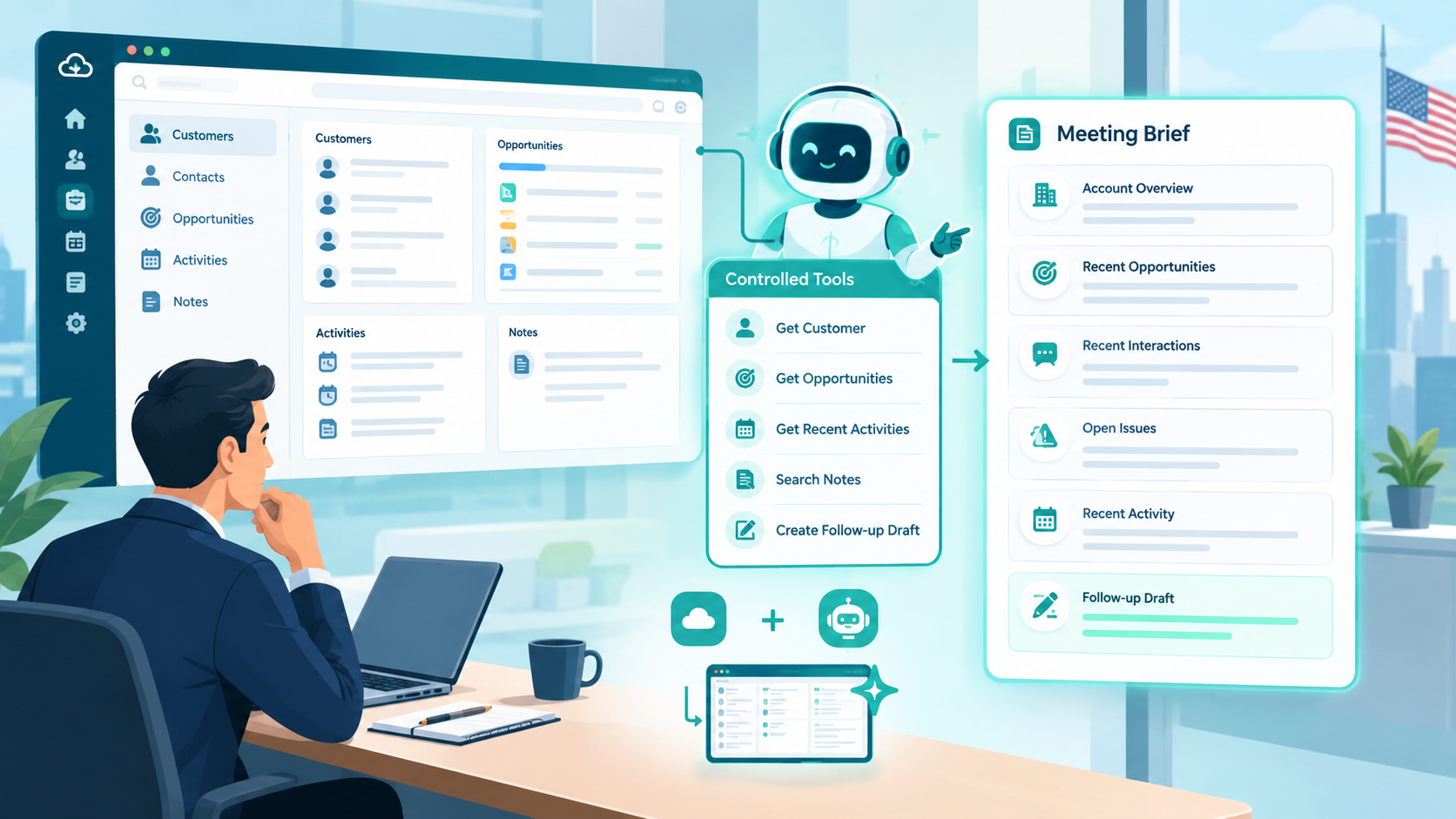
Example: Adding an AI Agent to a CRM
Consider a US-based B2B company using an existing CRM.
The sales team spends several hours every week preparing for customer meetings.
The company could introduce an AI sales agent.
Existing system
CRM
 ├── Customers
 ├── Contacts
 ├── Opportunities
 ├── Activities
 └── Notes
AI tools
get_customer()
get_opportunities()
get_recent_activities()
search_notes()
create_followup_draft()
User request
Prepare me for my meeting with Acme.
The agent could:
- Identify Acme's account.
- Retrieve recent opportunities.
- Review recent interactions.
- Summarize open issues.
- Identify recent activity.
- Produce a meeting brief.
The agent doesn't need to replace the CRM.
It simply provides a more intelligent interface over existing information.
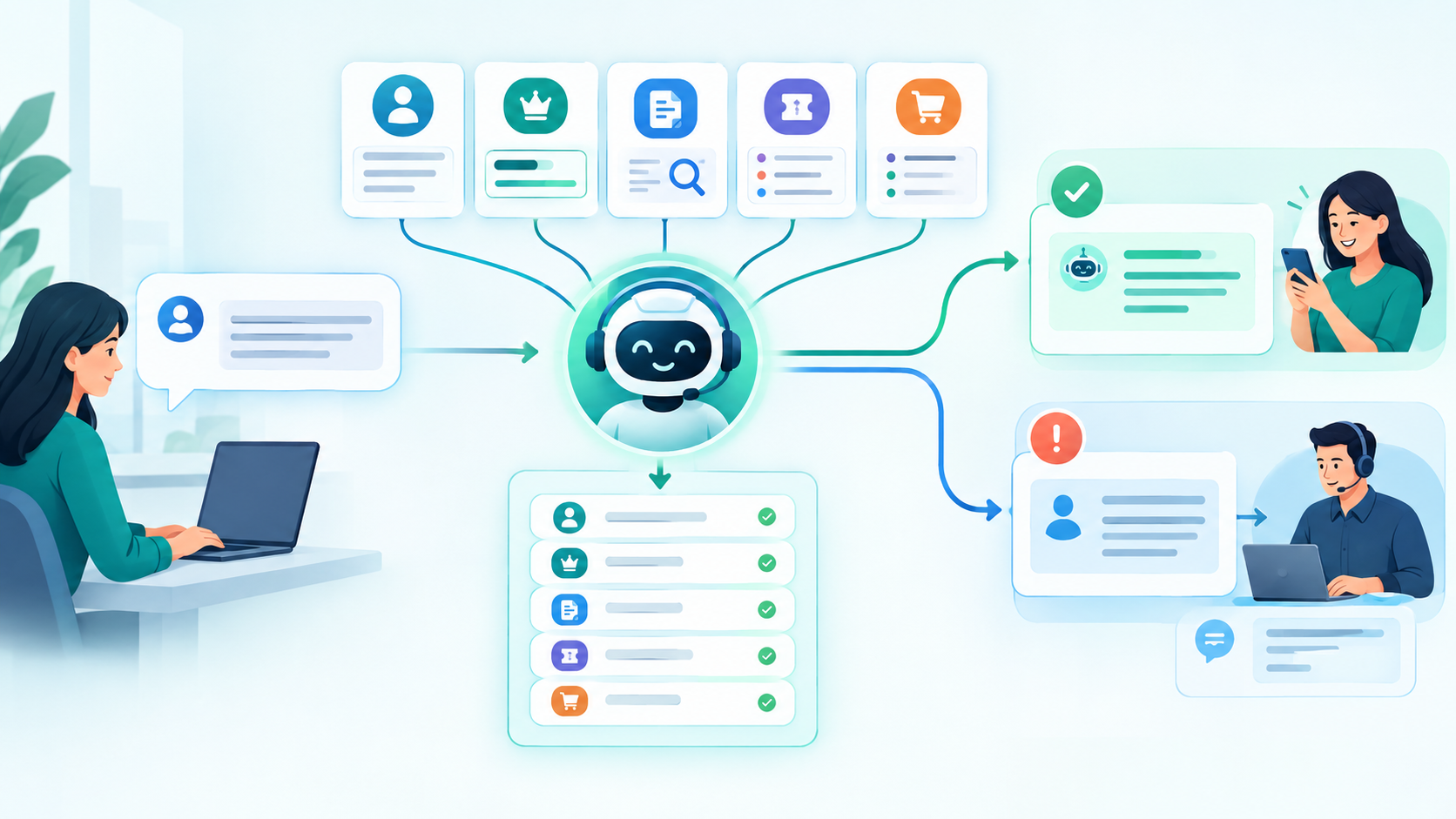
Example: AI Agent for Customer Support
Suppose a SaaS company receives hundreds of support requests every day.
The existing system already contains:
- Customer accounts
- Subscription information
- Product documentation
- Support tickets
- Order information
The AI agent can be connected to those systems.
Customer Question
       |
       v
AI Support Agent
       |
       +---- Customer API
       +---- Subscription API
       +---- Documentation Search
       +---- Ticket API
       |
       v
Answer / Recommendation
The agent can handle low-risk informational requests automatically while escalating complicated cases to human support employees.
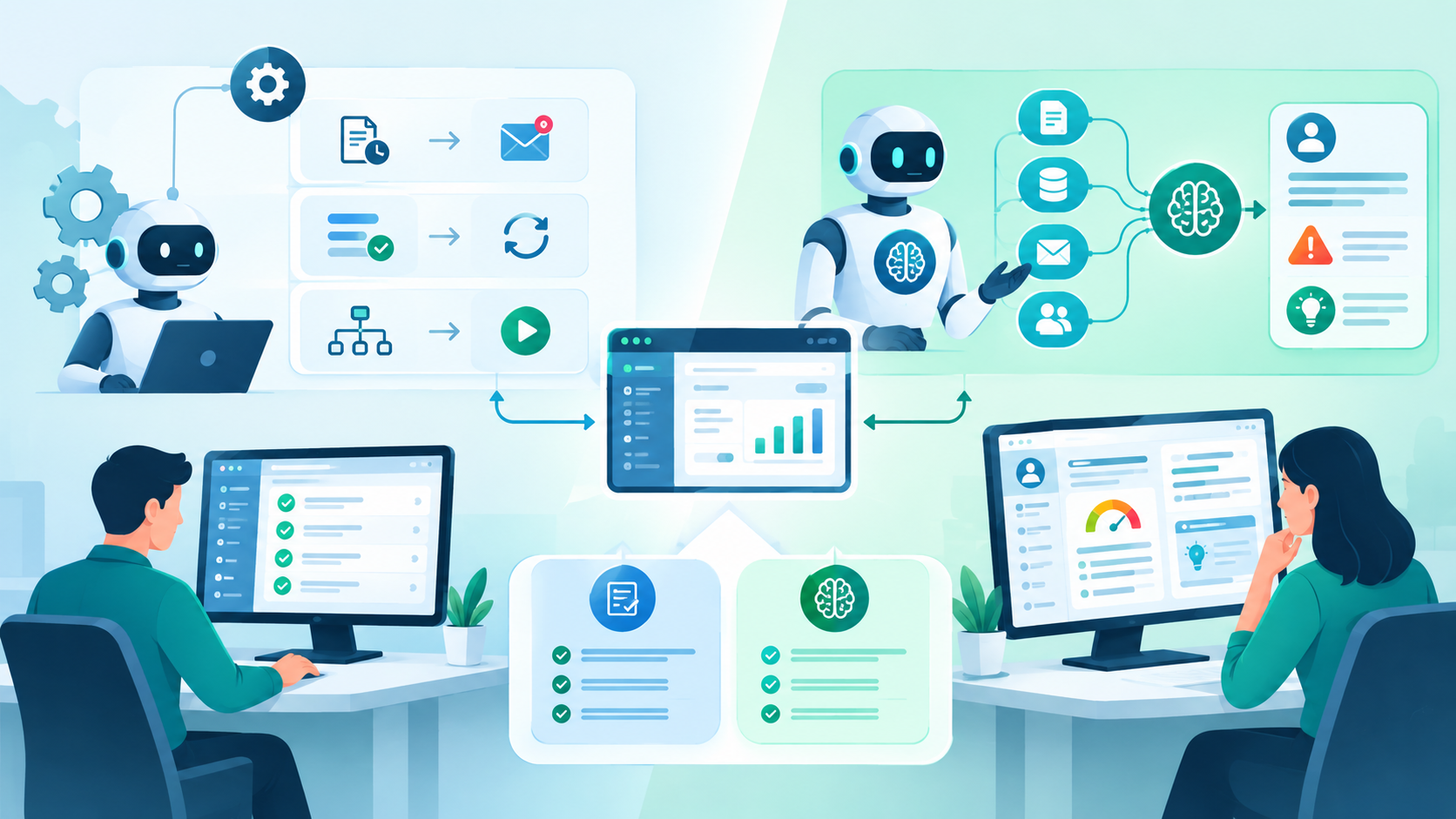
AI Agents vs Traditional Automation
AI agents should not replace every automation workflow.
Traditional automation is often better when the process is completely deterministic.
For example:
Review the customer's recent payment history, determine why the account may be at risk, summarize the situation, and recommend the next action.
This involves interpreting multiple pieces of information.
An AI agent may be more appropriate.
The practical rule is:
Use traditional automation for deterministic rules and AI agents for tasks that require interpretation, reasoning, or interaction with unstructured information.
IF invoice_status = overdue
THEN send reminder
There is no need for an AI agent.
But consider:
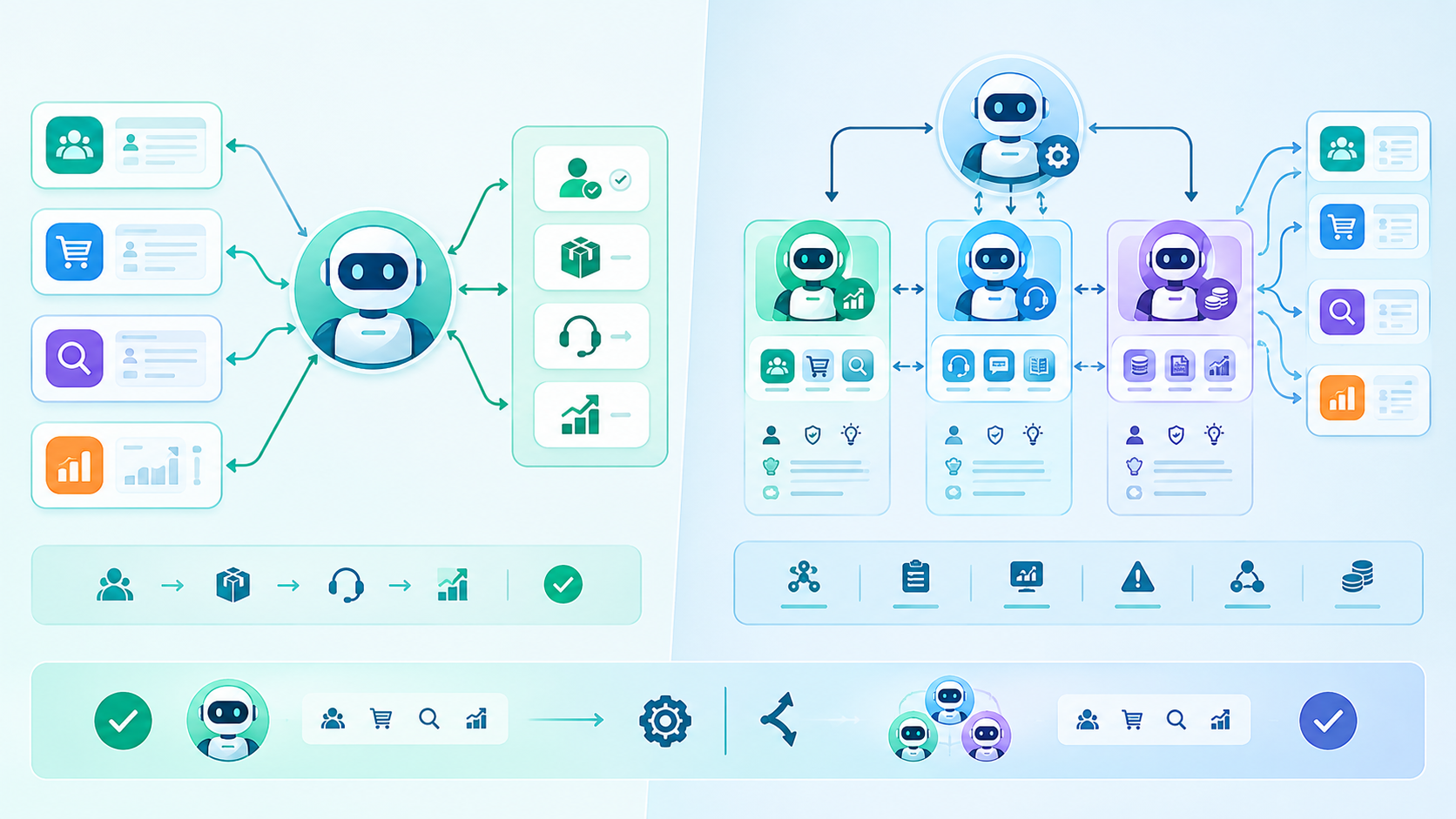
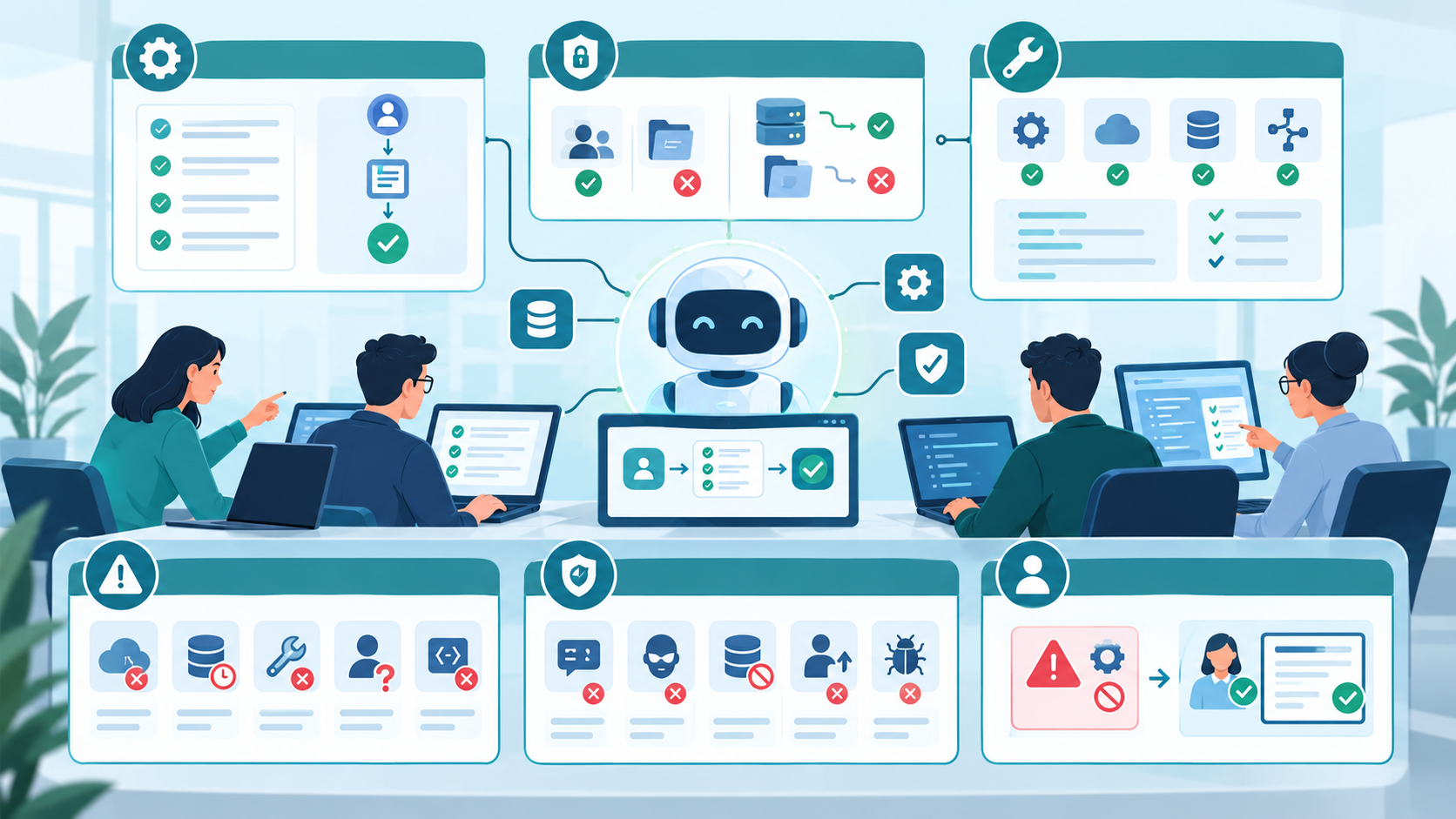
Single-Agent vs Multi-Agent Architecture
Businesses sometimes jump directly to multi-agent systems.
That is not always necessary.
A single agent with well-designed tools can handle many business workflows.
For example:
- More complexity
- More communication paths
- More testing
- More monitoring
- More failure scenarios
- More operational cost
Start with the simplest architecture that solves the problem.
One Agent
   |
   +---- CRM Tool
   +---- Order Tool
   +---- Search Tool
   +---- Reporting Tool
A multi-agent architecture might look like:
Manager Agent
      |
      +---- Sales Agent
      |
      +---- Support Agent
      |
      +---- Finance Agent
Multi-agent architecture can make sense when different responsibilities require substantially different tools, policies, or expertise.
But additional agents also mean:
How to Test an AI Agent Before Production
Traditional software testing is not enough.
An AI agent can produce different outputs for similar inputs, and tool usage can fail in unexpected ways.
Testing should include:
Functional Testing
Does the agent complete the intended workflow?
Permission Testing
Can the agent access information it should not access?
Tool Testing
Does it call the correct tool with valid parameters?
Failure Testing
What happens when:
- API is unavailable?
- Database times out?
- Tool returns an error?
- Customer record doesn't exist?
- AI produces an invalid parameter?
Security Testing
Test:
- Prompt injection
- Unauthorized access
- Data leakage
- Privilege escalation
- Malicious inputs
Human Approval Testing
Verify that high-risk actions cannot bypass approval.
Monitoring AI Agents in Production
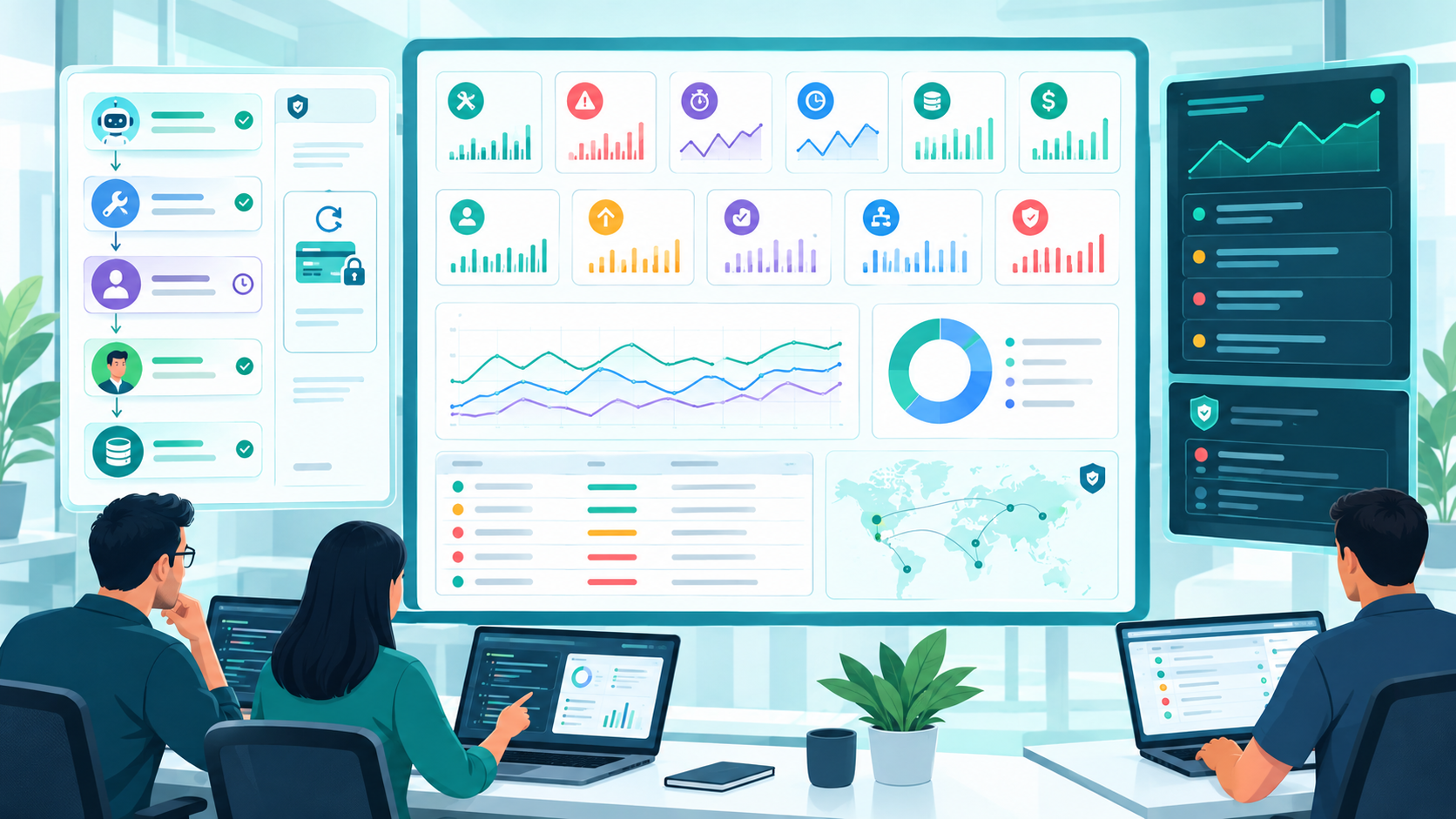
Launching the agent is not the end of the project.
Production monitoring should track:
- Tool calls
- Failed requests
- API latency
- Agent response time
- Token consumption
- Cost
- User corrections
- Escalations
- Approval requests
- Failed workflows
- Security events
An audit trail can be especially valuable.
For example:
User: John

Request:
"Refund customer ABC $750"

Agent:
Identified refund request

Tool:
refund_customer()

System:
Approval required

Human:
Approved

Result:
Refund processed
This makes it easier to investigate problems and understand how an automated decision was made.
Security Considerations When Adding AI Agents
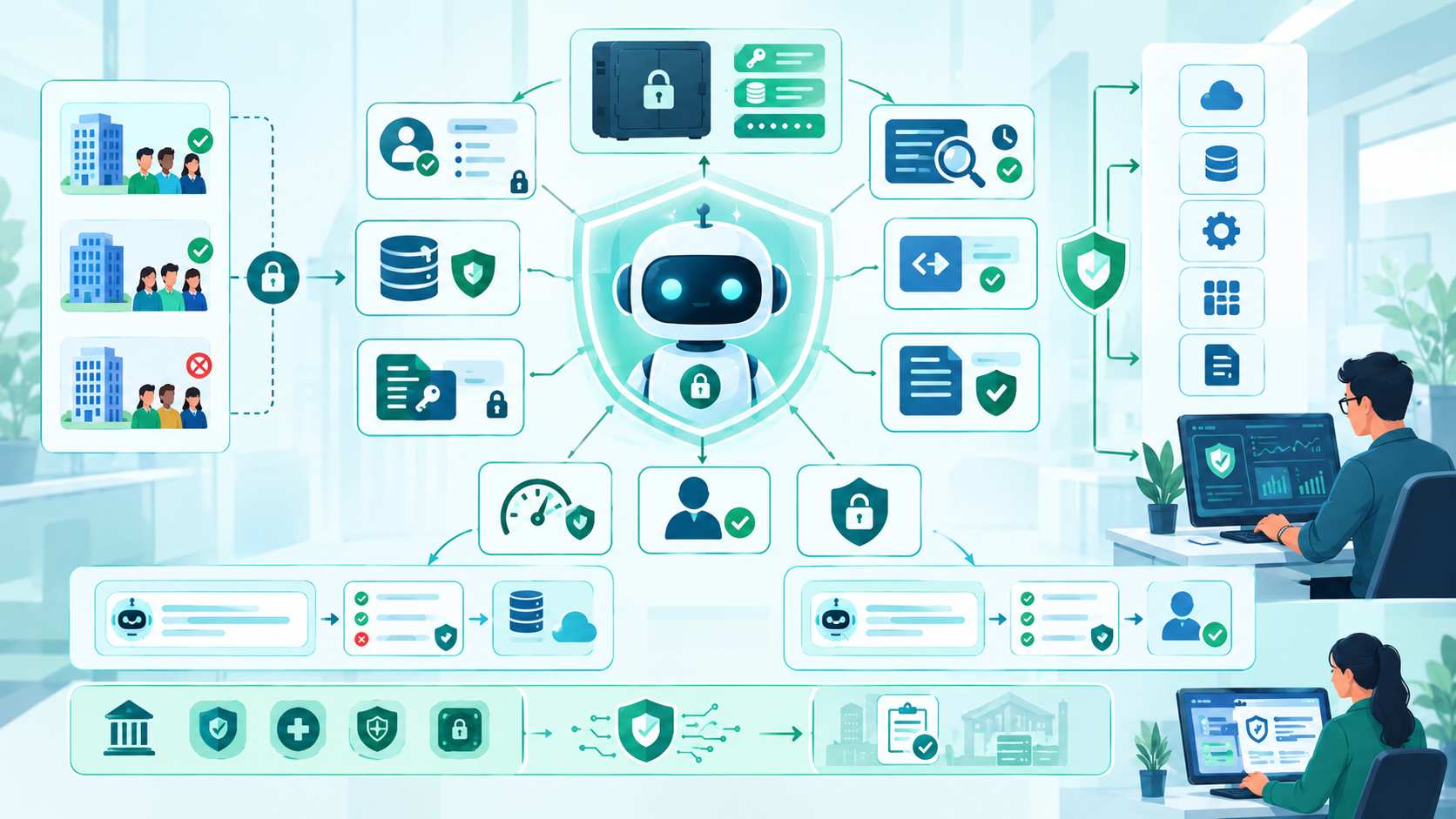
Security should be designed before granting an agent access to business systems.
Important areas include:
Least-Privilege Access
Give the agent only the permissions required for its workflow.
Data Isolation
Ensure users can access only the data they are authorized to see.
Secrets Management
API keys and credentials should not be placed inside prompts or exposed to users.
Audit Logs
Record important agent actions.
Input Validation
Never assume AI-generated parameters are safe.
Output Validation
Validate generated outputs before sending them to downstream systems.
Rate Limiting
Prevent excessive or unexpected tool usage.
Human Approval
Require approval for sensitive operations.
Data Privacy
Understand where business information is processed and how it is handled by the selected AI infrastructure.
For businesses operating in regulated industries, security and compliance requirements should be considered during architecture design rather than added after deployment.
Common Mistakes When Integrating AI Agents
Giving the Agent Direct Database Access
This creates unnecessary risk.
Prefer controlled application APIs or tools.
Giving Too Many Permissions
An agent doesn't need administrator access simply because the application supports administrative operations.
Building a Multi-Agent System Too Early
Start with one agent and expand only when the use case requires it.
Ignoring Existing Business Rules
AI should work with existing business logic, not bypass it.
Automating High-Risk Actions Immediately
Start with low-risk tasks and gradually introduce autonomy.
Treating AI as a Replacement for Deterministic Code
Use normal software logic where deterministic logic is sufficient.
Not Monitoring Tool Calls
An agent may appear to work while repeatedly making inefficient or incorrect tool calls.
Measuring Only AI Accuracy
Business outcomes matter more.
Measure:
- Time saved
- Tickets resolved
- Errors reduced
- Employee productivity
- Customer satisfaction
- Cost per completed task
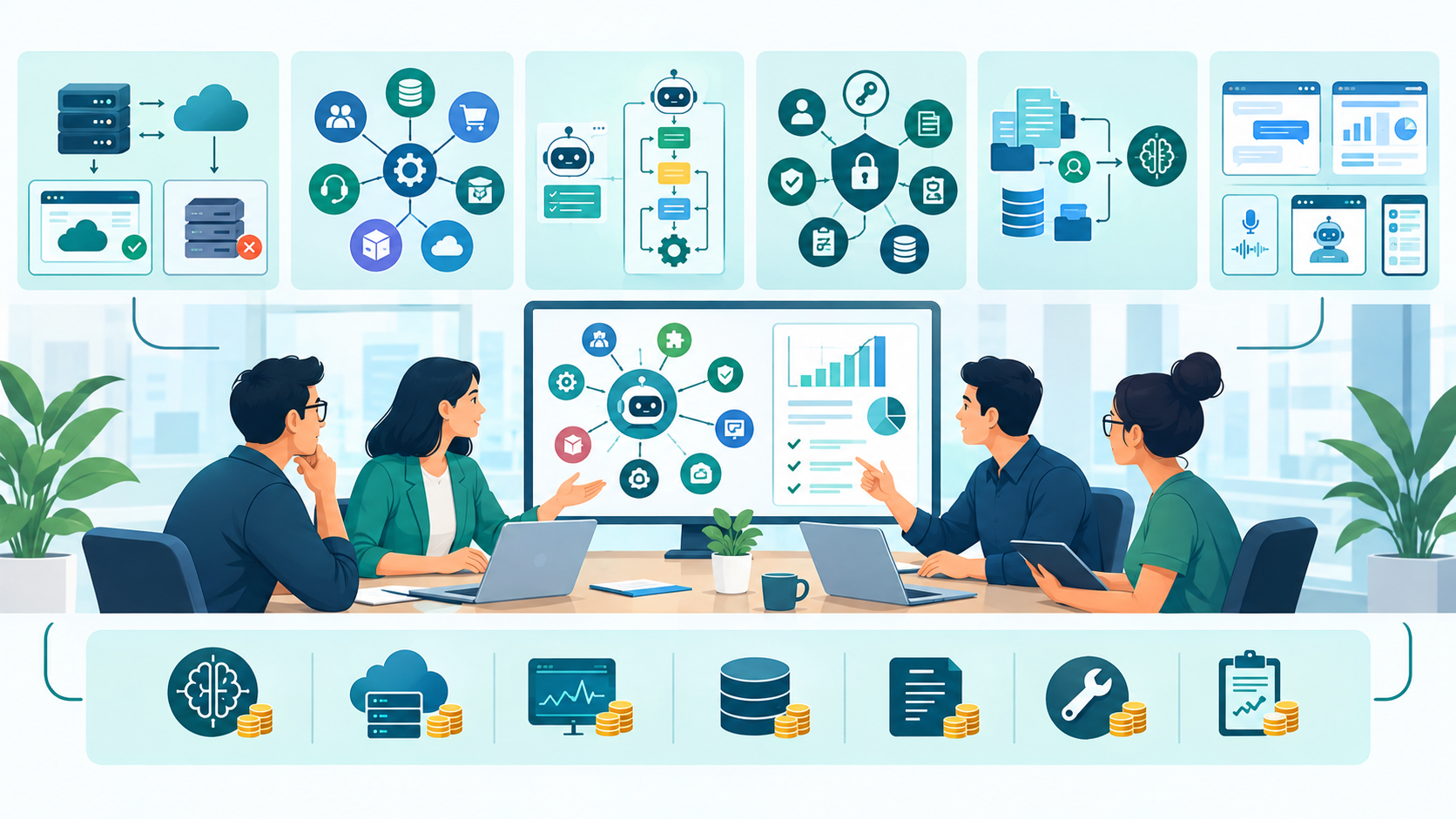
How Much Does It Cost to Add AI Agents to Existing Business Software?
There is no single cost for AI agent integration.
The project cost depends heavily on the existing application's architecture and the complexity of the required workflow.
Major cost factors include:
Existing Software Architecture
A modern application with documented APIs is generally easier to integrate than an undocumented legacy application.
Number of Integrations
Connecting an agent to one API is very different from connecting it to:
- CRM
- ERP
- Billing
- Support
- Inventory
- Internal databases
Agent Complexity
A simple information-retrieval agent requires less engineering than an agent capable of executing multi-step business workflows.
Security Requirements
Authentication, authorization, audit logging, approval workflows, and tenant isolation increase implementation requirements.
Knowledge Retrieval
If the agent needs access to large document collections, additional retrieval infrastructure may be necessary.
User Interface
The project may require:
- Chat interface
- Embedded assistant
- Voice interface
- Dashboard
- Workflow interface
Ongoing AI Costs
Businesses should also consider:
- Model/API usage
- Infrastructure
- Monitoring
- Storage
- Logging
- Maintenance
- Evaluation
For this reason, businesses should estimate AI agent projects based on the workflow and architecture, rather than expecting a universal fixed price.
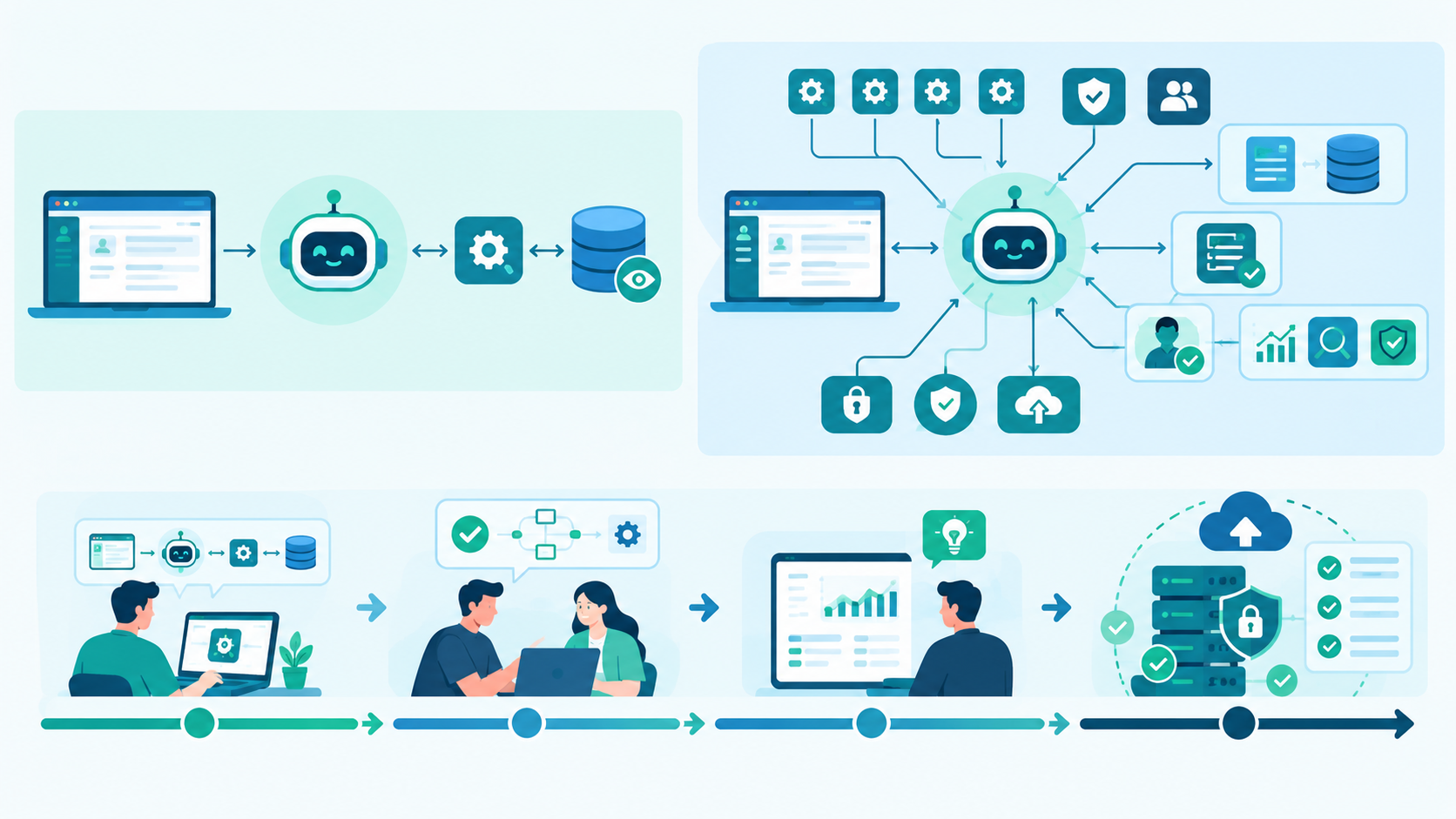
How Long Does AI Agent Integration Take?
The timeline also depends on the complexity of the existing system.
A simple proof of concept might involve:
One workflow
+
One API
+
Read-only access
A production system may require:
Multiple APIs
+
Authentication
+
Authorization
+
Knowledge retrieval
+
Business rules
+
Human approval
+
Monitoring
+
Security testing
+
Production deployment
The second project is fundamentally different from a simple chatbot prototype.
A practical development process is to start with a small proof of concept, validate the workflow, and then expand the architecture.
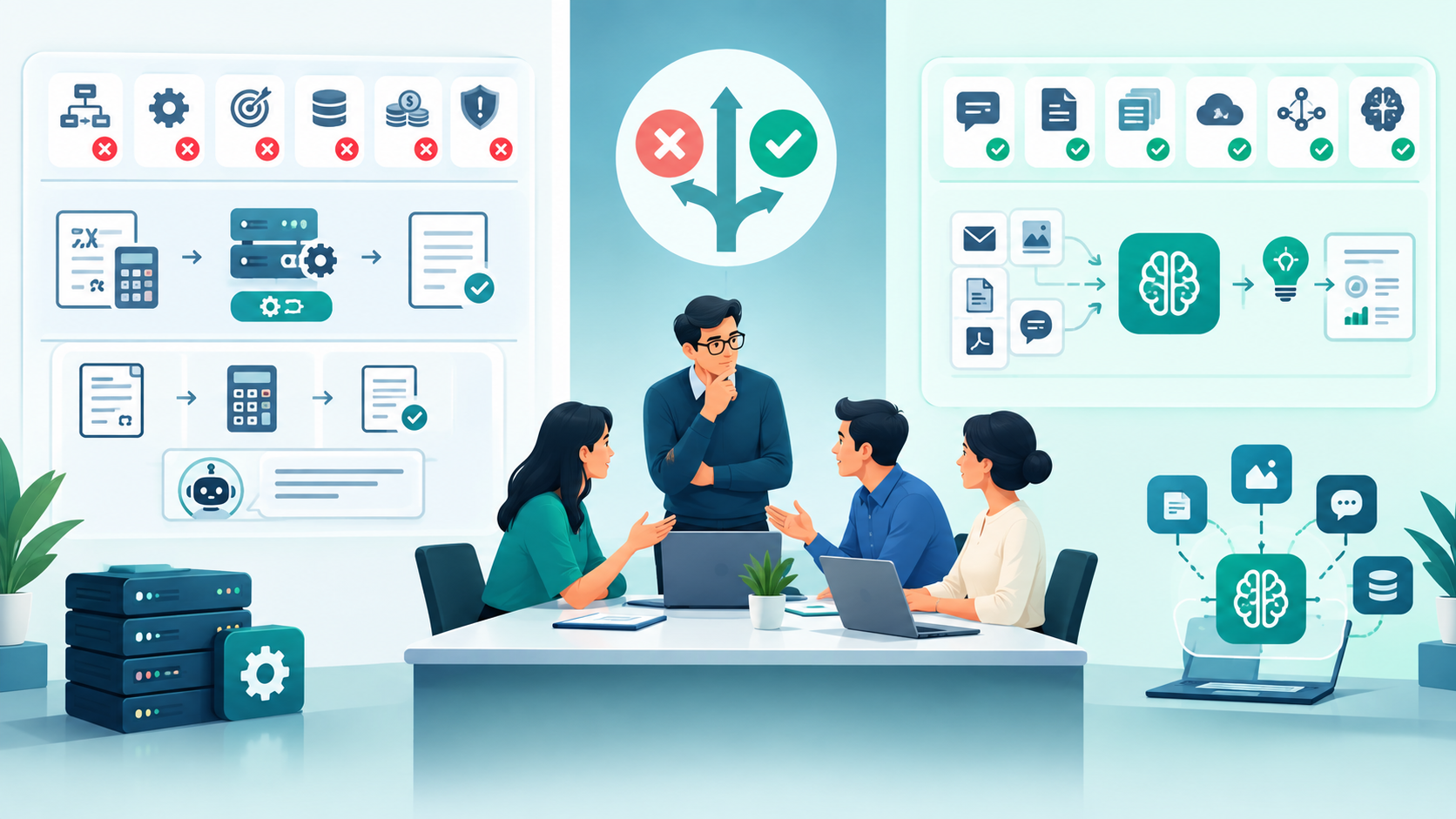
When Should a Business Not Use an AI Agent?
AI agents are not the answer to every software problem.
You may not need an agent when:
- The workflow is completely deterministic.
- Existing automation already solves the problem.
- The process has extremely strict predictable outputs.
- There is no meaningful business data available.
- The expected ROI is too low.
- The workflow is too risky to automate without adequate controls.
For example, calculating tax using a fixed formula should not depend on an AI agent.
AI may help explain the result, but deterministic software should perform the calculation.
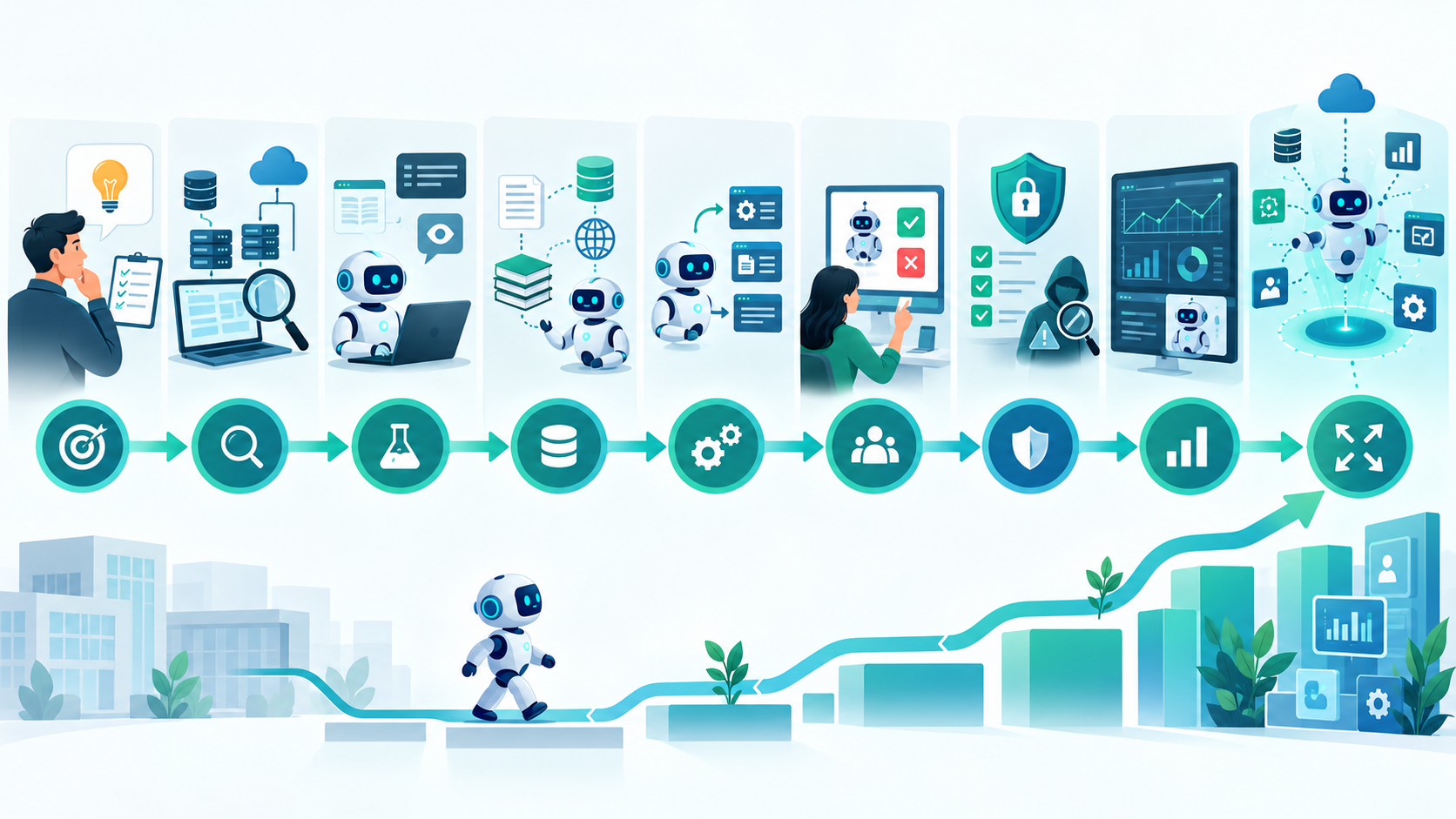
A Practical AI Agent Implementation Roadmap
A business can approach implementation in phases.
Phase 1: Identify the Use Case
Select one workflow with measurable value.
Phase 2: Audit the Existing Application
Review architecture, APIs, data, permissions, and business rules.
Phase 3: Build a Proof of Concept
Connect the agent to a small number of read-only tools.
Phase 4: Add Business Context
Connect approved documentation, records, and knowledge sources.
Phase 5: Introduce Controlled Actions
Allow the agent to perform low-risk operations.
Phase 6: Add Human Approval
Introduce approval for sensitive actions.
Phase 7: Security Testing
Test permissions, data access, prompt injection, and failure scenarios.
Phase 8: Production Monitoring
Track performance, costs, errors, tool calls, and user feedback.
Phase 9: Expand the Agent
Once the first workflow is reliable, connect additional tools and business processes.
How to Choose an AI Agent Development Company in the USA
Businesses considering an AI integration project should evaluate more than a company's ability to build a chatbot.
Look for experience with:
- Existing software integration
- API development
- AI/LLM integration
- Enterprise applications
- Legacy modernization
- Cloud architecture
- Database systems
- Authentication
- Authorization
- Workflow automation
- Security
- Testing
- Monitoring
Ask potential development partners how they would answer questions such as:
- How will the AI access our existing application?
- Will the agent have database access?
- How will permissions work?
- Which actions require human approval?
- How will agent activity be logged?
- How will failures be handled?
- How will we measure ROI?
- What happens if the AI model changes?
- How will the system scale?
A good implementation plan should explain the architecture and operational safeguards, not simply recommend an AI model.
Conclusion
Adding AI agents to existing business software does not have to mean replacing the software that already runs the business.
In many situations, the better strategy is to add an intelligent layer around existing applications.
The most reliable implementations start small.
Identify one workflow. Audit the existing application. Connect the agent through controlled APIs or tools. Preserve business rules. Apply least-privilege permissions. Start with read-only operations. Introduce human approval for sensitive actions. Then monitor the system carefully before expanding its responsibilities.
The goal should not be to make an AI agent autonomous simply because autonomous AI is technically possible.
The goal should be to make an existing business process faster, easier, and more useful while maintaining control over data and business operations.
For companies in the USA with established CRM systems, ERP platforms, SaaS products, internal applications, or legacy software, AI agent integration can be a practical path toward software modernization without the cost and disruption of rebuilding the entire application.
How To Add AI Agents To Existing Business Software: FAQs
Yes. AI agents can often be integrated with existing applications through APIs, middleware, webhooks, approved tools, knowledge bases, and other integration mechanisms.
No. In many cases, an AI integration layer can be added around the existing application while keeping the current software and database.
Yes. An AI agent can use approved CRM APIs to retrieve customer information, summarize accounts, search opportunities, create drafts, and perform other controlled tasks.
Yes, although legacy systems can require additional integration work. APIs, middleware, database services, or carefully controlled automation may be used depending on the architecture.
Usually, direct unrestricted production database access should be avoided. Controlled APIs and application services provide stronger validation, authorization, and business-rule enforcement.
They can be designed securely, but security cannot depend solely on the AI model. Authentication, authorization, data isolation, validation, logging, rate limits, and approval workflows should be implemented around the agent.
Yes, but the level of autonomy should depend on the risk of the action. Low-risk operations can often be automated, while financial, destructive, or sensitive operations may require human approval.
The cost depends on the existing software architecture, number of integrations, AI workflow complexity, security requirements, data sources, UI requirements, and ongoing AI infrastructure costs.
Not always. Traditional automation is often better for predictable, rule-based processes. AI agents are more useful when a workflow involves interpreting natural language, unstructured information, or multiple sources of business context.
Start with one specific, measurable business workflow. Build a limited proof of concept, validate the integration, add security and monitoring, and then expand the agent's capabilities gradually.
Reference
Written by

Paras Dabhi
VerifiedFull-Stack Developer (Python/Django, React, Node.js)
I build scalable web apps and SaaS products with Django REST, React/Next.js, and Node.js — clean architecture, performance, and production-ready delivery.
LinkedIn