How To Migrate Custom Software To Cloud In India
Most teams decide to move to the cloud only after pain starts showing up in production.
It usually begins with rising VPS costs, unreliable backups, slow deployments, or traffic spikes that the current setup can no longer absorb. The real fear is rarely how to migrate. It is how to move without breaking live users, corrupting data, or doubling infrastructure costs in INR terms.
In real migrations for SaaS products, ERP systems, and client-owned CRMs, the hardest part is never the cloud itself. It is the hidden dependencies nobody documented.

Why Cloud Migration Becomes Risky In Real Custom Software
The biggest risk in custom software is that the real architecture is rarely the documented architecture.
On paper, it may look like a clean API and database setup. In reality, there are usually hidden operational dependencies that only surface during migration windows.
These are the things that usually break first:
- hidden cron jobs running from old servers
- hardcoded file paths pointing to local storage
- shared Redis sessions tied to one machine
- background workers nobody remembers
- reporting scripts running from internal laptops
- payment webhook IP whitelists
- legacy email queue fallbacks
These are the things that break during migration, not the main app.
In Indian startup environments, the pressure is worse because migrations are often triggered by cost urgency or sudden scale events. A product hosted on a cheap VPS stack suddenly needs AWS Mumbai or Azure Central India for reliability, lower latency, and compliance expectations.
Budget pressure also changes technical decisions. Teams try to combine migration with optimization to save one sprint, and that is where risk starts multiplying.
Where Most Teams In India Get Migration Wrong
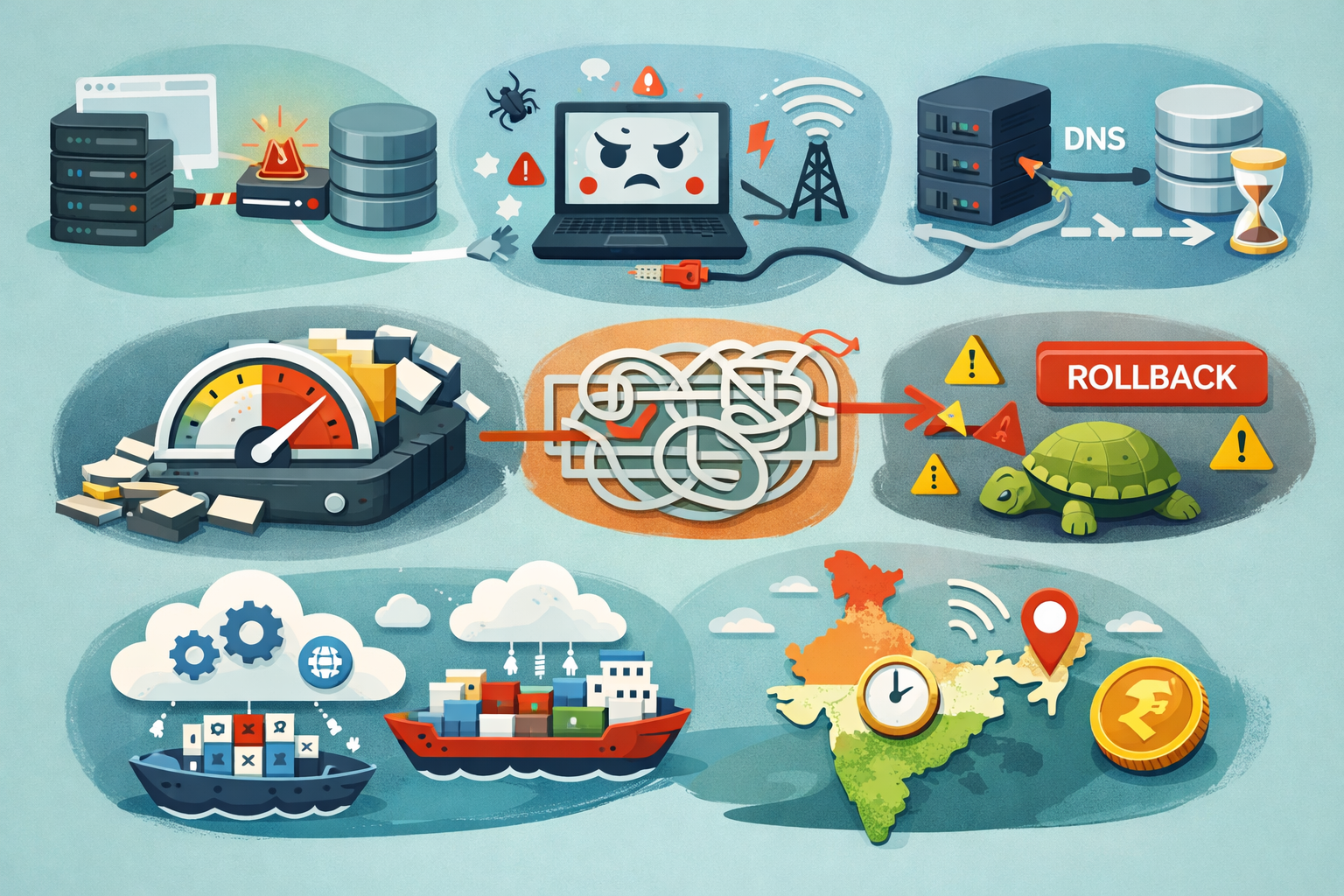
The most common mistake is moving the application and primary database together in one cutover window.
It sounds faster, but it creates too many unknowns:
- app bugs
- network issues
- DNS delays
- replication lag
- storage throughput bottlenecks
- rollback complexity
Once both layers fail together, root cause isolation becomes painful.
Another major mistake is trying to modernize during migration.
Many teams say:
Since we are moving anyway, let’s containerize, split services, and switch databases too.
That usually doubles the blast radius.
Migration and modernization should be treated as separate projects unless the current infra is truly blocking the move. AWS and Azure both strongly recommend phased migration waves because workload-by-workload movement reduces operational risk.
Another India-specific issue is ignoring region-level latency and billing behavior.For Indian users, choosing Mumbai or Hyderabad-adjacent regions matters for response time, especially in ERP dashboards and API-heavy SaaS panels

Practical Migration Steps That Work In Real Projects
The safest migrations follow one rule: reduce moving parts per wave.
Audit Hidden Dependencies First
Before moving anything, map every hidden dependency tied to production. This includes file storage, cron jobs, background workers, third-party APIs, email queues, and internal scripts. In most real projects, these undocumented pieces cause more downtime than the main application itself. A proper dependency audit reduces migration surprises and makes rollback far safer.
Before touching infrastructure, map everything that touches production:
- file uploads
- scheduled jobs
- email queues
- analytics callbacks
- webhooks
- payment integrations
- SSL renewals
- internal admin scripts
- backups
- DNS ownership
If you cannot answer what breaks if this server dies, you are not ready.
Migrate In Safe Waves
Avoid shifting the entire stack in one cutover window. Move low-risk layers first, such as static assets and queue workers, before touching APIs or the primary database. In real projects, a cloud solutions company in India will usually recommend this phased rollout because it keeps failures isolated, makes testing easier, and gives the team a realistic rollback path if something behaves unexpectedly.
Do not move everything together.
A safer order is:
- static assets
- backups and snapshots
- queue workers
- read replicas
- APIs
- primary database
- internal tooling
This phased pattern reduces rollback complexity significantly.
The database should usually move late in the process after replication and integrity checks are stable.
Run Parallel Traffic Validation
Before routing live users, run parallel traffic against the new cloud environment. Compare logs, API responses, slow queries, cache behavior, and webhook delivery to ensure parity with the old system. This step helps catch performance issues and environment mismatches before they impact production users.
Before cutover, mirror a slice of traffic.
What should be validated:
- API response parity
- slow query drift
- cache miss ratio
- webhook delivery timing
- queue retry behavior
- auth session continuity
This catches environment-specific issues like storage IOPS mismatch or subnet routing problems early.
For Indian B2B SaaS products, traffic validation during business hours matters because user behavior often clusters heavily between 10 AM and 7 PM IST.
Plan Rollback Before DNS Cutover
Rollback should be prepared before the final DNS switch, not after something fails. Keep the old infrastructure stable, reduce DNS TTL early, and take verified database snapshots before traffic moves. A clear rollback window and ownership plan ensures the team can recover quickly if production behavior changes unexpectedly.
Rollback is not a backup thought. It is the main migration plan.
Minimum rollback checklist:
- source infrastructure frozen but alive
- database snapshot timestamp locked
- DNS TTL reduced 24 hours earlier
- rollback time window defined
- clear ownership per service
- post-cutover validation script ready
Post-cutover validation and data integrity checks should happen immediately before traffic is treated as fully committed.

When This Approach Does NOT Work
This phased approach still struggles in some environments.
It is usually not enough when dealing with:
- tightly coupled legacy monoliths with direct file access
- factory or warehouse systems tied to on-prem hardware
- healthcare workloads with strict residency controls
- real-time fintech systems with ultra-low latency requirements
- multi-terabyte databases with poor indexing
- zero observability legacy stacks
In these cases, a direct phased move may still create hidden downtime.
Sometimes the right call is to stabilize first and migrate second.
That may mean fixing backups, adding logs, separating sessions, or cleaning schema hotspots before touching the cloud.

Best Practices For Small Indian Development Teams
For small teams, migration success is less about tools and more about discipline.
The practices that consistently work are:
- use infrastructure as code from day one
- choose one primary cloud region close to Indian users
- enable budget alerts in INR-equivalent thresholds
- define log retention before go-live
- test restore from snapshots, not just backup creation
- freeze feature releases during cutover week
- write a migration runbook with timestamps
- assign one rollback owner
- right-size instances after week one
The post-migration cost cleanup is critical.
Rehosted workloads are usually over-provisioned at first, and without review, founders often get shocked by the first AWS or Azure invoice.
Conclusion
Successful cloud migration is rarely a speed problem. In real projects, the teams that move fastest are often the ones that create the most production instability afterward.
What actually works is breaking migration risk into controlled waves, validating how the application behaves under real traffic, and preparing rollback as seriously as the primary migration plan. The goal is not just to get workloads running on AWS, Azure, or GCP. The real goal is to make sure users never feel the move happened.
For small development teams in India, this matters even more because engineering bandwidth, infrastructure budgets, and support resources are usually limited. A rushed migration can easily turn into weeks of debugging session issues, cron failures, slow database queries, or unexpected cloud bills.
The teams that handle migration well usually stay disciplined. They move stateless services first, delay database cutover until replication is proven, monitor production behavior closely, and optimize cloud costs only after stability is confirmed.
In the end, a successful migration is not measured by how quickly the old server is shut down. It is measured by how little disruption the product, the team, and the monthly billing cycle experience after the move.
How To Migrate Custom Software To Cloud In India: FAQs
For small SaaS or CRM products, a safe phased migration usually takes 2–6 weeks, depending on database size and hidden dependencies.
Usually neither should move first blindly. Start with dependency mapping, then move stateless layers before promoting the cloud database replica.
For most teams, AWS Mumbai or Azure Central India works well because of latency, ecosystem maturity, and local compliance alignment.
Use phased rollout, read replicas, DNS TTL reduction, traffic shadowing, and a rollback-ready source environment.
Reference
Written by

Paras Dabhi
VerifiedFull-Stack Developer (Python/Django, React, Node.js)
I build scalable web apps and SaaS products with Django REST, React/Next.js, and Node.js — clean architecture, performance, and production-ready delivery.
LinkedIn