Learn UI UX Design Principles: A Step-by-Step Guide
UI is basic and UX is what the users feel. Both of them are collaborating to ensure that digital products are not only efficient but also entertaining and convenient to operate.
As we approach 2025 the relevance of UI/UX design has risen high. As the world continues to rely more on mobile applications, websites, and other digital tools in their day-to-day activities, businesses are spending a lot of money on user-centered design to enhance engagement and retention. In the modern day, being a student of UI/UX design will make you competitively advantageous in the employment market as either a designer, developer, or even an entrepreneur.
Learning the principles of UI/UX will make you reason like a consumer: how can you creatively solve a problem and create an experience that can actually resonate with people? It is an art method, a psychology and technology blended in one, which allows you to produce products that are aesthetically attractive as well as meaningful and effective. A step-by-step guide will help you get familiar with the key principles, tools, and techniques, as well as begin a successful path of becoming a competent and confident UI/UX designer.
Understanding the Core Principles of UI/UX Design

User-Centered Design
Great UI/UX is based on user-centered design. It emphasizes the needs, aims, and pain points of users and researches and tests them. All the decisions made such as layout and navigation are user-friendly. In this strategy, you are assured that your design addresses actual issues and offers a smooth experience. Taking the user in mind, you produce products that are effective as well as significant.
Consistency and Clarity
Familiarity and trust to your design is created through consistency. A consistent pattern of colors, buttons, icons, and typography make the users immediately learn how to use your interface. Clarity makes this experience clearer, by making actions kept simple and predictable at all times. A clear and consistent design would reduce confusion, enhance usability, and allow the user to get the job finished without any problem.
Visual Hierarchy and Balance
Visual hierarchy assists the users to focus their attention to the most significant things initially. The designers can create a logical progression of content through the use of contrast, size, color, and distance in the way users follow the content. Proportionality would make sure that there is no inconvenience in a part of the design. Hierarchy and balance form a whole, enhance the readability, and produce a visually attractive and efficient interface.
Accessibility and Inclusivity
Being accessible and inclusive can guarantee that people can engage with your design regardless of whether they have a disability or not. This includes the application of fonts that can be read, contrast colours, alt text on images and keyboard navigation. The concept of inclusive design takes into account individuals who have different backgrounds, languages, as well as abilities. Designing to be accessible makes your product improved to everybody rather than only a few.
Feedback and Interaction Design
UI/UX design feedback allows viewers to comment on their actions. These minor indicators signal communication whether it is a button that turns color, a loading icon, or a success message. Proper interaction design makes the users trust when they are on top of your product. Feedback provided in time and in a meaningful way leads to the development of trust and improves the overall user experience.
Simplicity and Minimalism
Simplicity has to do with the ability to eliminate useless clutches and concentrate on what is acutely important. With a minimalist design, the core of things is brought out leaving the interfaces to be clean and easy to use. It assists the user in using it without many distractions or confusing sights. You can make it easier to use, increase load times, and provide a nice and current user experience by de-complicating your layout and content.
Step-by-Step Guide to Learn UI UX Design
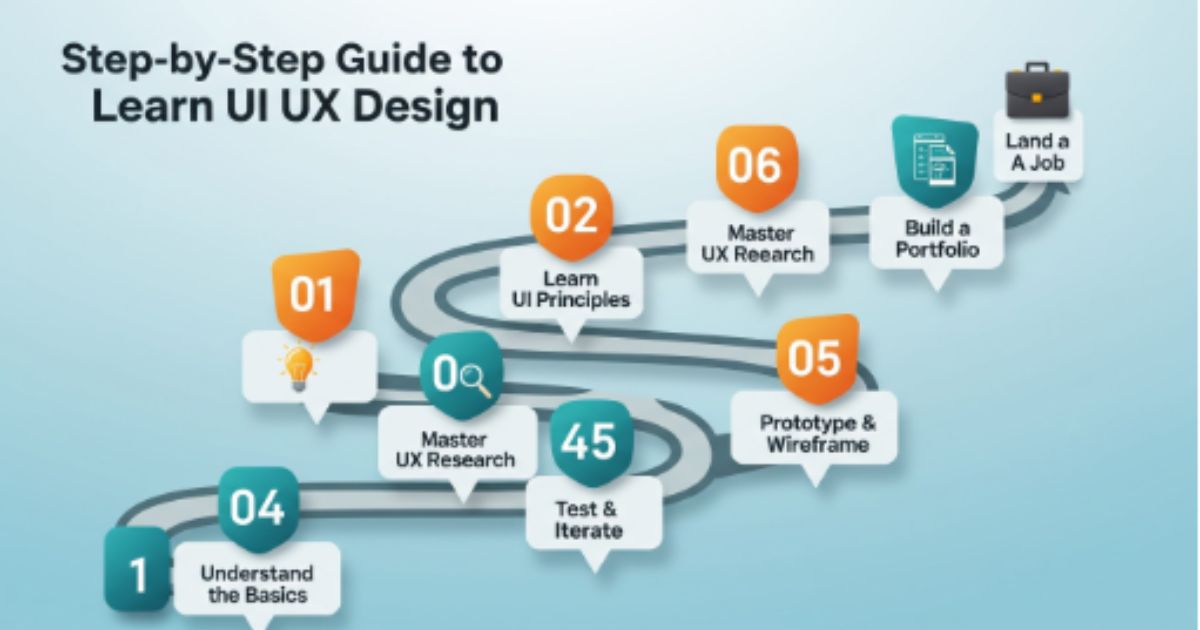
Step 1 – Understand the Basics of Design Thinking
The modern design of UI/UX is based on design thinking. It is an approach to problem solving that incorporates creativity, logic and empathy to come up with user oriented solutions. By learning its fundamental principles, designers are able to consider the needs of the user in their thoughts and create something significant to the user. Through the art of design thinking, you will find an effective way to address problems and create designs which really satisfy users.
What is Design Thinking?
Design thinking is more of a humanistic approach to innovation, which dwells on coming to understand the user first, then designing solutions. It also asks designers to sympathize with real-life issues, generate creative concepts and experiment with prototypes to enhance the concept. This approach closes the divide that exists between design and functionality hence presenting a product that is not only functional but also pleasant to use.
The Five Stages of Design Thinking
The design thinking process consists of five major steps, which are Empathize, Define, Ideate, Prototype, and Test. The stages contribute to the in-depth perception of the designers of the problem, the exploration of several solutions, and the refinement of ideas, depending on feedback. In this way, you will be able to design user-friendly products that are innovative, useful, and attractive to the eyes.
Step 2 – Learn User Research and Persona Creation
Effective UI/UX design depends on the user research. It assists the designers in knowing the needs, goals and challenges of the target audience. Understanding how users act and getting actual feedback, one can create products which really resolve user issues. Creation of personas subsequently converts data gained through research to human and likable personas guiding design.
How to Conduct Effective User Research
In order to do useful user research, first of all, you need to create clear objectives with what you want to learn about your users? Conduct surveys, interviews, and usability to obtain information regarding the users preferences and pain points. Real behavior is what will aid in making designing choices that are data-driven. What is aimed of is to have the final design that matches real user expectations.
Creating Empathy Maps and User Personas
Empathy maps and user personas turn research information into pictorial ones that depict actual users. Empathy maps include what users think, say, feel, and do, whereas personas include what users are motivated, achieve, and want, as well as what vexes them. Such tools ensure that the designers are customer-centric in the entire process. The empathetic design process can be applied to produce meaningful experiences that are appealing both emotionally and functionally.
Step 3 – Master Wireframing and Prototyping
Other important stages in making design ideas work include wireframing and prototyping. Wireframe is used as guidelines to the layout of a page and navigation, whereas prototypes are used to provide interactivity to test usability. These are done in order to determine the problems at early stages and perfect the designs before development. Both of them will make sure that your end product will be functional, easy to use, and aesthetically satisfying to the brand.
Tools for Wireframing (Figma, Adobe XD, Sketch)
Wireframing and prototyping are supported by such tools as Figma, Adobe XD, and Sketch that are used by modern UI/UX designers. These platforms enable teams to cooperate, develop inter-arrangement designs and receive feedback on the spot. It is a matter of selecting an appropriate tool, based on your needs in workflow and project. Both have features that make the design easier and enhance efficiency.
Importance of Low and High-Fidelity Prototypes
Simple sketches or layouts that are used to visualize ideas in a hurry are called low-fidelity prototypes, whereas high-fidelity prototypes are the end product with a detailed visualization and interactions. They are both essential in usability testing and user flow testing. The low-fidelity designs help up-front savings in time and the high fidelity helps refine the design to achieve a clear, aesthetic and user-friendly product before its launch.
Step 4 – Study UI Design Elements
The future of user interaction with the product is in the elements of UI design. It is a great suggestion to study such components as color, typography, icons, and spacing and create visually appealing and consistent designs. When a good understanding of these basics is there, they increase readability and accessibility. Properly designed UI can also improve the general appearance and feel of your product making the user experience one to remember.
Color Theory, Typography, and Iconography
Color theory, typography, and iconography work together to set the mood and direction, make things readable, and facilitate communication respectively. Selection of appropriate color palette creates emotion and brand awareness, and clarity is ensured with the help of clean typography. Icons render navigation user-friendly and fast. A combination of these three components will assist you in coming up with user interfaces that are innate and pleasing to the eye.
Designing for Different Devices (Responsive Design)
Responsive design makes sure that your site or application looks and works perfectly on every device - desktops and smartphones. It entails dynamic layouts, scalable images and dynamic parts that flex to various screen sizes. A reactive interface improves usability and accessibility which give any user a smooth experience. In the mobile world today where responsiveness in design is essential, all designers in the UI/UX field must learn to create responsive designs.
Step 5 – Learn UX Testing and Iteration
The idea of the UX testing is that you test your design and see how the actual users will use it, discovering the ways to improve the situation. Unlimited testing and refinement helps to eliminate friction points on user journeys and redefine them. The process will make sure that you make design decisions that are supported by data rather than a guess. The ability to do this with constant iteration will result in an improved product that is user-friendly and highly functional.
A/B Testing and Usability Testing
A/B testing involves two versions of the design and can be used to compare them in order to determine which one works more effectively, and the usability testing involves observing the users navigation and task completion. These techniques combined together expose the right and wrong things in your interface. Real user behavior testing will assist you in perfecting design aspects such as CTAs, layouts and navigation. What they get is a product that is user friendly, efficient and meets the expectations of a user.
Gathering User Feedback and Improving Designs
The feedback provided by users is necessary in developing designs that actualize the needs of the audience. Measured feedback feedback may be gathered by surveys or interviews or analytics to learn what users find full of satisfaction and what causes pain. Include this information in making considered changes and making them usable. Specifically, it is important to continuously refine the designs with feedback to make sure that your product is dynamic with the actions of the users and remains relevant.
Step 6 – Build a Portfolio and Practice Projects
The most effective method of presenting your UI/UX skills and appealing to a client or an employer is through a good portfolio. Begin by doing personal or simulated projects in order to practice. Design thinking, creativity and problem solving should be shown in each project. Regular practicing is a sure way to gain confidence, as well as reveal your progress as a designer with time.
Creating Case Studies
Case studies draw attention to your process of design as a whole, that is, research, wireframes, challenges, and end outcomes. They show how you will go about issues and give actual solutions. A good case study is one that narrates a story displaying both creativity as well as analysis. Having case studies in your portfolio is always helpful in order to seem a reflective and competent designer.
How to Showcase Your Work to Employers or Clients
Be as clear, tell a story and be effective when presenting your work. Showcase your works on such portfolio sites as Behance, Dribbble or your own site. Point out quantifiable outcomes, i.e. better usability or user interaction. Showing your work in a credible manner of presentation also creates a lasting impact to the potential employer or client.
Essential Tools to Learn UI/UX Design

Design Tools (Figma, Adobe XD, Sketch)
The vendors of design tools such as Figma, Adobe XD, and Sketch are the foundations of the modern workflow in designing user interfaces and user experience. The tools assist designers to design layouts, mockups and interfaces. Figma is famous for its real-time collaboration, whereas Adobe XD and Sketch are characterized by the strong capabilities of vector and prototyping. With these tools, you will be able to realize creative ideas in a very pinpoint and flexible way.
Prototyping Tools (InVision, Marvel, Axure)
Design software like InVision, Marvel, and Axure allow designers to preview how the real user interacts with the application prior to the development. They aid in testing the usability, providing feedback as well as showing how the final product will operate. These are extremely important to test the design ideas and enhance the user experience at an initial stage. The prototyping software will help in making sure that the designs are viable and acceptable to the user.
Collaboration Tools (Miro, Notion, Trello)
Teamwork is made easier and more efficient by collaboration tools such as Miro, Notion, and Trello. They assist designers in planning ideas, coordinating workflow and dividing information with the developers and customers. Miro, Notion, and Trello are ideal since Miro is best in brainstorming, Notion in documentation, and Trello in task management. Collectively, they make your design process organized and team-based throughout the design process.
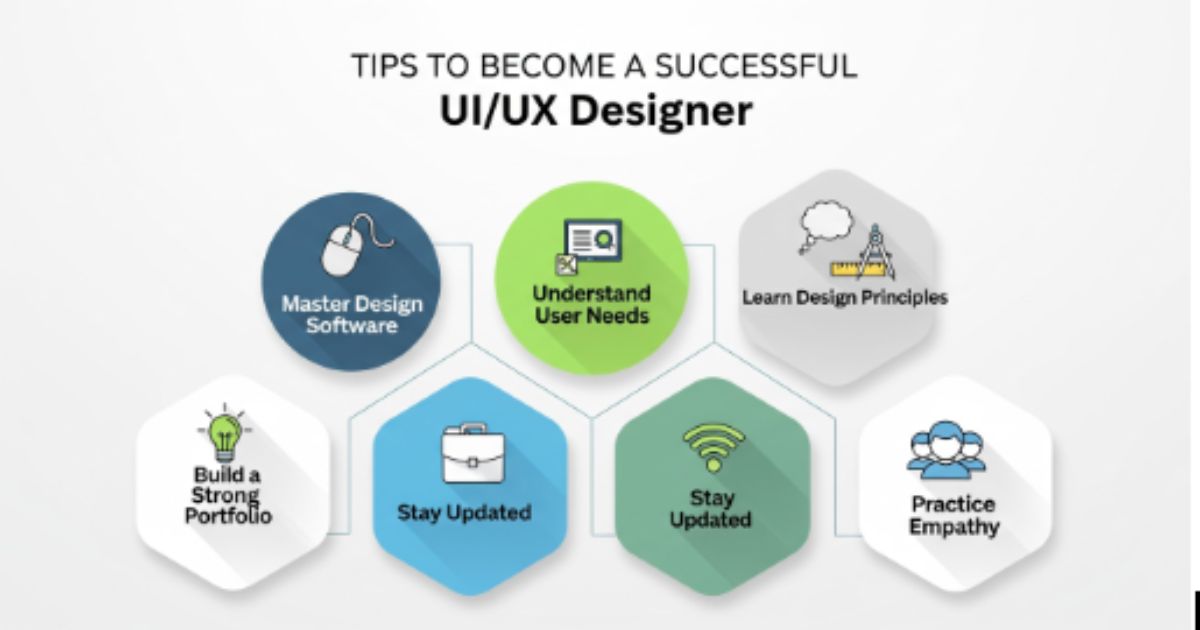
Tips to Become a Successful UI/UX Designer
Keep Learning from Design Communities
The best thing about joining design communities is that it will keep you motivated and connected with the rest of the professionals. Such websites as Dribbble, Behance, and Reddit Design can provide you with a chance to post the work, receive feedback, and learn new approaches. Working with such communities will make you more creative and will keep you abreast with the trends in the industry. The experience of other people helps me grow in the field of UI/UX design through constant learning.
Follow Design Trends and Industry Updates
The sphere of UI/UX design is continually changing, and every year, the number of new tools, aesthetics, and technologies expands. Updating yourself with the current trends also makes your designs up to date. Keep up with influencers in the design sphere, YouTube accounts, and Instagram feeds in the forefront. Keeping up with the current trends gives you the opportunity to develop new, innovative and easy to use experiences.
Take Feedback Constructively
The best medium of improvement by a designer is constructive feedback. Watching the reviews of users, their opinions, or other critics of the peer review will give you the opportunity of learning the shortfalls and how to improve them. Do not take criticism personally but use it as an opportunity to grow and develop. Good designers and great designers are distinguished by the fact that the former is able to learn with the feedback, whereas the latter is capable of doing so.
Build a Personal Brand as a Designer
The process of creating a personal brand demonstrates personal style, competencies, and worth within the design profession. Post your work on such a platform as LinkedIn, Behance, or your personal internet (to find customers and employers). A good personal brand makes one more credible and gives access to new opportunities. The trick to being a recognized professional UI/UX designer is consistency, authenticity and quality work.
Common Mistakes to Avoid While Learning UI/UX Design
Ignoring User Research
Overlooking user research is among the greatest errors that can be made in the process of designing the user interface (UI/UX). Designs do not always work without knowing the needs, behaviors and pain points of your audience. User research is beneficial feedback that involves ensuring making improved decisions. The cost of not taking this step is to produce good-looking yet poorly-solved products to actual user issues, which becomes detrimental to the usability and interaction.
Overcomplicating Design Elements
It is a mistake of most beginners to add too many features, animations, or visual effects in a bid to impress. Nonetheless, complexity usually becomes confusing to users and derailses the interactivity. Simple well designed layouts work well since they are easier to navigate. Concentration in clarity and functionalities will guarantee a more improved user-friendly experience.
Neglecting Accessibility
The failure to consider accessibility excludes users with disabilities or with different needs to your product experience. The absence of appropriate contrast, legible fonts, or keyboard navigations, could render the designs unusable by a large number of people. The reason is that accessible design is inclusive, and it adheres to global standards. A great UI/UX designer will always make sure that the products he or she designs will be comfortable to all.
Focusing Only on Aesthetics Over Usability
Although image is crucial, design to the decorative device is a design error. A poorly designed interface with the use of a beautiful interface will not be enjoyable to users. Usability will make sure the actions are easy to understand, navigation is easy and goals are easy to accomplish. The most desirable designs are creative and useful, and they provide what can be called delightful and productive experiences.
Best Resources to Learn UI/UX Design
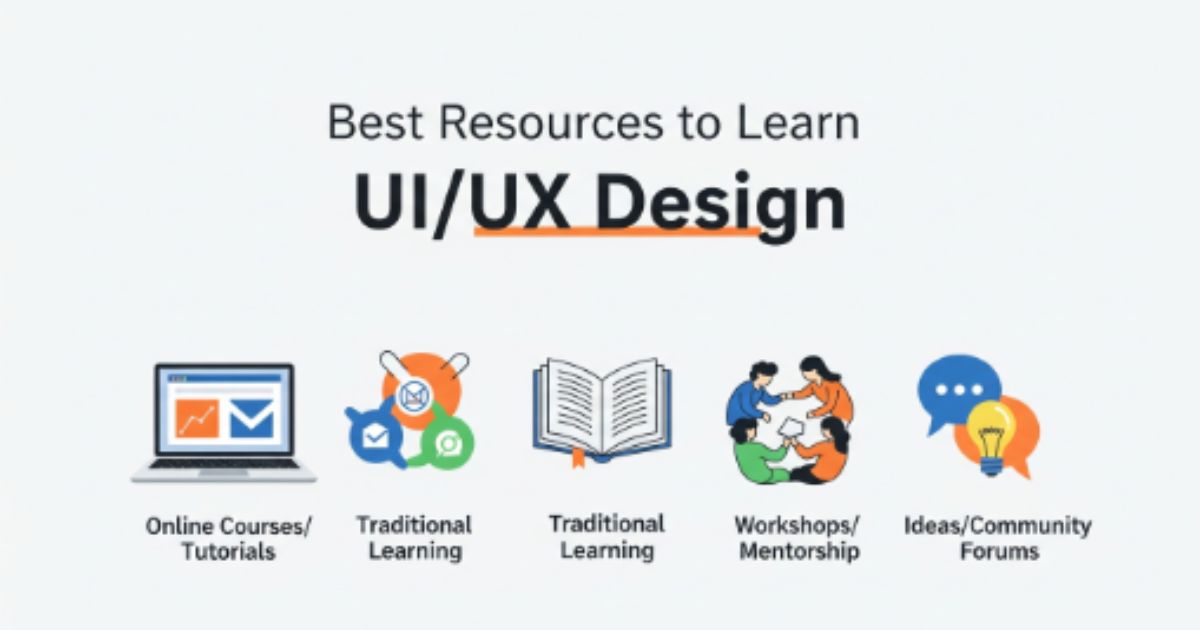
Online Courses (Coursera, Udemy, Interaction Design Foundation)
E-based courses are provided by courses such as Coursera, Udemy, and Interaction Design Foundation, and they offer undergraduate and graduate-level courses to beginners and professionals. These platforms discuss all the design concepts to practical projects with actual tools. You can study at your own pace and have a flexible schedule to learn UI/UX design due to flexible schedules and expert instructors. Taking certified courses also gives another credit to your portfolio and resume.
Books Every UI/UX Designer Should Read
Books are eternal sources of knowledge that guide you in knowing the design theory, psychology and best practices. Every designer must read classics such as the book by Steve Krug titled Don't Make Me Think as well as the second book authored by Don Norman titled the design of everyday things. They educate on the value of usability, simplicity and user behavior. Books in design make you knowledgeable, reasoning in design.
YouTube Channels and Free Tutorials
There are numerous free tutorials, walkthroughs and professional tips to UI/UX on YouTube. The courses, such as Flux Academy, DesignCourse, and AJ&Smart, provide practical lessons on tools, processes of working and thinking designs. Free tutorials are best when one is a beginner and wishes to learn through observation of actual designing procedures. This is the reason that you need to always stick to good stuff to keep up to date and to keep polishing your skills.
UI/UX Design Communities and Forums
Being a part of UI/UX design communities and forums enables you to interact, exchange, and get to know the designers on the other side of the world. Resources such as Designer Hangout, UX Stack Exchange and r/UXDesign on Reddit are an ideal place to ask questions and receive feedback. These areas promote cooperation, networking and sharing of knowledge. This Wears You in a design community makes you motivated and accelerates as a designer.
Conclusion
During the process of learning the principles of UI/UX design, you will change the manner in which you perceive digital experiences. It is not only about aesthetics but about user empathy, research, and creative solution of real user issues. As you have learnt in this tutorial, design thinking, user research, wireframing, and usability testing are things that go hand in hand to create the products that people love to use.
The major lesson in this manual is that customer-oriented design is always advised when it comes to effective UI/UX design. The designers are able to make interfaces beautiful and useful, by addressing simplicity, consistency, and accessibility. These ideas can be translated into reality with the help of such tools as Figma, Adobe XD, and Miro, and the processes of testing and iteration will guarantee that any decision is supported by actual user feedback. To be competitive in this field the key is to build your own strong portfolio that would reflect your process of design and efficiency in solving the problems.
When you are asking yourself how to be where I am today in UI/UX, all you need to do is be curious and practice. Take online lessons, video tutorials and may use free materials of design to have experience. Design communities Join communities of other designers, learn, practice small personal projects, to gain confidence. It is important to remember that every professional designer started out as an apprentice, but the most important thing is to be consistent, continue learning and to always be empathetic and purposeful with every design.
Adhering to these principles, you will not only learn how to masterUI/UX designing, but also create meaningful digital experiences, which do leave a real impact in the modern world.
Learn UI UX Design Principles: FAQs
The fundamentals of the UI/UX design are user-centric design, uniformity, straightforwardness, accessibility, and visual pecking order. These factors reinforce the fact that all designs have been user-friendly and understandable. They can be used in a proper way to produce products that are visually balanced, intuitive, and engaging and pleasant to the user.
Every person learns at a different pace depending on his or her commitment, so it would take 3 to 6 months to master the basics of UI/UX design. You can become confident in a short period through regular training on real projects, on-line classes and design tools. Up to a year or beyond of experience, it might be necessary to go through the task of mastering more sophisticated design and research techniques.
The answer to the question is yes, UI/UX design is a good career prospect in the year 2025. With the growth of digital transformation, companies require competent designers who can develop a better user experience. The field is highly demanded, well paid, is flexible in nature with good working conditions, and is full of creativity as well both to laymen and to professionals.
Layouts and interface design Newer entrants ought to start with design software such as Figma, Adobe XD, or Sketch. InVision and Marvel are awesome in the development of interactive mockups as per prototyping. The collaboration and brainstorming tools such as Miro and Notion can also assist designers to organise ideas and collaborate effectively with groups.
No, they do not have to start a career in UI/UX design with the help of coding, though the basic knowledge of HTML, CSS, or JavaScript may become a significant plus. The understanding of the working process of development assists designers to come up with practical designs that can be implemented. In a lot of successful designs, the concentration of the designers is put on mere research, wireframing, and prototypes, however, they work hand in hand with developers.
About the Author
Paras Dabhi
VerifiedFull-Stack Developer (Python/Django, React, Node.js) · Stellar Code System
Hi, I’m Paras Dabhi. I build scalable web applications and SaaS products with Django REST, React/Next.js, and Node.js. I focus on clean architecture, performance, and production-ready delivery with modern UI/UX.

Paras Dabhi
Stellar Code System
Building scalable CRM & SaaS products
Clean architecture · Performance · UI/UX