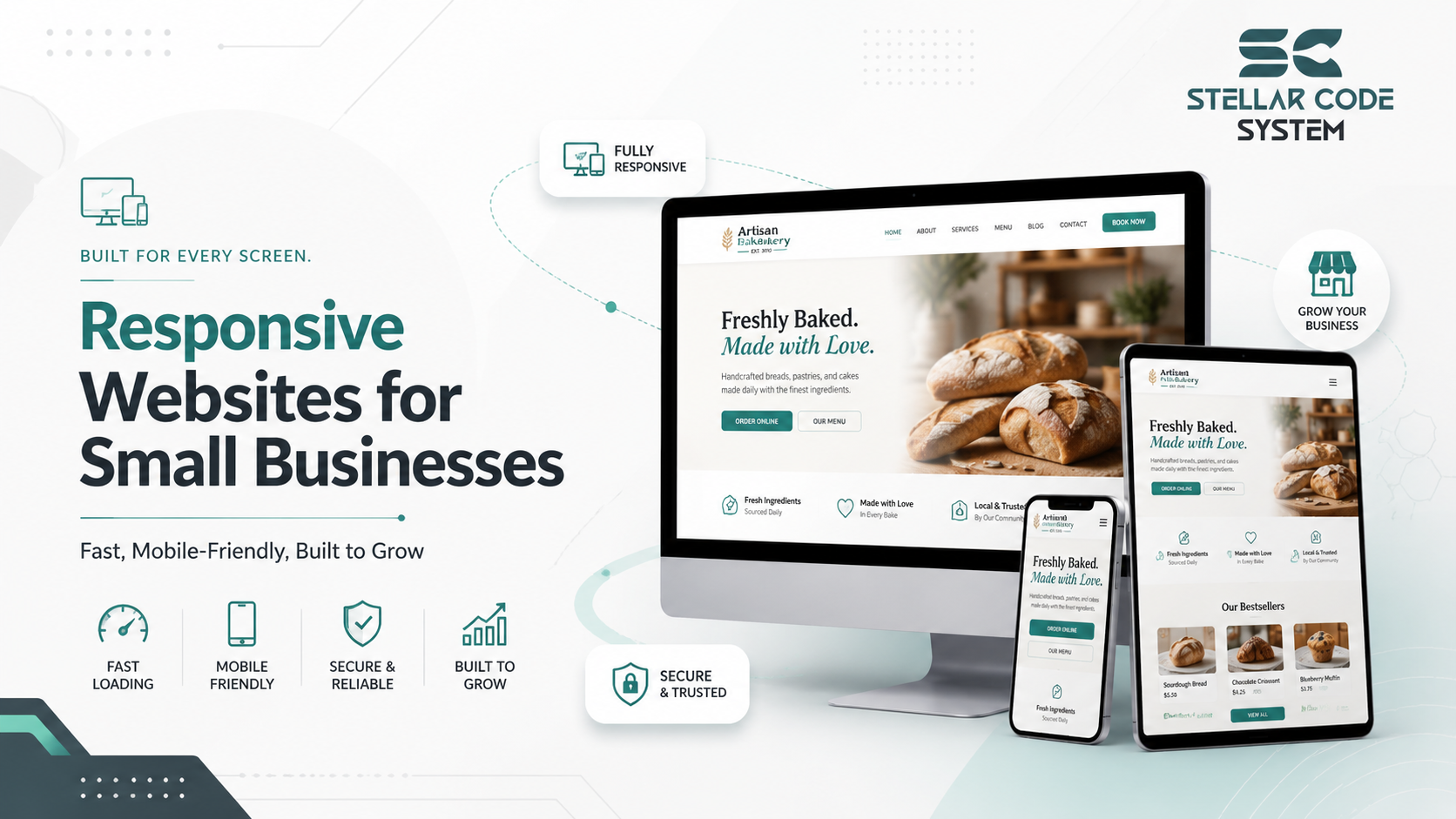
Responsive Websites for Small Businesses – Fast, Secure & Scalable
Most small businesses don’t struggle with launching their first website.
The real problems usually start 12–18 months later.
The site looked fine initially. It worked on mobile devices, passed basic SEO checks, and helped the business establish an online brand presence. Then the business started growing. New landing pages were added. Marketing teams requested redesigns. Plugins piled up. Page speed dropped. Mobile usability became inconsistent across devices.
Eventually, the website became difficult to update without breaking something.
I’ve seen this happen repeatedly with small SaaS products, service businesses, ecommerce startups, and local business websites. The problem usually isn’t bad developers. It’s that most teams build responsive websites for small businesses without planning for long-term maintainability.
A responsive website design for small business owners should not only adapt across devices. When choosing responsive web development services for small businesses, the site also needs to survive content growth, SEO changes, feature requests, deployment pressure, and limited engineering resources.
That’s where many small engineering teams run into trouble.

Why This Problem Happens in Real Teams
In early-stage projects, speed almost always wins over structure.
A startup founder wants a mobile friendly business website to live within weeks. The product team focuses on launching quickly. Developers prioritize visible UI improvements over scalable architecture because deadlines are tight and budgets are limited.
At that stage, most responsive business website development decisions are tactical, not strategic.
Common Early Technical Decisions That Create Problems Later
Typical early decisions include:
- Using multiple UI libraries together
- Adding plugins without long-term compatibility checks
- Creating page-specific CSS overrides
- Hardcoding responsive breakpoints
- Building duplicate components for desktop and mobile
- Ignoring structured website architecture
Initially, these shortcuts seem harmless.
Then the business evolves.
What Usually Starts Breaking First
The marketing team requests responsive landing page design updates. SEO teams push for content optimization and schema markup. Sales teams want lead generation forms everywhere. Suddenly, the frontend architecture becomes inconsistent.
This is especially common in small business responsive web design projects where one or two developers manage everything:
- frontend development
- deployment workflows
- website maintenance
- performance monitoring
- technical SEO
- API integrations
Over time, responsive coding standards disappear because everyone is patching problems instead of simplifying systems.
The biggest issue is usually not responsiveness itself.
It’s uncontrolled complexity.

Where Most Teams Make the Wrong Decision
The internet gives terrible scaling advice to small teams.
I’ve seen startups introduce enterprise-level frontend patterns far too early because they copied architecture from large tech companies.
A five-person product team does not need the same frontend infrastructure as a global SaaS platform.
Overengineering Starts Earlier Than Most Teams Realize
Yet many responsive web development services push complexity from the beginning:
- excessive component abstraction
- overengineered design systems
- unnecessary micro-frontends
- multiple animation libraries
- bloated responsive frameworks
- CMS customizations that become impossible to maintain
Most small teams underestimate how expensive frontend complexity becomes after the second redesign.
The Hidden Cost of Flexible Frontend Systems
One common mistake is trying to support every edge-case layout variation from day one.
For example, a business launches a responsive ecommerce website for small business operations. Initially, there are only ten product pages. Later, marketing adds promotional banners, dynamic content blocks, localization requirements, and campaign-specific landing pages.
Instead of simplifying layouts, teams usually stack exceptions on top of old exceptions.
That creates:
- CSS conflicts
- inconsistent responsive typography
- broken adaptive layouts
- poor browser compatibility
- slower website speed
- declining Core Web Vitals
Why Remote Teams Struggle More With Frontend Consistency
In remote engineering teams, this becomes worse because developers interpret responsive UI/UX patterns differently.
Without strong UI consistency rules, frontend codebases become fragmented quickly.
Another major problem is redesign culture.
Many businesses treat responsive website redesign services like visual refreshes rather than architectural cleanups.
So the old problems remain underneath newer UI layers.
The website may look modern, but internally it becomes harder to maintain after every redesign cycle.
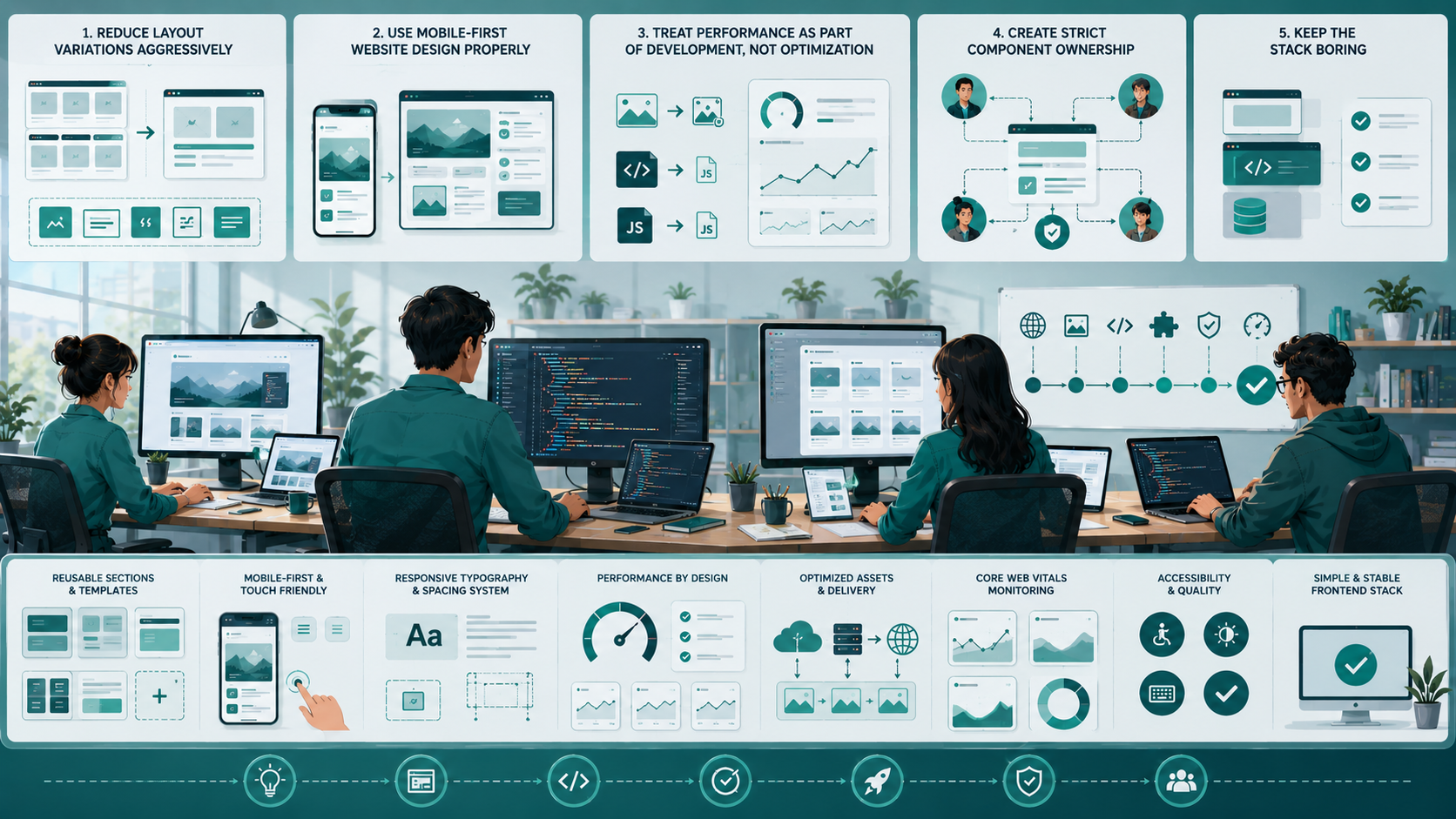
Practical Fixes That Actually Work
The teams that maintain fast loading business websites over several years usually follow simpler engineering rules.
Not smarter rules.
Simpler ones.
1. Reduce Layout Variations Aggressively
Most small business websites become difficult to maintain because every new page introduces a different layout structure. Over time, this creates inconsistent responsive behavior, harder frontend maintenance, and unnecessary CSS complexity. Small engineering teams usually scale faster when they standardize reusable sections, spacing systems, and responsive UI patterns instead of designing every page differently.
What Works Better in Real Projects
Instead of creating dozens of unique sections:
- standardize spacing systems
- reuse responsive UI patterns
- limit breakpoint complexity
- maintain consistent visual hierarchy
Why Simpler Layout Systems Scale Better
In practice, fewer layout options improve:
- page speed optimization
- cross-device compatible websites
- long-term maintainability
- responsive testing reliability
Simple systems scale better.
2. Use Mobile-First Website Design Properly
Many teams say they follow mobile-first development, but they still build desktop layouts first and adjust mobile responsiveness later. This usually leads to bloated frontend code, inconsistent user experience, and performance issues across devices. For businesses working with a
[object Object]
, a proper mobile-first website design approach should prioritize cleaner layouts, faster loading pages, and better usability from the beginning.
What Real Mobile-First Development Looks Like
Real mobile first website design forces cleaner decisions early:
- simpler navigation
- better touch friendly design
- smaller component complexity
- cleaner responsive typography
- faster loading pages
It also improves mobile SEO and lower bounce rate metrics naturally.
3. Treat Performance as Part of Development, Not Optimization
Most performance issues start during development, not after launch. Small teams often ignore page speed, image optimization, and frontend bundle size until SEO rankings or conversions begin dropping. Treating website performance optimization as a core part of development helps maintain fast loading business websites, better Core Web Vitals, and a smoother user experience across all devices.
That’s too late.
Common Performance Problems Small Teams Ignore
I’ve worked on projects where:
- third-party scripts doubled page weight
- image optimization was ignored
- frontend bundles became massive
- caching mechanisms were inconsistent
- CDN integration was never configured properly
The Business Impact of Poor Performance
The result was predictable:
- slower SERP visibility growth
- weaker user engagement metrics
- poor website discoverability
- declining conversion optimization
Responsive websites that increase leads and conversions are almost always performance-conscious from the beginning.
Not after launch.
4. Create Strict Component Ownership
Frontend systems become inconsistent quickly when nobody is responsible for maintaining UI standards and reusable components. In small engineering teams, assigning clear ownership helps prevent duplicate code, broken responsive layouts, and inconsistent design behavior. This becomes even more important in remote development teams where multiple developers work on the same frontend architecture simultaneously.
A Practical Ownership Structure for Small Teams
For example:
- one developer manages responsive frameworks
- another reviews accessibility standards
- another handles Core Web Vitals optimization
- another maintains reusable responsive user interface components
Without ownership, frontend systems drift constantly.
This becomes critical in remote developers environments where communication gaps introduce inconsistent design behavior quickly.
5. Keep the Stack Boring
Most small business websites do not fail because the technology is outdated. They fail because teams introduce unnecessary complexity too early. Using stable frameworks, predictable deployment workflows, and simple frontend architecture usually creates more maintainable, scalable, and secure responsive websites than constantly chasing new tools and trends.
Reliable systems usually outperform trendy systems.
What Small Teams Should Prioritize Instead
For scalable small business websites, prioritize:
- clean code practices
- structured frontend patterns
- predictable deployment workflows
- maintainable HTML5 development
- stable cloud hosting
- straightforward API integrations
The goal is operational stability.
Not engineering entertainment.

When This Approach Fails
Simple architecture does not solve everything.
There are situations where these recommendations stop scaling effectively.
High-Complexity SaaS Platforms
Large SaaS products with:
- real-time collaboration
- heavy dashboard interactions
- multi-tenant systems
- advanced permissions
- offline-first workflows
may eventually require more advanced frontend separation strategies.
A simpler monolithic frontend can become restrictive there.
Large Multi-Team Organizations
Once engineering teams grow beyond 20–30 developers, centralized frontend ownership becomes difficult.
What Changes at Larger Scale
At that stage:
- design systems become mandatory
- stricter governance is required
- component libraries need automation
- frontend tooling becomes more specialized
The lightweight processes that work for startups often break under organizational scale.
Aggressive Product Experimentation
Some startup growth environments require rapid UI experimentation.
The Trade-Off Between Speed and Maintainability
In those cases, maintaining perfect frontend consistency may slow product iteration.
There’s always a trade-off between:
- speed
- maintainability
- experimentation
- long-term technical debt
Good engineering teams acknowledge those trade-offs openly instead of pretending perfect architecture exists.

Sustainable Practices for Small Engineering Teams
The healthiest responsive website solutions for startups usually share similar operational habits.
Not necessarily similar technology stacks.
Keep Documentation Lightweight but Consistent
Most teams avoid documentation because they associate it with corporate process overhead.
Documentation That Actually Helps Small Teams
Useful examples include:
- breakpoint rules
- responsive testing checklists
- component usage examples
- deployment rollback procedures
- SEO optimized structure guidelines
Even basic documentation improves collaboration significantly.
Limit Dependencies Aggressively
Every dependency increases maintenance risk.
Especially in responsive WordPress website development projects, plugin sprawl becomes dangerous quickly.
Common Problems Caused by Dependency Overload
I’ve seen businesses lose months dealing with:
- plugin conflicts
- security vulnerabilities
- browser compatibility failures
- broken responsive layouts after updates
Secure responsive websites depend heavily on dependency discipline.
Prioritize Stable Deployment Workflows
Many frontend issues are deployment problems disguised as development problems.
Operational Practices That Reduce Frontend Chaos
Small teams benefit enormously from:
- staging environments
- rollback systems
- automated responsive testing
- performance monitoring
- website backup systems
This reduces deployment anxiety and improves website reliability.
Focus on Operational Simplicity
The best professional business website design systems are usually operationally boring.
That’s a compliment.
What Stable Frontend Systems Prioritize
Healthy systems prioritize:
- secure website infrastructure
- HTTPS security
- scalable hosting solutions
- predictable maintenance
- SEO performance stability
- consistent customer journey experience
Sustainable frontend systems are rarely flashy internally.
They’re stable.
Conclusion
Most responsive websites for small businesses don’t fail because of bad design.
They fail because small teams keep layering complexity onto systems that were never structured for long-term growth.
The biggest mistake is assuming responsiveness is only a visual problem.
In reality, maintainable responsive architecture affects:
- deployment workflows
- technical SEO
- website speed
- scalability
- collaboration
- customer retention
- long-term business scalability
The teams that maintain fast, secure, SEO friendly responsive websites over time usually make fewer architectural decisions, not more.
They simplify aggressively.
And they resist the urge to build like a large tech company before the business actually needs it.
FAQ
Responsive websites improve mobile usability, search engine visibility, user engagement metrics, and conversion optimization across different devices. They also support better customer trust and online visibility.
Mobile responsiveness directly affects Google ranking factors like Core Web Vitals, mobile SEO performance, page speed optimization, crawlability, and lower bounce rate behavior.
Usually no. Most startup teams benefit more from simpler frontend systems with clean code practices and stable deployment workflows than enterprise-level architecture.
Common reasons include unoptimized images, excessive plugins, bloated frontend scripts, poor caching mechanisms, inconsistent responsive coding standards, and weak website maintenance practices.
They can become difficult if plugin usage grows uncontrollably or responsive UI consistency is ignored. Well-structured responsive WordPress website development projects remain manageable when dependencies and layouts stay simple.
Written by

Paras Dabhi
VerifiedFull-Stack Developer (Python/Django, React, Node.js)
I build scalable web apps and SaaS products with Django REST, React/Next.js, and Node.js — clean architecture, performance, and production-ready delivery.
LinkedIn