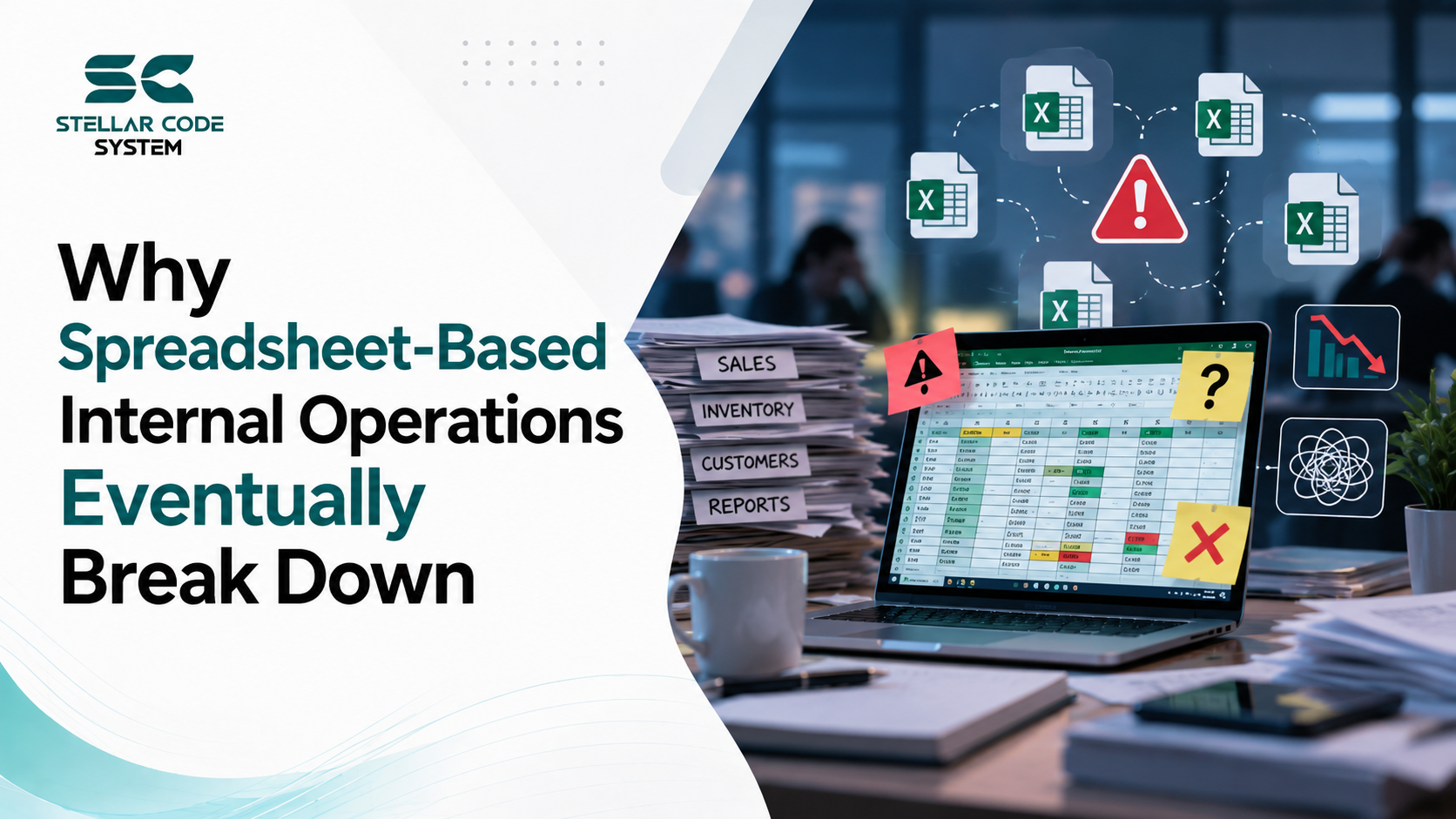
Why Spreadsheet-Based Internal Operations Eventually Break Down
Spreadsheets usually do not fail because the team chose the wrong spreadsheet.
They fail because the business gradually starts using them as a system they were never designed to be.
I have seen this happen repeatedly with startup teams, SaaS products, and growing companies. A spreadsheet begins as a quick way to track customers, internal tasks, product requests, operations, or financial information. It works well for five people. Then the company grows, more people edit it, more processes depend on it, and eventually nobody is completely sure which information is correct.
At that point, the spreadsheet is no longer just a spreadsheet. It has quietly become part of the company's internal infrastructure.
That is usually when the real problems start.
The difficult part is that teams rarely notice the breaking point immediately. The spreadsheet continues to work—until an incorrect update affects a customer, an employee deletes important data, two teams follow different versions of the same information, or someone spends half a day manually reconciling numbers.
The real question is not whether spreadsheets are useful. They are.
The question is: when does a spreadsheet stop being a useful operational tool and start becoming a source of technical and organizational risk?

Why Spreadsheet-Based Internal Operations Break Down in Real Teams
The main reason spreadsheets eventually become a problem is simple: operational complexity grows faster than the spreadsheet structure.
Early-stage teams usually build processes under time pressure.
A founder needs a way to track customer onboarding, so someone creates a spreadsheet. The operations team needs to monitor requests, so another spreadsheet appears. Engineering needs a release checklist, so a shared sheet is created. Product teams track feedback in another document.
Individually, none of these decisions is unreasonable.
The problem appears later when those spreadsheets start depending on one another.
For example, a small SaaS team might have:
- One spreadsheet for customer accounts
- Another for onboarding progress
- A separate sheet for subscription status
- A spreadsheet containing support issues
- A manual export used for reporting
Now the same customer information may exist in four or five places.
Someone changes the company name in one file but not another. An employee updates the subscription status manually. A formula breaks after a column is moved. A remote team member downloads a copy and continues working from an outdated version.
None of these problems looks serious in isolation.
Together, they create operational technical debt.
Time pressure encourages temporary solutions
Most spreadsheet-based systems begin as temporary solutions.
The team knows the process is imperfect, but building an internal system feels like unnecessary work when the company has more urgent priorities.
I have seen teams say things like:
We'll automate this once we have more customers.
The problem is that by the time the company has more customers, the spreadsheet process is already deeply embedded in daily operations.
People have built manual workflows around it. Managers depend on reports generated from it. Different teams have created their own versions. Important business decisions are now based on data that requires manual validation.
The temporary system becomes permanent simply because replacing it feels risky.
Limited engineering resources create hidden dependencies
Small engineering teams often do not have the capacity to build internal tools early.
That is understandable.
If you have five developers and a product roadmap full of customer-facing work, building an internal operations platform may not seem like the best use of engineering time.
But there is a difference between postponing automation and allowing critical processes to become unmanaged.
Once a spreadsheet controls important workflows, it becomes a dependency.
The engineering team may not own it, but the business depends on it.
That creates a difficult situation because nobody is responsible for its architecture, data quality, access rules, or long-term maintenance.
Scaling assumptions are usually wrong
Small teams often assume their current process will simply become more difficult as the company grows.
In reality, operational complexity tends to increase nonlinearly.
A spreadsheet that works for:
- 50 customers
- 3 internal users
- 2 weekly updates
may become unreliable when it reaches:
- Thousands of records
- Multiple teams
- Daily updates
- Approval workflows
- External integrations
- Reporting requirements
The problem is not necessarily the number of rows.
The problem is the number of relationships and decisions built around the data.
Once multiple people need to update, validate, approve, and act on the same information, a spreadsheet starts behaving like a poorly designed application database.
Except it has no real application architecture around it.

Where Most Teams Make the Wrong Decision
The most common mistake is assuming that the solution is either to keep improving the spreadsheet or immediately build a large internal platform.
Both approaches can be wrong.
Overengineering the replacement
I have seen startups introduce an internal platform project that becomes far more complicated than the original problem.
Instead of replacing one painful workflow, the team decides to build:
- A workflow engine
- Role-based access controls
- Multiple integrations
- Advanced reporting
- Configurable dashboards
- Notification systems
- Custom approval logic
Six months later, the internal platform is still incomplete, while employees continue using spreadsheets.
This happens because teams treat replacing a spreadsheet as a software architecture project rather than an operational problem.
The first goal should usually be simpler:
Remove the manual step that creates the most operational risk.
You do not need to rebuild the entire company workflow at once.
Copying enterprise architecture too early
Another mistake is copying how large organizations handle internal systems.
A team with eight developers does not necessarily need the same architecture as a company with several hundred engineers.
I have seen startups introduce separate services, event systems, complex permission layers, and multiple databases for an internal process that was previously managed by three people.
The architecture becomes more difficult to maintain than the spreadsheet it replaced.
The goal should not be to build an impressive internal system.
The goal should be to create a reliable process with less manual work.
Trying to fix the spreadsheet forever
The opposite problem is spreadsheet optimization.
Teams add:
- More formulas
- More tabs
- More validation rules
- More conditional formatting
- More automation scripts
- More manual approval steps
Eventually, the spreadsheet becomes an application built from formulas and conventions.
At that stage, a small change can have unpredictable consequences.
Most small teams underestimate how difficult it becomes to maintain business logic that exists across dozens of formulas.
Unlike application code, spreadsheet logic is often difficult to review properly.
There may be no pull request, automated test, versioned deployment workflow, or reliable audit process.
A critical business rule can be hidden inside one cell.
Read More:
Software Development Scope Validation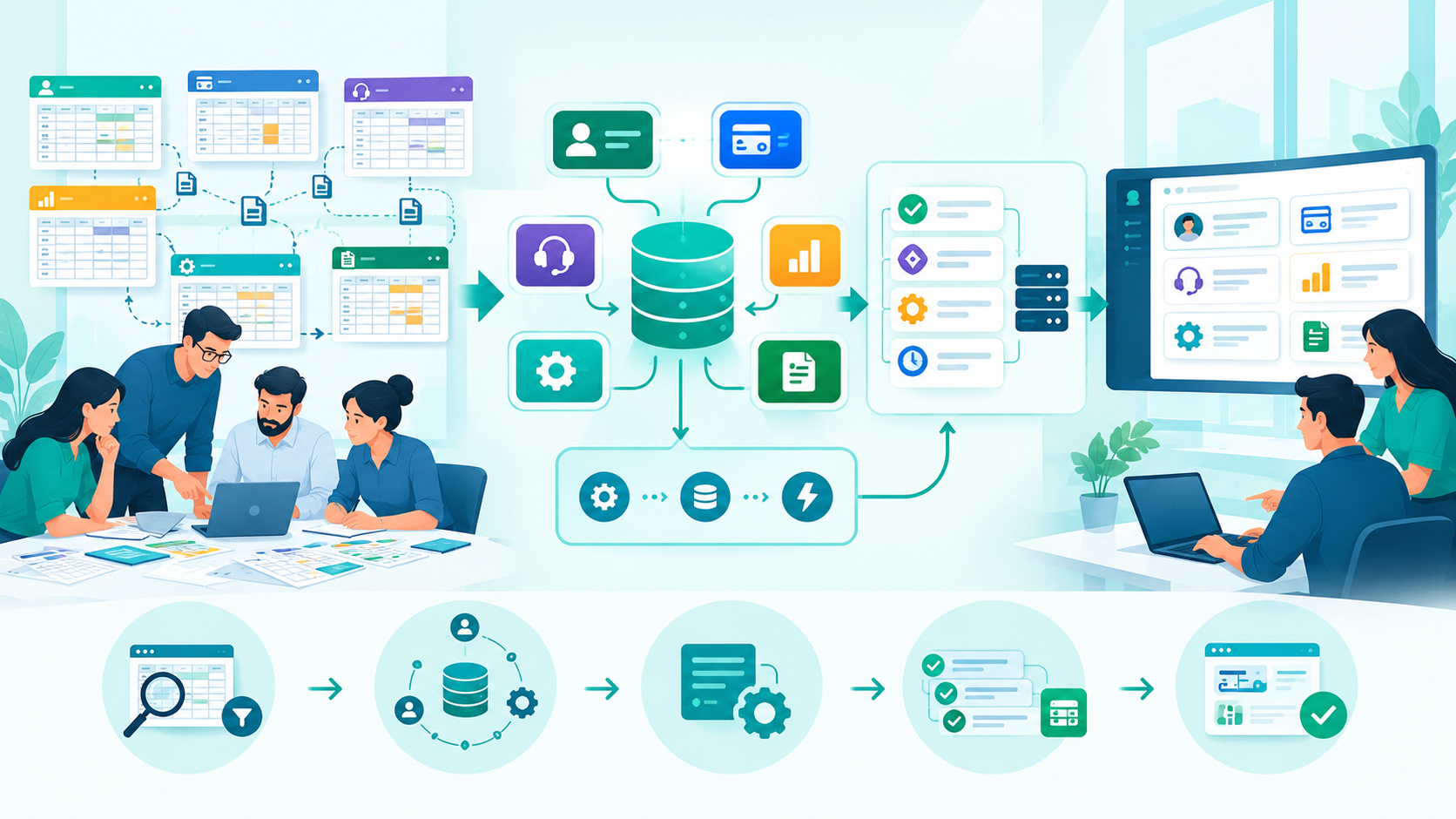
Practical Fixes That Actually Work
The most effective approach I have seen is not to replace all spreadsheets. Working with a US custom software partner for spreadsheet workflow automation helps growing teams identify spreadsheet workflows that have become operational systems, define the source of truth, automate repeated data movement, move critical business rules out of formulas, and replace risky manual processes one workflow at a time.
It is to identify which spreadsheet workflows have become operational systems.
Start by asking one question:
What happens if this spreadsheet contains incorrect information for 24 hours?
The answer usually reveals how critical the process really is.
Step 1: Separate reference data from operational workflows
Not every spreadsheet needs to become an application.
Some spreadsheets are perfectly acceptable for:
- Temporary analysis
- Planning
- One-time reporting
- Simple data exploration
- Small team tracking
The problem begins when people use spreadsheets to run recurring workflows.
For example:
Low-risk spreadsheet use:
A product manager analyzes customer feedback once per quarter.
High-risk spreadsheet use:
A team manually updates customer account status every day, and other departments make decisions based on those updates.
The second situation needs more structure.
Step 2: Identify the source of truth
One of the first things I recommend is defining where each important piece of information actually belongs.
For example:
- Customer account data → customer system
- Subscription status → billing system
- Support status → support platform
- Product usage → application database
- Internal workflow state → dedicated workflow system
This sounds obvious, but many growing teams have never formally defined it.
Without a clear source of truth, teams start copying data between systems.
Once that happens, someone eventually has to reconcile differences manually.
That manual reconciliation is usually the first major engineering bottleneck.
Step 3: Automate data movement before rebuilding everything
A full internal application may not be necessary immediately.
Sometimes the biggest problem is simply that people are copying data manually.
For example, instead of asking an operations team to:
- Export customer data
- Paste it into a spreadsheet
- Update account status
- Send the results to another team
you might automate the data flow between the systems that already exist.
The important principle is:
Automate repeated data movement before building complex new interfaces.
This often removes a large amount of operational friction without creating another system the engineering team must maintain.
Step 4: Move critical business rules out of formulas
If a spreadsheet contains logic that determines:
- Whether a customer is approved
- Whether an account can proceed
- Whether a payment requires action
- Whether an internal task is complete
that logic should eventually become explicit application logic.
A simple example:
Instead of:
- Reviewed
- Tested
- Versioned
- Logged
- Changed intentionally
IF(CustomerStatus="Active", IF(PaymentReceived=TRUE, "Approved", "Pending"), "Blocked")
inside a spreadsheet cell, define the business rule in a system where it can be:
The goal is not necessarily to turn every rule into a microservice.
For a small SaaS product, a well-organized backend module may be enough.
Step 5: Replace one workflow at a time
This is where many teams save themselves from unnecessary complexity.
Do not start with:
We need to replace all spreadsheets.
Start with:
Which workflow creates the most mistakes, delays, or manual work?
Then replace that workflow.
For example:
- Week 1: Map the current workflow.
- Week 2: Identify duplicate data and manual steps.
- Week 3: Define the actual source of truth.
- Week 4: Build or automate the smallest reliable replacement.
Once the new process is stable, move to the next workflow.
This incremental approach is easier for remote developers and product teams because it reduces the risk of replacing familiar processes all at once.

When This Approach Fails
Moving spreadsheet workflows into software is not always the correct decision.
A dedicated system introduces its own costs.
The workflow changes too frequently
If a process changes every week, building a custom application around it may create unnecessary engineering work.
Sometimes a spreadsheet is still the right temporary tool while the team is figuring out how the process should work.
Automating a workflow that has not stabilized can lock bad assumptions into code.
The team cannot maintain another system
Every internal application creates maintenance work.
Someone must handle:
- Bugs
- Authentication
- Permissions
- Data changes
- Deployment workflows
- Monitoring
- Documentation
For a small engineering team, this can become a real burden.
If the operational problem is small, a simpler automation may be better than building a complete platform.
The problem is actually process-related
Sometimes the spreadsheet is not the real problem.
The real problem may be that:
- Nobody owns the process
- Approval rules are unclear
- Teams disagree on responsibilities
- Requirements keep changing
- Information arrives late
Building software around a broken process simply creates a more permanent version of that broken process.
Before automating anything, I usually recommend documenting the actual workflow first.
Not the workflow people think exists.
The workflow that people actually follow.

Sustainable Practices for Small Engineering Teams
The best long-term approach is usually a combination of simple architecture and clear operational ownership.
Treat critical spreadsheets as technical dependencies
If a spreadsheet affects customers, revenue, deployment workflows, or important business decisions, document it.
At minimum, teams should know:
- Who owns it
- What information it contains
- Where the data comes from
- Who can change it
- Which processes depend on it
This alone prevents many operational surprises.
Keep business logic visible
Hidden logic creates technical debt quickly.
Whether the logic lives in a backend system, frontend architecture, automation workflow, or database process, engineers should be able to understand where important decisions happen.
If a critical rule exists only inside someone's spreadsheet formula, the organization has a knowledge dependency.
Improve deployment workflows for internal systems too
Small teams sometimes apply engineering discipline only to customer-facing products.
Internal tools also need reasonable deployment workflows.
That does not mean enterprise-level infrastructure.
It means changes should be intentional.
A useful baseline includes:
- Version-controlled code
- Basic testing for critical rules
- Clear rollback options
- Simple change documentation
- Monitoring for important failures
Internal systems often cause fewer visible problems when they fail, but their failures can create significant operational delays.
Document decisions, not everything
Small engineering teams do not need documentation for every implementation detail.
But they should document important decisions.
For example:
- Why this workflow was automated
- What the source of truth is
- Which team owns the data
- Why a certain architecture was chosen
This is particularly useful for remote developers.
In distributed engineering teams, assumptions disappear quickly when the original person who created a process is no longer available.
Avoid turning every internal problem into a platform
The healthiest small teams I have worked with usually follow a simple rule:
Use the smallest system that can reliably solve the current problem.
That might be:
- A spreadsheet
- A database-backed internal page
- A simple automation
- A backend workflow
- A lightweight administrative interface
The correct solution depends on the operational risk, not on what architecture looks most sophisticated.
Schedule operational debt reviews
Engineering teams often discuss technical debt but ignore operational debt.
Every few months, review questions such as:
- Which tasks are still heavily manual?
- Where are people copying data?
- Which spreadsheets have become critical systems?
- Where do teams repeatedly correct mistakes?
- Which workflow depends on one person's knowledge?
These discussions often reveal bottlenecks before they become serious scaling issues.
Conclusion
Spreadsheet-based internal operations usually do not break because spreadsheets are bad tools.
They break because companies quietly ask spreadsheets to behave like databases, workflow engines, reporting systems, and internal applications at the same time.
The biggest mistake small teams make is choosing between two extremes: either continuing to patch spreadsheets forever or overengineering a massive replacement system.
A better approach is to identify the workflows that create real operational risk and replace them gradually.
Define the source of truth. Remove unnecessary manual data movement. Move critical business rules into maintainable systems. Keep the architecture simple enough for the current engineering team to support.
The practical lesson is straightforward:
When a spreadsheet becomes something the business cannot safely operate without, it should be treated as a system—not just a file.
That is usually the point where teams need to decide whether they are managing a spreadsheet or managing hidden operational technical debt.
Frequently Asked Questions
A startup should reconsider spreadsheets when multiple teams depend on the same data, manual updates happen frequently, mistakes affect customers or revenue, or employees regularly reconcile conflicting information.
No. Spreadsheets are useful for analysis, planning, and temporary processes. They become risky when they act as the primary source of truth for recurring operational workflows.
Only when the workflow is stable, important, and costly to manage manually. A simple automation or lightweight internal interface is often enough.
More people, systems, approvals, and dependencies increase the chance of duplicate data, broken formulas, conflicting versions, and unclear ownership.
Define a clear source of truth, limit unnecessary editing access, document workflow ownership, automate repeated data movement, and move critical business rules out of hidden formulas.
Reference
Written by

Paras Dabhi
VerifiedFull-Stack Developer (Python/Django, React, Node.js)
I build scalable web apps and SaaS products with Django REST, React/Next.js, and Node.js — clean architecture, performance, and production-ready delivery.
LinkedIn